Related guides: the pairing routes for developers are in the HTTP & WebSocket API guide, and the number of phones you can pair depends on your tier — see License & Activation.
Chapter 1: Requirements (30 Seconds)
The mobile remote runs on Android and connects to a supported Windows or macOS desktop installation. It is a companion controller, not a standalone DjMirror Pulse visual-output app or a multi-screen client.
| Need | Detail |
|---|---|
| License | Any active license, including the trial (pairing needs one; phone limits per tier below) |
| HTTP server | ON (it is on by default; "server": true or --server) — pairing refuses without it |
| Network | Phone and PC on the same network (no address = no pairing) |
| Phone limits | Trial 1 · Standard 1 · Professional 2 · Enterprise 5 (over-limit → 403 MOBILE_LIMIT_REACHED) |
Chapter 2: Concepts In Two Minutes
- One-use QR. Each code (
djmirror://pair?...) is 128-bit, single-use, expires in 180 s, one active session. No camera? Type the shown code on the phone. Five wrong short-code tries lock it. - Approval. With Ask on this computer before a phone is paired ON, the desktop shows Pair '…'? → Allow / Reject. Closing the panel cancels the pending code.
- Devices, not sessions. Paired phones are remembered with their name, platform and when they last connected. Unpair revokes a phone and closes its connection. Pairing the same phone again does not count twice.
- API key modes (same panel, API security): the status chip at the top right shows the current state (for example
API open (no API key)). With no key the HTTP API is open to the network (a pairing code is still required to pair a phone); with a key, other clients must send it, while paired phones keep working with their own token. If the environment variableDJMIRROR_API_TOKENis set, the key field is locked because the key is managed outside the app. Keys are saved toconfig.jsonimmediately. - What the phone drives. A live mirror of the show: styles, layers, artist, favorites, schedules, timecode cues, and DMX (blackout, movement, dimmer, scenes, live control).
Chapter 3: Step By Step
Step 1 – Pair (2 min)
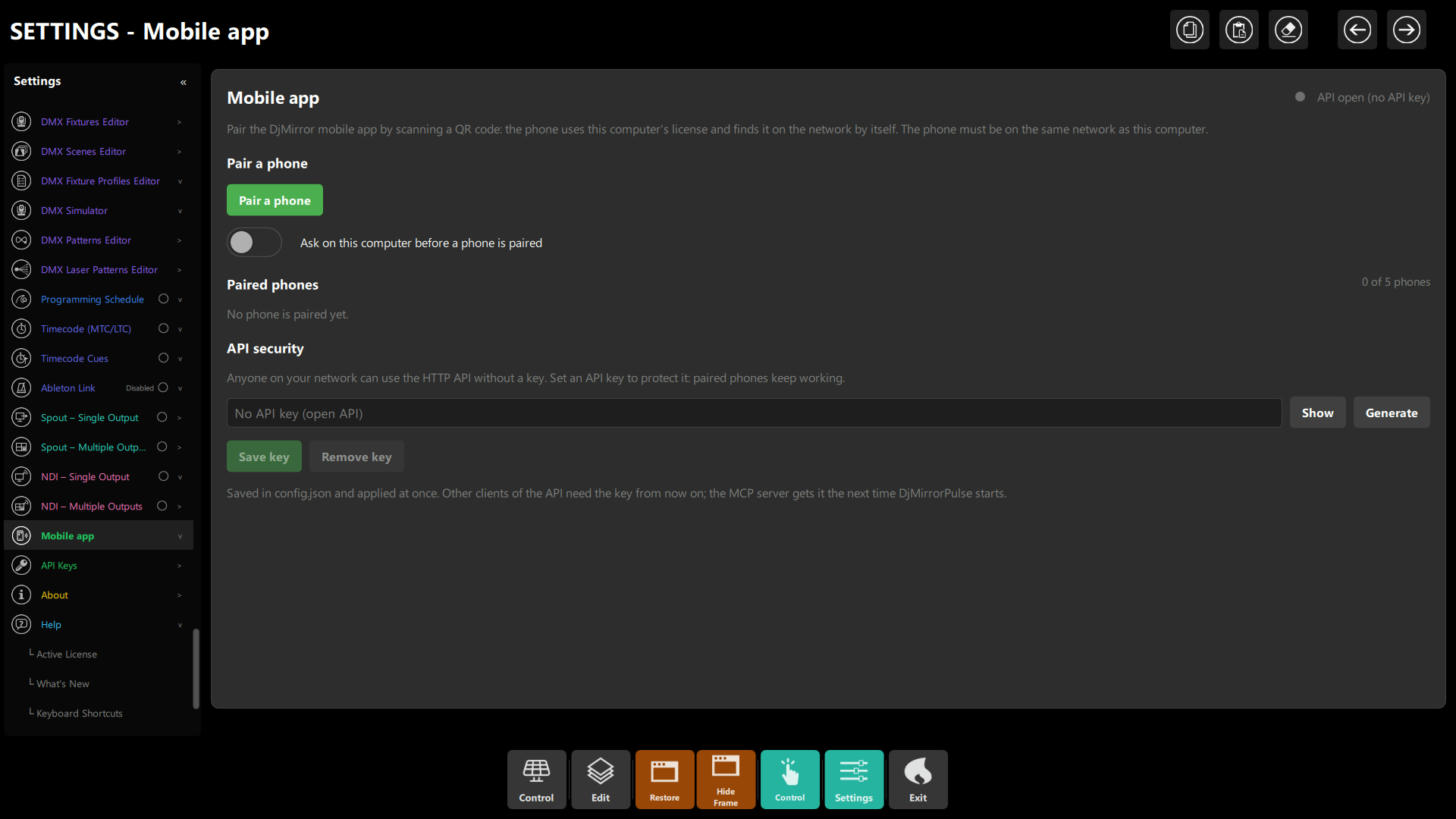 Figure 1: Settings → Mobile app with nothing paired — Pair a phone, the approval switch, the Paired phones list with its counter (
0 of 5 phones on an Enterprise license), and API security.
- Settings → Mobile app → Pair a phone. If a requirement is missing, the panel names the fix (activate a license / start the server / join a network).
- Show QR →
On the phone, open DjMirror and scan this code.Area showsComputer: <name> (<ip>, port <p>)Expires in …. New code / Cancel rotate or kill the session.
- Approve Allow on the desktop popup →
'…' is paired.Phone appears under Paired phones (N of M).
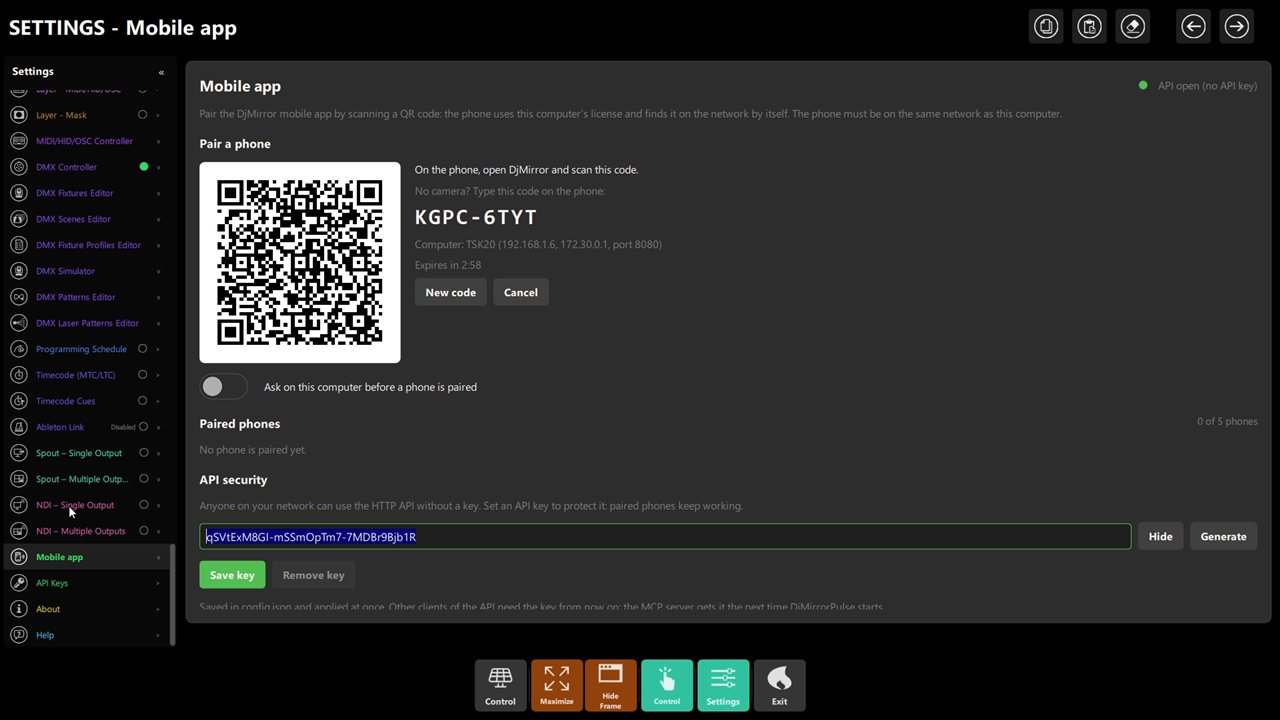 Figure 2: the QR code, the typed fallback, the expiry, the approval switch and the counter.
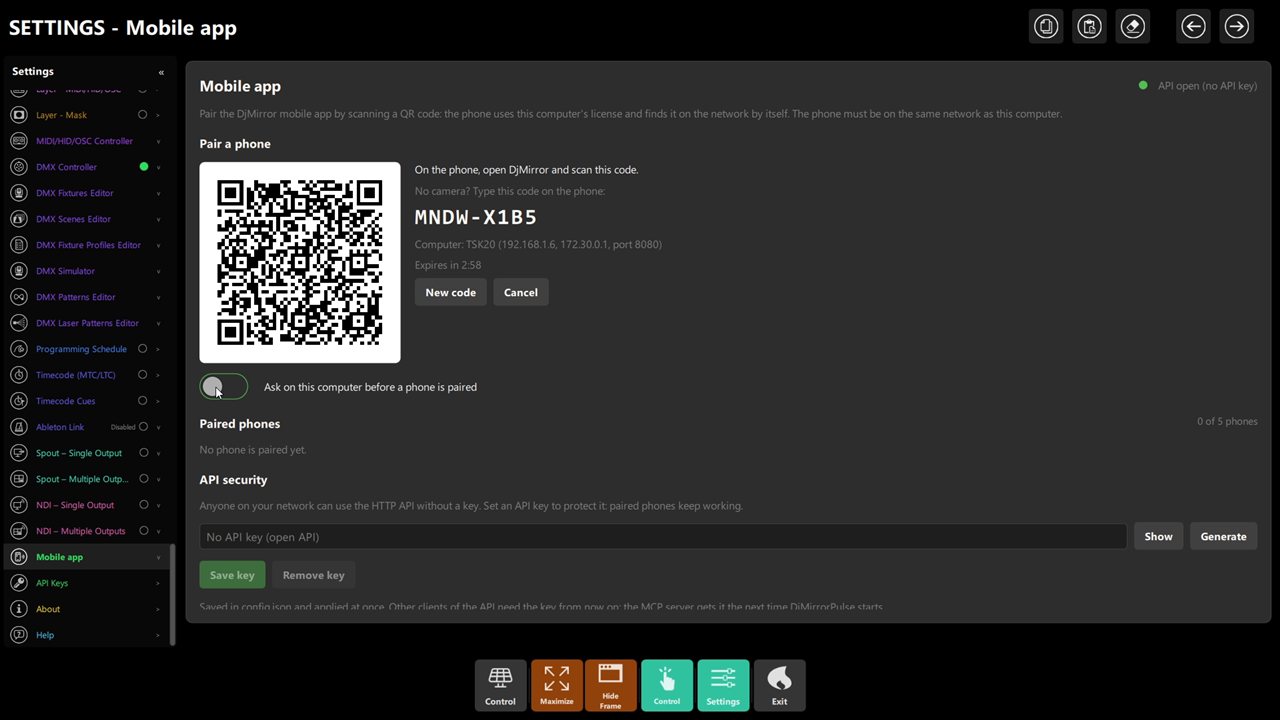 Figure 3: approval on — every phone needs your Allow on the desktop popup.
Step 2 – Drive the show (soundcheck)
From the phone: flip two styles, step the video playlist, recall one DMX scene, toggle the marquee. Latency should feel instant on local Wi-Fi; if sluggish, prefer 5 GHz / wired PC over crowded 2.4 GHz.
Step 3 – Secure it (1 min)
API security says it plainly: anyone on your network can use the HTTP API without a key. Generate a key (no
spaces) → Save key. It is saved in config.json and applied at once; other API clients need the key from now on,
and the MCP server gets it the next time DjMirror Pulse starts. Paired phones keep working. Remove key opens the
API again. Show and Hide reveal the key so you can copy it into scripts — do not share it in chats or screenshots.
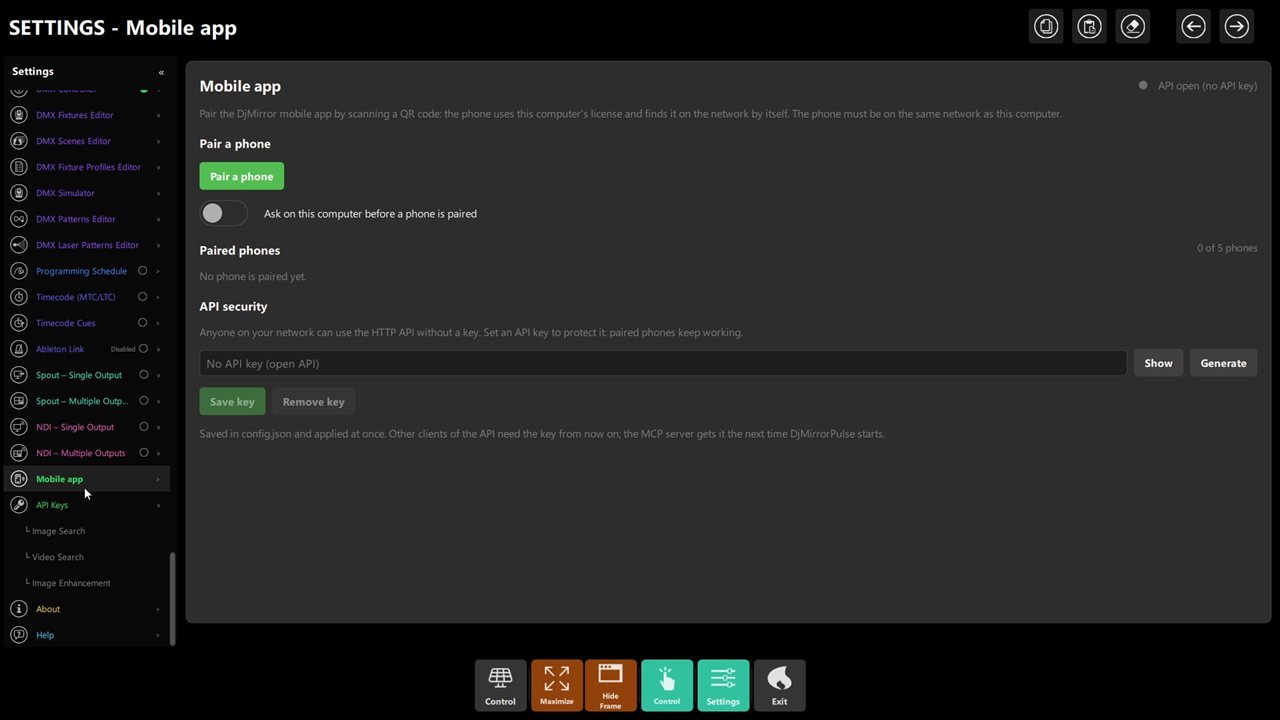 Figure 4: the key field with Show, Generate, Save key and Remove key — same panel as pairing.
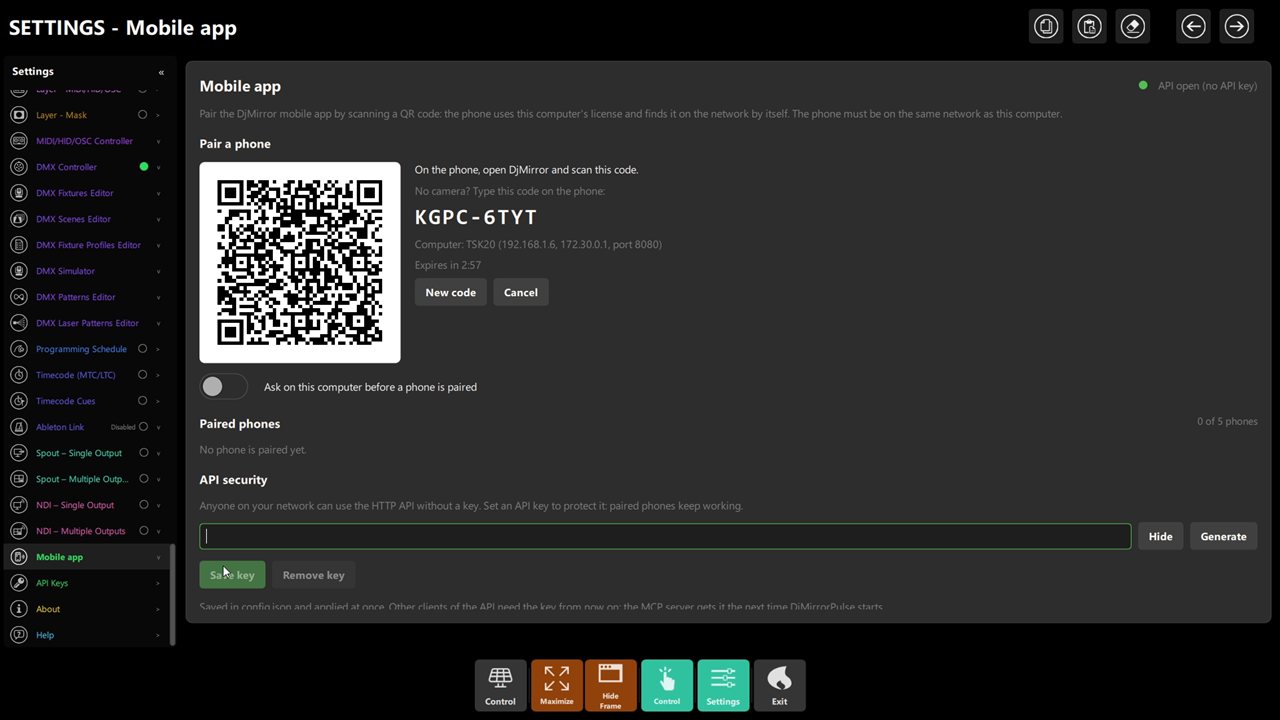 Figure 5: New code rotates the QR; the focused field is ready for Save key.
Step 4 – Retire (30 s)
Lost phone / crew change: row → Unpair (shows Never connected for stale ones). Over-limit adds need a free
slot or a higher tier.
Chapter 4: Pre-Show Checklist
- Server ON, same network as the operator phone, and the panel shows
N of Mwith the right phone. - Approval switch as you want it (on for public venues).
- API key set if the venue network is shared, and scripts updated with the key.
- Phone rehearsed: style + playlist + DMX scene + marquee from the floor position (Wi-Fi dead spots found now).
Chapter 5: Troubleshooting
| Symptom | Likely cause | Fix |
|---|---|---|
| Pair button errors | No license, server off, or no network address | The message names it: activate a license, start the server (--server), join the LAN |
| QR won't scan | Glare / tiny screen / expired (180 s) | New code, brightness up, scan fast |
| No approval popup | Approval off (auto) or panel closed (cancelled) | Check switch; re-open panel + new code |
403 MOBILE_LIMIT_REACHED |
Tier phone cap hit | Unpair stale phones or upgrade tier |
| Phone sluggish | Crowded 2.4 GHz / weak signal | 5 GHz SSID, AP near booth, wired PC |
| Key field locked | DJMIRROR_API_TOKEN set |
Change it in the environment, not the panel |
| Scripts broke after setting a key | The scripts do not send it | Add the X-API-Key header (or Bearer); paired phones keep working |
Phone shows Never connected |
A stale pairing | Unpair it to free a slot |
Chapter 6: Quick Recipe Card
- Server ON + same LAN + license → Pair a phone → scan (180 s) → Allow →
N of M. - Phone drives: styles/layers/artist/playlists/schedules/cues/sources + DMX scenes/live.
- Key: Generate → Save (instant); empty = open; env var locks the field.
- Retire: Unpair per row. Caps: 1 / 1 / 2 / 5 by tier.