
What’s New in DjMirror Pulse 1.0.0.724: TimeCode, Cuepoints, Direct DMX and Full AI Control
TimeCode with cuepoints, direct DMX with manual smoke, universes that remember their ports, a mobile app, and a race-free MCP for AI control.
This release covers a bit more ground than usual, because a few things have been landing quietly since 717 and it’s worth pulling them into one place. The short version: your show now understands time, the DMX side has grown up, there’s a mobile app to run the whole thing from your pocket, the UI speaks every supported language properly, and if you’re one of the DJs already driving Pulse through Claude or an MCP client, the AI side has been rebuilt to be race-free and honest about what it’s doing.
Let me start with the good, because there’s a lot of it.
TimeCode and Cuepoints, plus a manual mode
The bit most DJs will care about first is TimeCode with Cuepoints support. You can now anchor visual events to positions inside a track instead of asking the system to guess from the audio and hope. So a drop is a drop when you want it to be a drop, and a break is a break, and the visuals and the DMX follow.
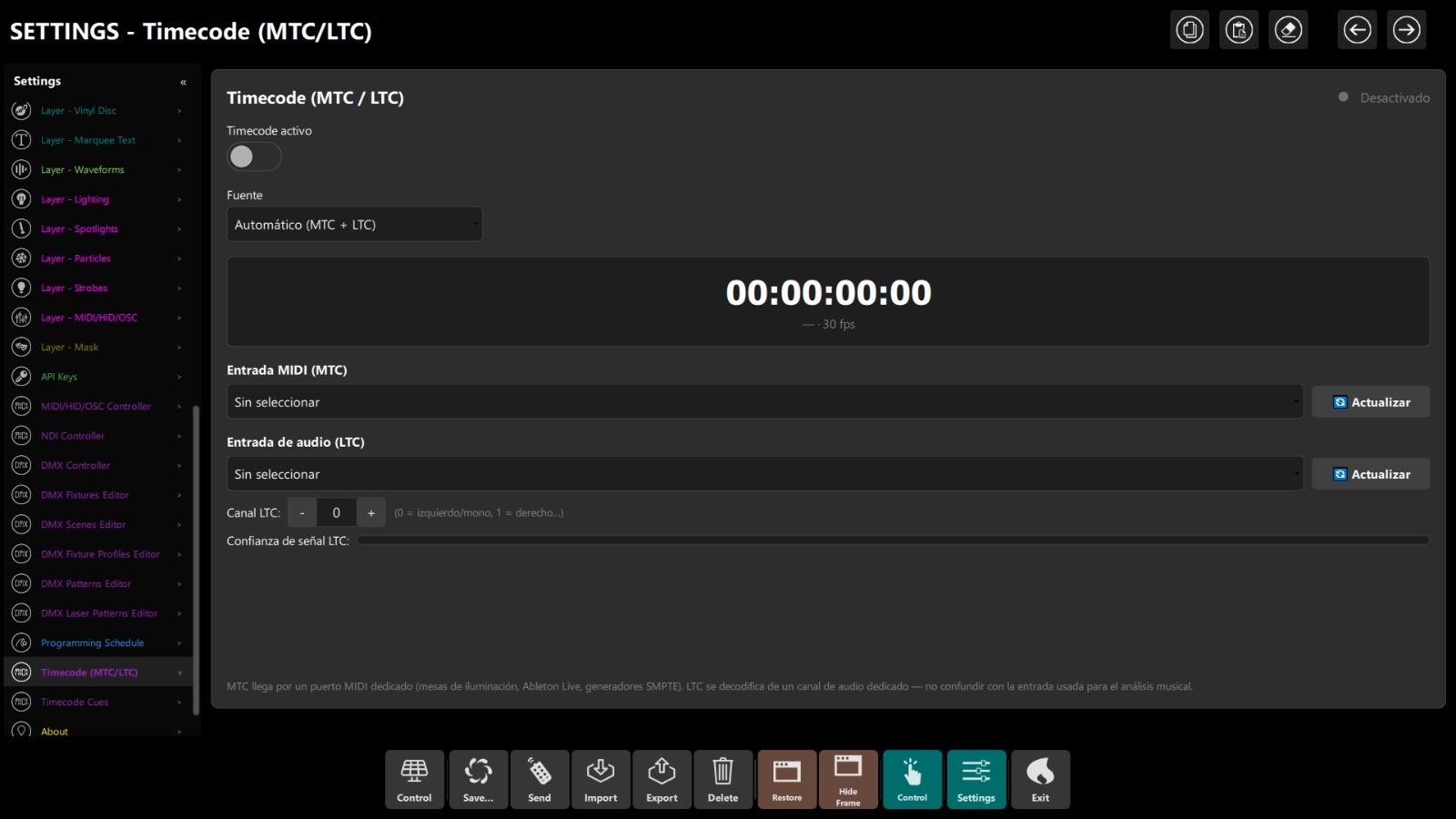
This matters more than it sounds, because audio-reactive alone gets you 80% of the way there, but the last 20% is what stops your show looking like every other audio-reactive setup on Instagram. Cuepoints are how you close that gap without having to hand-trigger scenes all night.
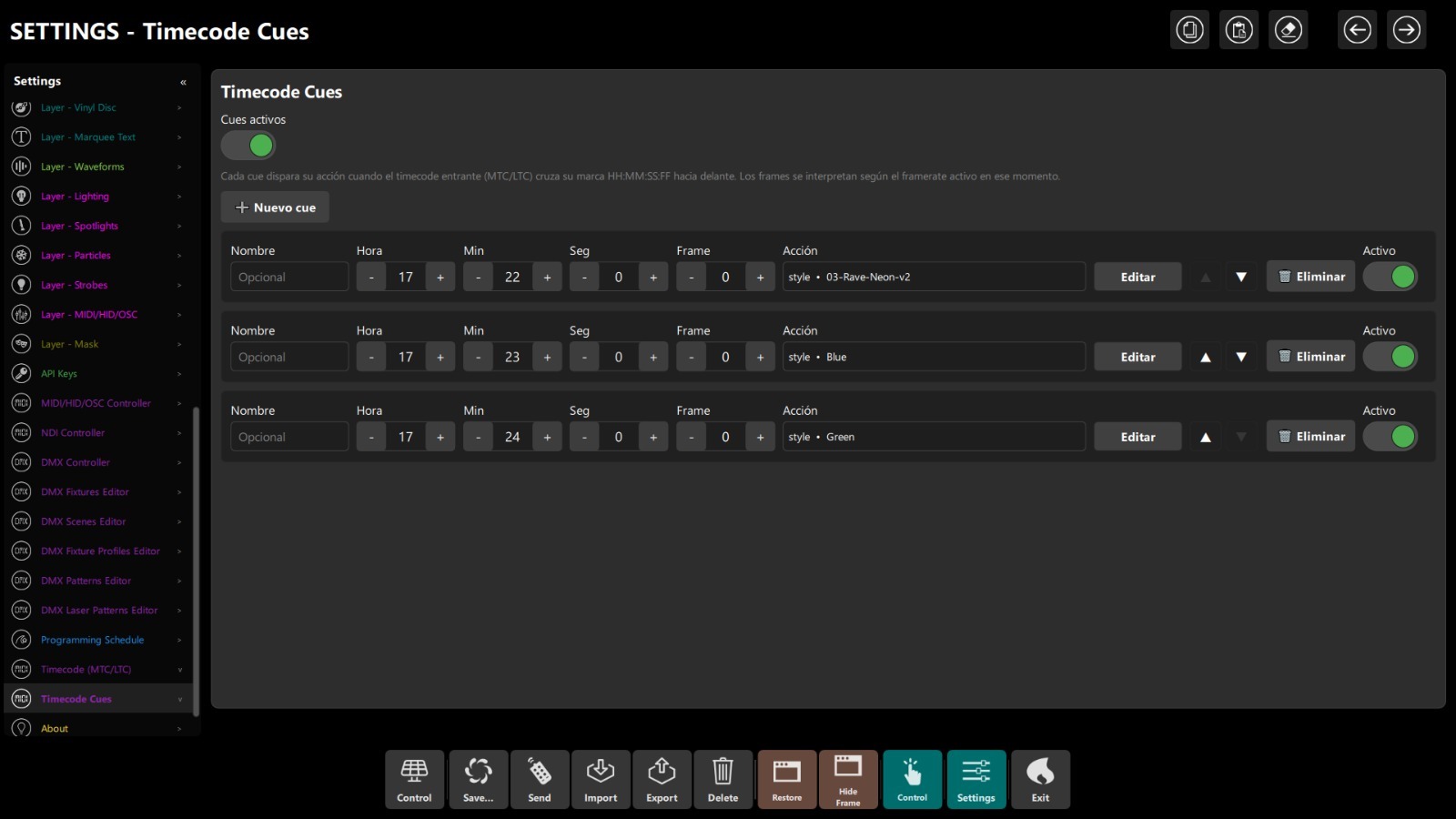
There’s also a manual TimeCode mode now, for the cases where you’re not running MIDI clock or timecode from your DJ software and you just want to punch cues by hand from a controller or a mobile. If you’ve been running your visuals off BPM and levels only, this is the upgrade that lets your show actually breathe with the track.
The DMX side has grown up
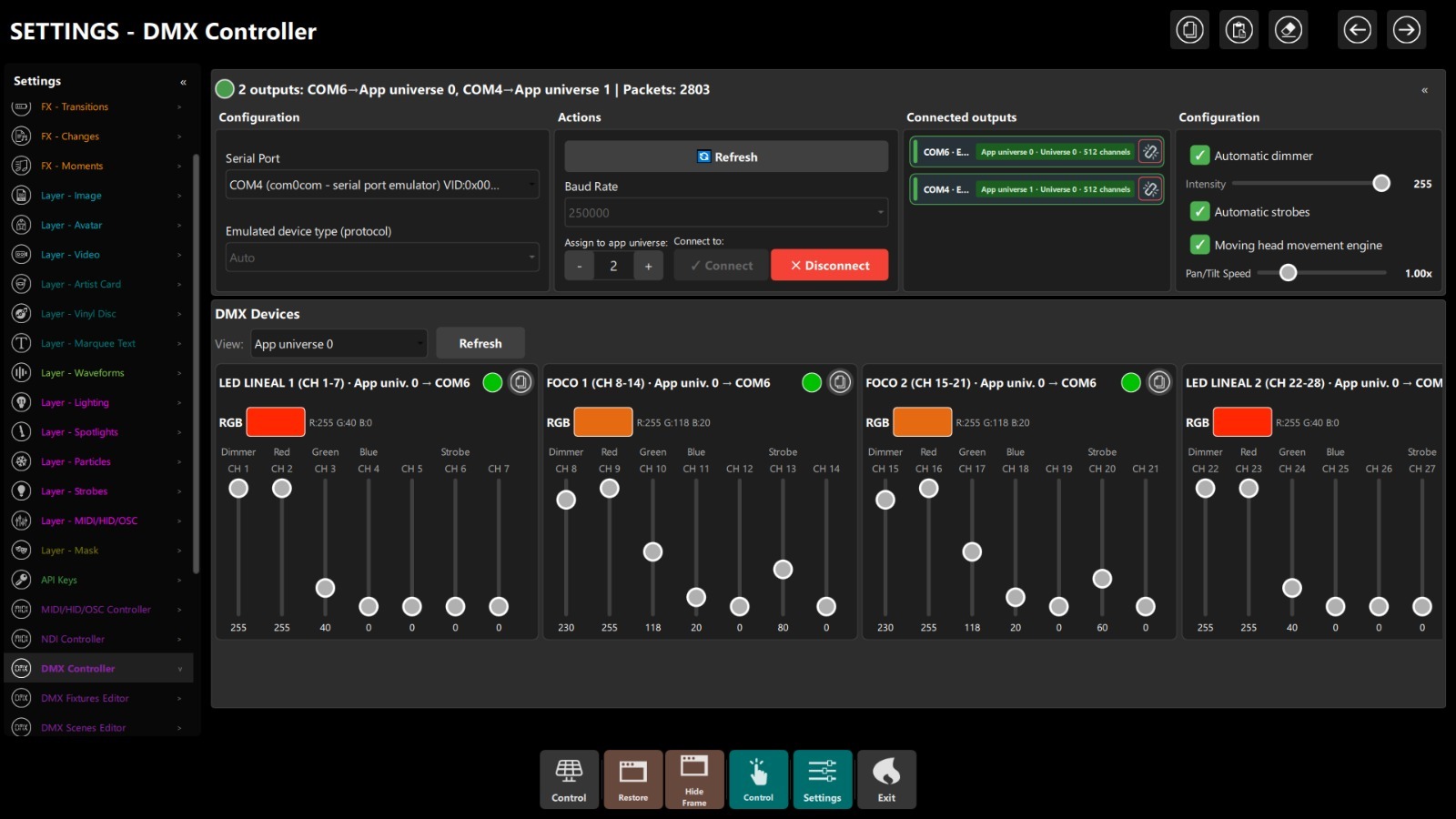
Small change, big quality of life: the DMX Control Panel is now one step away instead of buried inside menus, and the panel itself has had a pass so you can see the outputs, the fixtures and their live channel values without hunting. If you’re running DMX from Pulse, you’ll notice this within about ten seconds of updating.
A few other DMX things landed alongside it, and they’re the sort of things that don’t sound like much until you’ve been burned by not having them.
Manual smoke. You can now trigger the smoke machine by hand from the app, on top of the automatic behaviour. Handy for that one moment in the set where the machine needs to fire and the track hasn’t asked for it yet.
Scene mode change for cleaner colour. The scene mode now behaves in a way that plays properly with the colour integration underneath, so scenes and colour don’t fight each other any more. If you had to work around this before, you don’t now.
Automatic port reconnection. If a DMX interface drops off, Pulse now reconnects the port on its own instead of leaving you to restart the app.
Universes remember their ports. This one is the biggest of the four. If you’re running two DMX universes and you plug each one into a specific interface, Pulse now remembers which universe belongs to which port. Next time you set up, they land where they were the last time. No more configuring the universe-to-port mapping every time you unpack the rig. If you’ve ever done a soundcheck at 6pm and realised your lights are on the wrong universe with the crowd already at the door, you know why this matters.
The auto-DMX behaviour that follows the visuals is still doing its thing. The panel around it is just faster to get to, and a lot less fragile in a live-load situation.
A mobile app for the tablet or phone
There’s now a proper mobile app for controlling Pulse from a tablet or a phone. If your laptop is buried under the coffin lid and you don’t want to be squinting at it between mixes, the mobile control is the answer. Trigger scenes, switch styles, fire smoke, punch cues by hand on the manual TimeCode. All from the tablet propped next to the mixer.
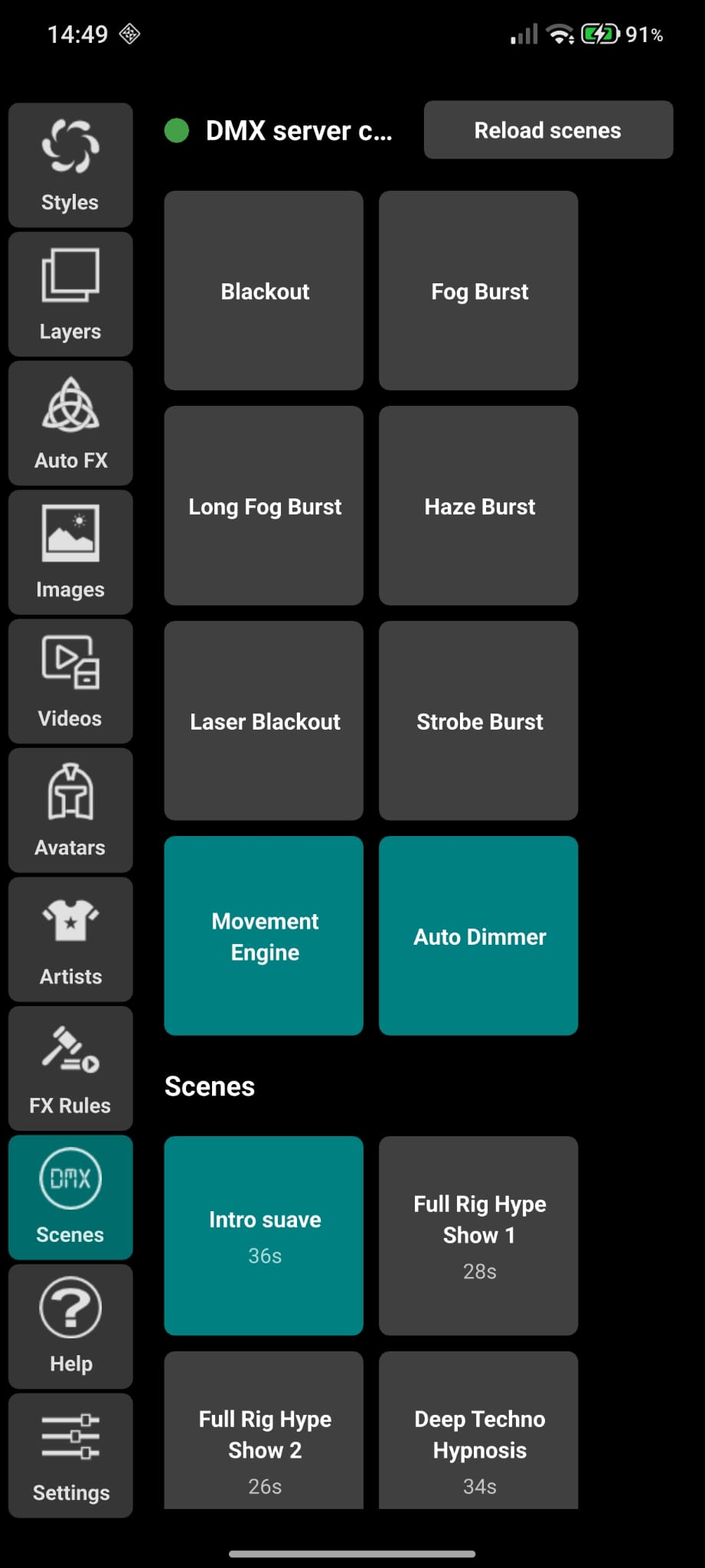
Scenes on the phone
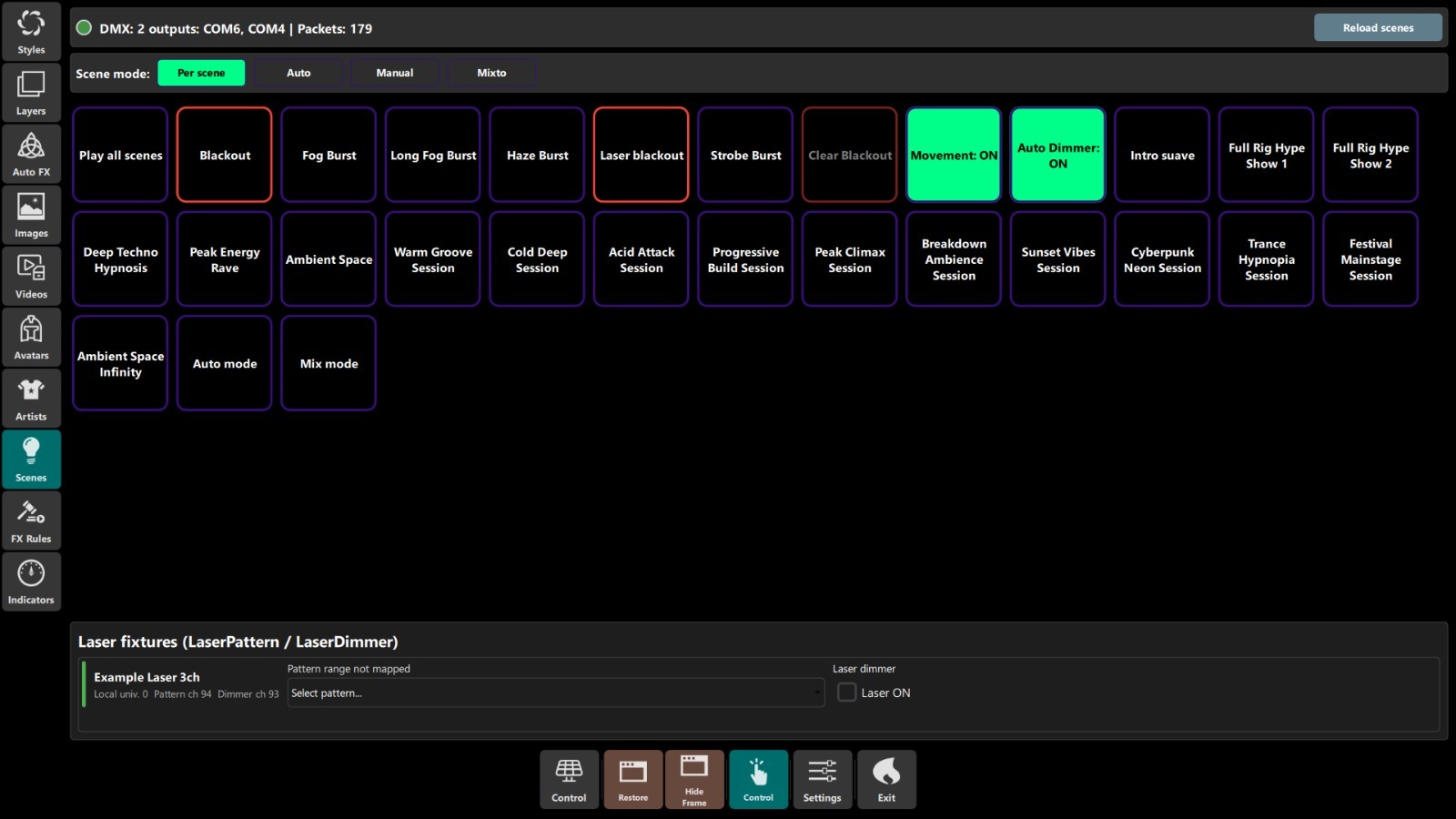
Same scene grid you have on the desktop, one tap away from the mixer position. Blackout, Fog Burst, Strobe Burst, Movement, Auto Dimmer and every named scene you’ve saved. If you’ve ever had to walk back to the laptop mid-set to fire a fog burst, this is the fix.
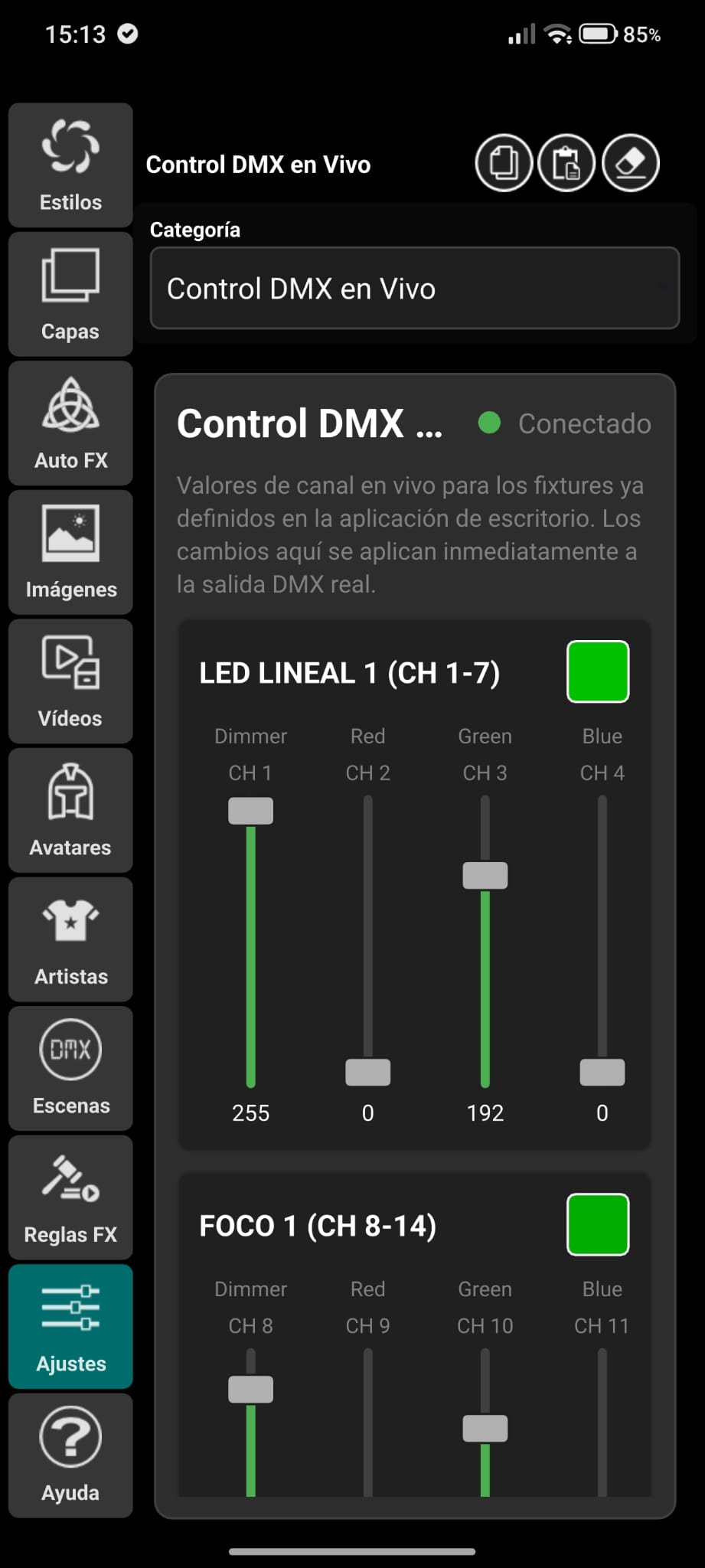
Live DMX from the phone
Per-channel sliders for every fixture you’ve patched, live. Nudge a colour, drop a dimmer, tweak a strobe without walking anywhere. The values you touch here go straight out to the DMX line, so what you see on stage is what you’re moving on the phone.
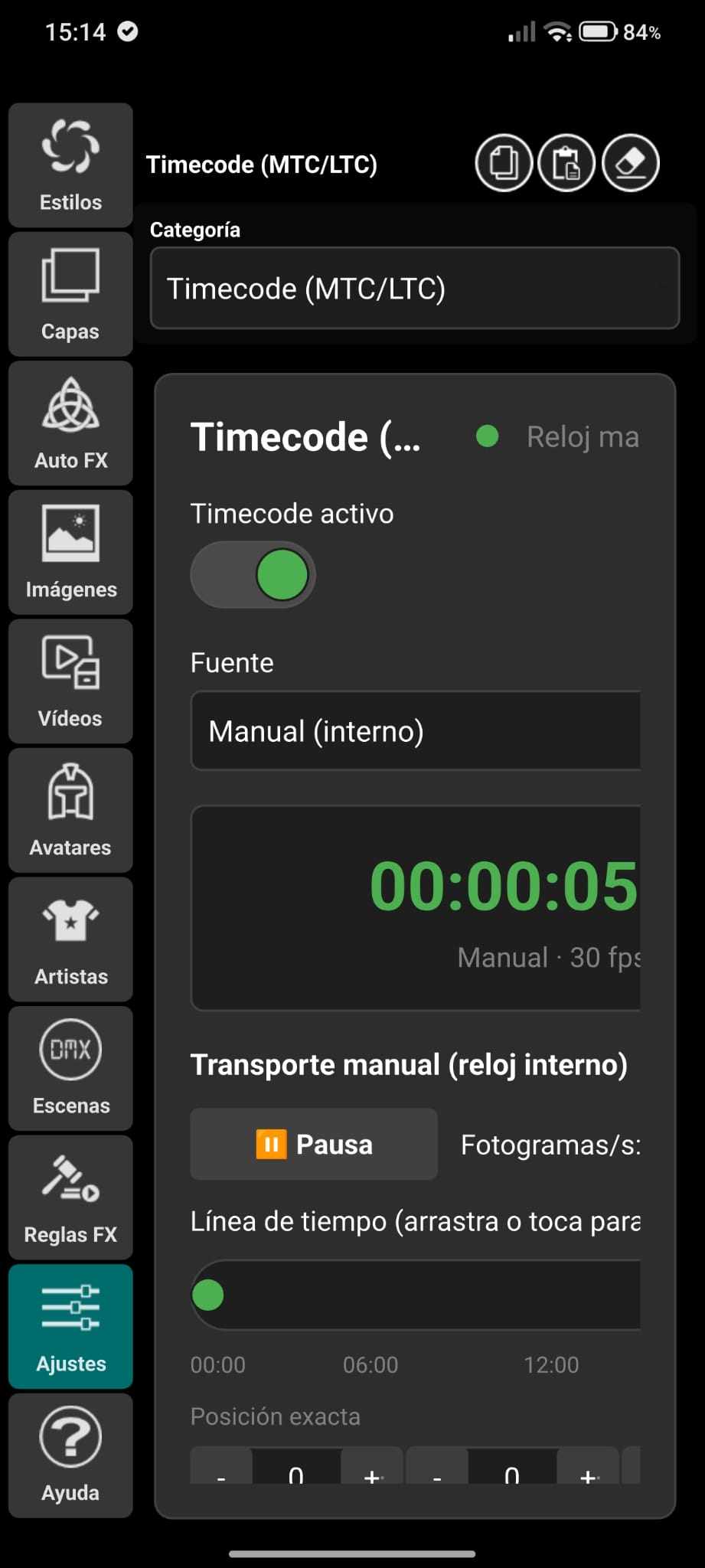
Manual TimeCode on the phone
Play, pause, scrub the timeline, punch cues by hand. Useful when you’re not running MTC or LTC and you just want the timecode engine driving cues off an internal clock you control from the mixer position.
The mobile app itself got a full review pass in this release, so the rough edges from earlier builds are smoother and every screen is now translated into every supported language.
Full UI translations across every language
Every string in the app is now translated in every supported language, including the smaller screens that were still half-English in previous builds. If you’ve been using Pulse in Spanish, German, French, Portuguese, Italian or any of the others and were getting the occasional English pop-up, that’s gone.
The AI side: Pulse becomes properly agent-controllable
This is the section that will matter to a smaller group of DJs today and to a much bigger group by next year, so it deserves a bit of room.
Pulse has had an MCP server for a while, which is how you plug it into Claude or any AI client that speaks the Model Context Protocol. In practice that means you can tell your assistant “load one of my saved styles but boost the lighting a bit” and it just happens on the screen. Same for downloading stock imagery, patching layers, switching styles, moving fixtures, triggering scenes.
The problem with the previous MCP was that it was easy to write a set of AI commands that looked correct and then didn’t do what you asked, because two calls could race each other. You’d switch style and then patch a layer, and the patch would silently get overwritten by the tail end of the style switch. If you were lucky you noticed. If you weren’t, you had a wonky-looking show and no idea why.
That whole class of bug is now closed with a single atomic call: apply the style and adjust it in the same operation. Boost the lighting on top of the base style in one go. No race, no silent overwrite.
A handful of other things landed alongside it, and I’ll spare you the internals, but the practical result is that Pulse is now honest with the AI on the other side of the pipe:
- Every response carries a revision counter, so your assistant can tell whether anything changed since it last looked without having to re-download the whole configuration each time.
- Every write returns only what actually changed, not the whole multi-megabyte configuration blob. Some AI clients were choking on the old response size and reporting a successful save as a failure.
- Errors come back with a structured code (invalid input, not found, app not running, connection error) instead of a loose string. If your assistant gets “not found”, it now knows it’s “not found” and not “the app is on fire”.
- The Pixabay and Pexels tools that used to say “success” and return zero results are fixed. They now return real search results and real downloads.
- Downloading a stock image, video or avatar can target a named playlist, so you can queue up assets for the style you’re switching to next without polluting the one that’s currently on the screen.
- Every incoming AI request is now logged to the console with the tool name and the arguments, so when something goes sideways you can actually see what the AI asked for.
- Saved styles can be edited in place without touching what’s currently on screen, and there’s a capabilities endpoint that lists what styles exist without dumping the whole configuration.
If none of that means anything to you, skip it. It’s plumbing. But if you’ve tried to wire Pulse into an MCP client and had it feel flaky, all of that flakiness had a name and the name has been fixed.
Under the hood: tests
We’re now at 70% unit test coverage and 80% integration coverage, which are the kind of numbers you’d expect from software with more zeros in the price tag. This isn’t the sort of thing that shows up in a demo video, but it is what stops a release from breaking your show two nights before a big gig. Every atomic style flow, the structured error codes, the revision counter, the MCP proxy, all of it is now covered by automated tests.
Boring to talk about. The reason your next update won’t surprise you.
Full changelog since 1.0.0.717
For anyone who wants the granular version, here’s what’s landed.
1.0.0.724
- TimeCode and Cuepoints
- Manual TimeCode mode
- Manual smoke trigger
- Scene mode behaviour changed for cleaner colour integration
- Automatic port reconnection for DMX interfaces
- Universes remember which port they were plugged into
- Direct, improved access to the DMX Control Panel
- Full UI translations in every supported language
- Full review of the mobile app, and a mobile control app for the tablet or phone
- 70% unit test coverage, 80% integration coverage
1.0.0.719
- Stock downloads (image, video, avatar) can target a specific playlist by name instead of always landing in the live one
- Fixed: stock downloads were silently mixing into whatever style happened to be playing
1.0.0.718
- MCP server now logs every incoming request with the tool name and arguments, on both HTTP and STDIO
- Fixed: structured error codes were sometimes tagging an HTTP error as a connection error
- Fixed: Pixabay and Pexels search and download through MCP always reported success and returned nothing
1.0.0.717
- New atomic call to apply a saved style to the live output and tweak it in the same operation
- New patch-style call to edit a saved style file in place without touching what’s on screen
- New capabilities endpoint listing available styles
- Fixed: creating a new style from the live configuration could save stale playlists
- Fixed: a small patch used to return the whole configuration in the response
- Fixed: MCP tool errors now carry a structured code with the app’s real error message
- Fixed: the busy-port startup warning is now only a warning when there’s actually a problem
- Every API and MCP response now carries a revision counter
What to do now
If you’re on any build older than 724, update. Nothing here breaks the way you use Pulse today. The atomic style call and the revision counter only kick in if you’re using the API or the MCP, so you don’t need to change anything in how you run your live show.
If you’ve been putting off trying the AI integration, this is the release where it actually behaves. Point Claude Desktop, or any MCP client, at Pulse’s MCP server and ask it to build you a style. It’ll work now.
Grab the update from your account, or start the 14-day trial if you’re new here.


