
DjMirror Pulse for Android
Mobile app · Android
Your whole show, in your pocket.
DjMirror Pulse for Android is the companion app for DjMirror Pulse, the audio-reactive visual and DMX lighting software for DJs and VJs. It turns your phone into a remote control for the copy running on your Windows or macOS computer: switch styles, layers and playlists, fire DMX scenes and control lasers from the dance floor, without going back to the laptop.
The phone does not render visuals or send DMX itself. It talks to your computer over the local network and the computer does the work, so everything you change on the phone happens instantly on the main screen and the lights.
DjMirror Pulse for Android in 30 seconds
DjMirror Pulse for Android is a companion app that turns an Android phone into a remote control for DjMirror Pulse running on a Windows or macOS computer. The key facts:
- Pairing: scan a one-use QR code from Settings › Mobile app, or type the short code. No IP address to enter and no second licence.
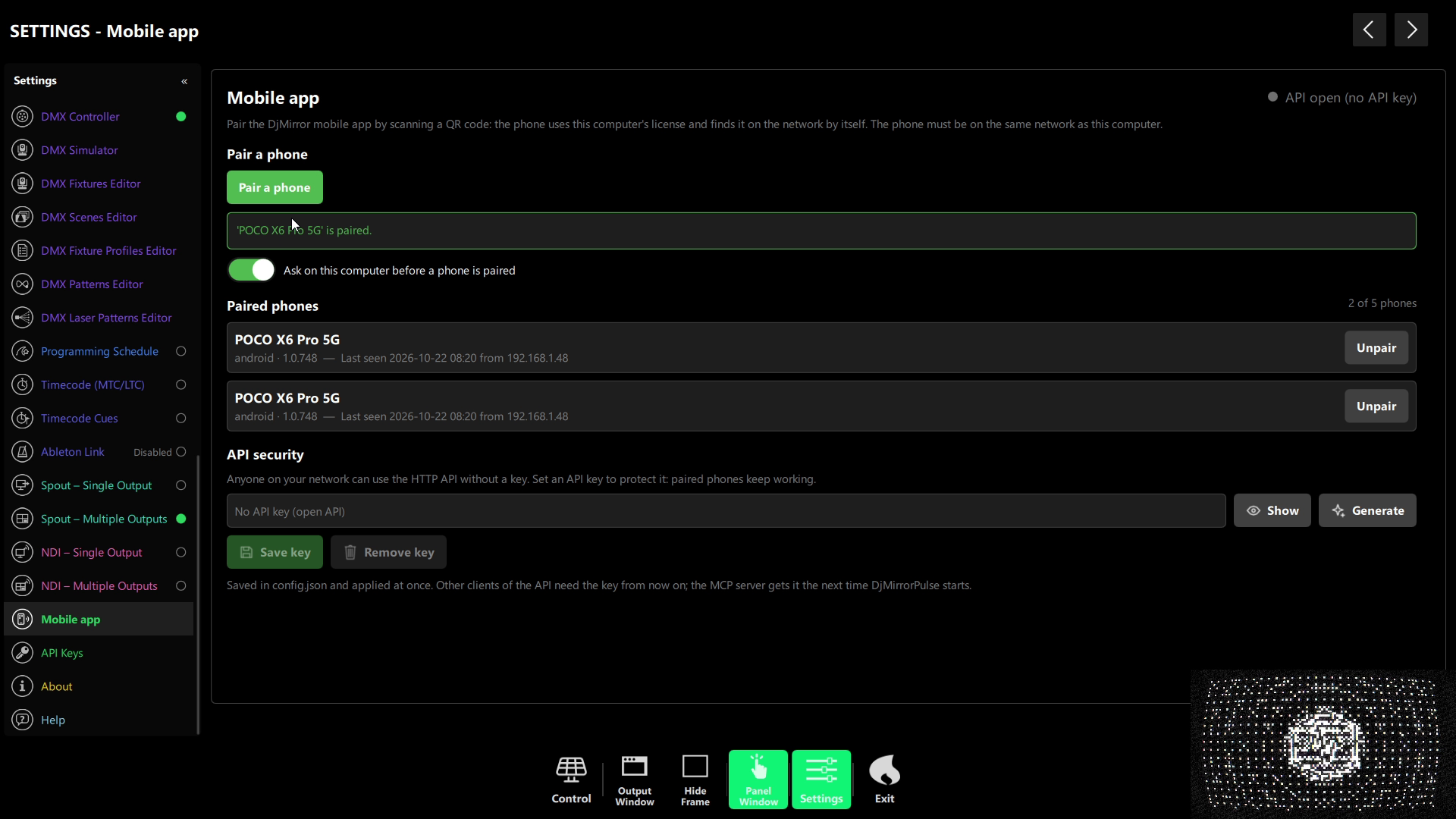
- Phones per computer: one on Trial and Standard, two on Professional, five on Enterprise.
- Requirements: DjMirror Pulse 1.0.742 or later, and the phone on the same local network (Wi-Fi) as the computer.
- What you control: styles, layers and playlists, DMX scenes and channel sliders, lasers, timecode cues, FX rules, artists and settings.
- Limits: it does not work over the internet and it does not render visuals or output DMX by itself.
Updated October 22, 2026
How to pair the DjMirror Pulse Android app by QR code
There is no second licence and no IP address to type. The phone pairs with your computer in one step and inherits its edition:
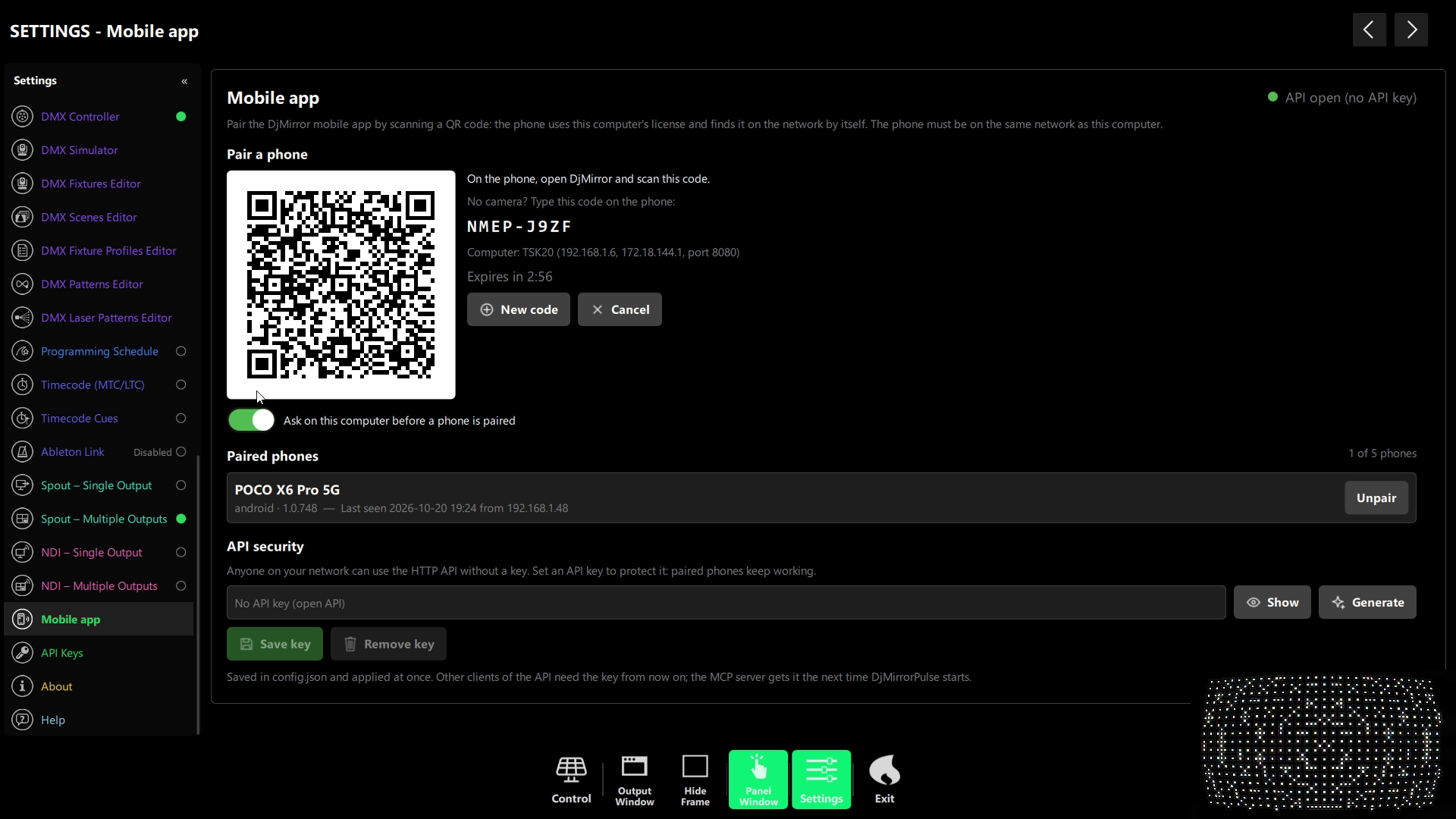
- On the computer, open DjMirror Pulse and go to Settings › Mobile app. A one-use QR code appears, valid for a few minutes.
- On the phone, open DjMirror Pulse and point the camera at the code. No camera? Tap Type the code and enter the short code shown next to the QR.
- Approve it if you have Ask on this computer before a phone is paired turned on. The phone appears in the Paired phones list and reconnects on its own from then on.
How many phones can I pair?
It depends on the edition of the computer the phone pairs with:
| Desktop edition | Paired phones |
|---|---|
| Trial and Standard | 1 |
| Professional | 2 |
| Enterprise | 5 |
Security on shared networks
By default, anyone on the local network can reach the control API. Playing a venue with shared Wi-Fi? Set an API key in Settings › Mobile app: from then on every request needs the key or a paired phone’s own token, so your paired phones keep working and nobody else gets in. Unpairing a phone cuts its access immediately.
What can you control from the DjMirror Pulse Android app?
The app mirrors the desktop control panel, organised into the same sections:
🎨 Visuals
- Styles — switch to any installed style with a tap and mark favourites with the star.
- Layers — turn on or off image, video, avatar, artist card, vinyl disc, marquee text, waveforms (with the waveform, particle, analog, spectrum and XY visualizers), lighting (spotlights, particles, strobes) and mask.
- Playlists — jump straight to any named image, video or avatar playlist.
- Auto FX and FX Rules — enable effects and tune the audio rules (thresholds and cooldowns for drop, build, break, peak, energy and more). Rule tiles flash on the phone when the computer detects that moment in the music.
💡 Lighting
- DMX Scene Player — Blackout, Laser Blackout and Clear Blackout, plus Fog Burst, Long Fog Burst, Haze Burst and Strobe Burst tiles that show their duration and light up while they run. Play All Scenes and Scene mode work just like on the desktop.
- DMX Live Control — vertical sliders for every channel of every fixture (dimmer, RGB, gobo…) with a colour preview, applied to the real DMX output instantly.
- Laser control — enable or disable each laser and pick its movement pattern with touch buttons. Patterns marked as needing blackout ask for confirmation first, exactly as on the computer.
⏱️ Timing and automation
- Timecode (MTC/LTC) — turn timecode on, pick the source and the MIDI or audio input the computer listens on, watch the live position and signal confidence, and drive the manual clock (play, pause, framerate, scrub, jump to a frame).
- Timecode Cues — create, edit, reorder and delete cues that fire an action at an exact HH:MM:SS:FF, and load or save cue files on the computer.
- Programming Schedule — edit scheduled actions with the same action editor.
🎤 Artists and settings
- Artists — add or edit an artist and restyle the logo with ten AI looks such as Neon Club Glow, Gold Metallic, Liquid Chrome or Inferno Pyro (uses your own Gemini API key).
- Marquee messages — edit the scrolling text from the phone.
- Settings — the desktop settings, adapted to a phone screen, including API keys for Pixabay, Pexels and Gemini.
- Six languages — English, Spanish, German, French, Finnish and Chinese.
Always in sync, both ways
The phone keeps a live connection open to the computer. When the DJ switches a style on the laptop, the phone updates; when you fire a fog burst or star a style from the phone, the computer’s control panel and Scene Player update too, with no refresh button. A small indicator shows while a change is on its way and confirmed.
That makes the app useful for two people as well: the DJ keeps the laptop and a lighting or visuals operator walks the room with the phone. If you are both the DJ and the VJ, you can check the screens and the lights from the floor and fix them on the spot.
DjMirror Pulse for Android requirements
- DjMirror Pulse 1.0.742 or later on Windows or macOS (see the full system requirements) — QR pairing arrived in 1.0.742. See what is new in the latest version.
- An Android phone on the same local network (Wi-Fi) as the computer.
- A camera to scan the QR code — optional, you can type the code instead.
- A licensed or trial copy of DjMirror Pulse on the computer: the phone uses its edition. Learn how to set up DMX lighting before you control it from the phone.
What the DjMirror Pulse Android app does not do
- It does not work over the internet: phone and computer must share the local network.
- It does not render visuals or output DMX on its own: without DjMirror Pulse running on the computer there is nothing to control.
- It does not show a live BPM, key or energy readout; the FX Rules tiles flash when a rule fires instead.
Pair once by QR and run visuals, DMX scenes and lasers from anywhere in the room. The Android app uses your desktop licence — try DjMirror Pulse free for 14 days, no credit card.
