
Release notes · Version 1.0.748 · Updated October 22, 2026
What’s New in DjMirror Pulse
Six releases. One big update.
DjMirror Pulse 1.0.748 in 30 seconds
DjMirror Pulse 1.0.748 is the latest version of DjMirror Pulse, the audio-reactive visual and DMX lighting software for DJs and VJs on Windows and macOS. It bundles six updates (1.0.742 to 1.0.748) and adds:
- Art-Net DMX — DMX lighting over the network on UDP port 6454, with no USB interface.
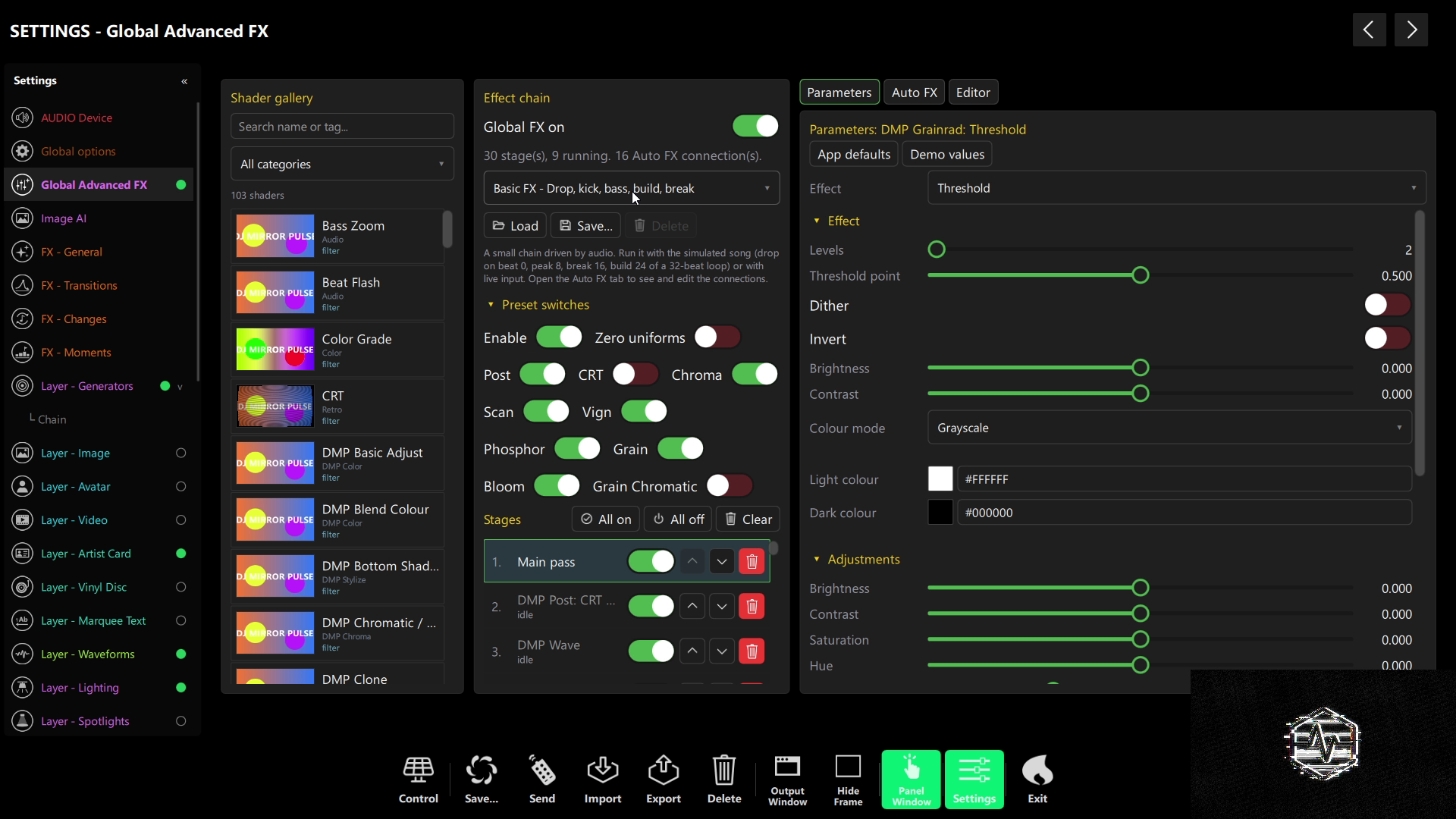
- Global Advanced FX — a chain of up to 32 shaders whose parameters follow the kick, bass and drop (Enterprise).
- Generators layer — a shader-painted background with 8 new generators and up to 3 filters (Enterprise).
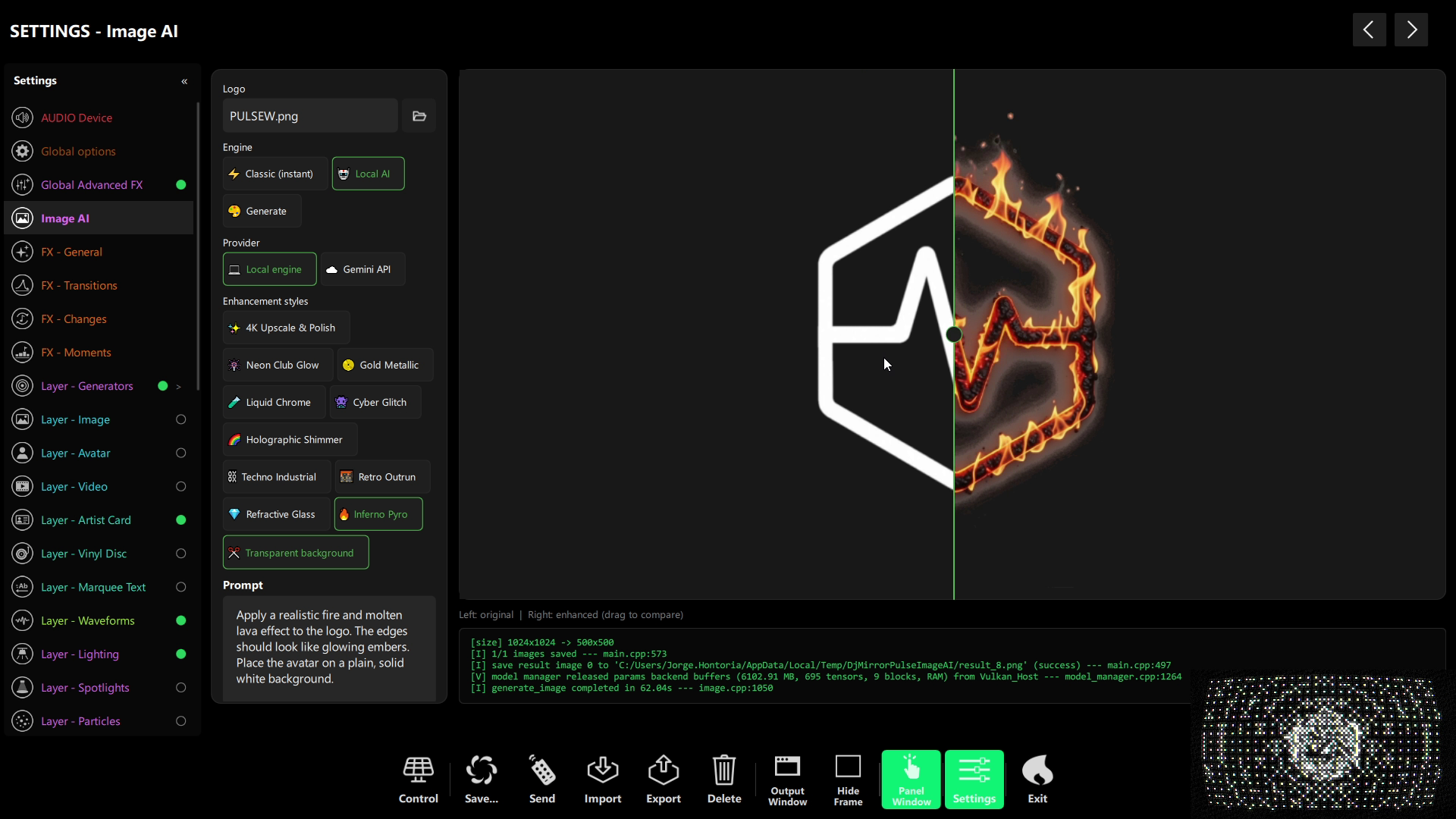
- Local AI — Image AI for logos and an assistant that runs a GGUF model offline through llama.cpp.
- QR phone pairing — the mobile app inherits your edition with no second licence.
- More DMX hardware and lasers — ENTTEC Pro, Eurolite and DMXKing interfaces, multi-laser control and LED light strips.
- A faster, unified interface — one theme everywhere, quicker Settings and a code-signed installer.
We haven’t announced a release since 1.0.740 — but we’ve been busy. DjMirror Pulse 1.0.748 rolls up six releases of work into a single download: new ways to light the room, a whole new shader engine, AI that runs on your own machine and an interface that finally looks and feels the same everywhere.
Here’s everything that changed between 1.0.742 and 1.0.748, grouped by what it means for your next gig. If you just want the headlines, the six cards below are the short version.
On this page: Global Advanced FX · Generators layer · Local AI · Art-Net and DMX · Mobile app · Interface · Changelog · How to update · FAQ
DjMirror Pulse 1.0.748 highlights
🌐Art-Net DMX
Drive your lights over the network on UDP 6454. No USB-DMX widget needed: point it at a node, pick a universe, play.
🎛️Global FX
Chain up to 32 shaders from a much bigger gallery, with Auto FX that maps kick, bass and drop onto every parameter.
🌀Generators layer
A new background layer painted by generator shaders — kaleidoscope, lava lamp, starfield, voronoi and more.
🤖AI on your SETUP
Image AI for logos and artwork, plus an assistant that runs a local GGUF model through llama.cpp.
📱Pair your phone
Scan a one-use QR code and the mobile app inherits your edition. No second licence, no IP typing.
⚡Faster, unified UI
One theme across every panel, much faster Settings, and clicks that respond the first time.
Global Advanced FX: a 32-shader chain driven by the music
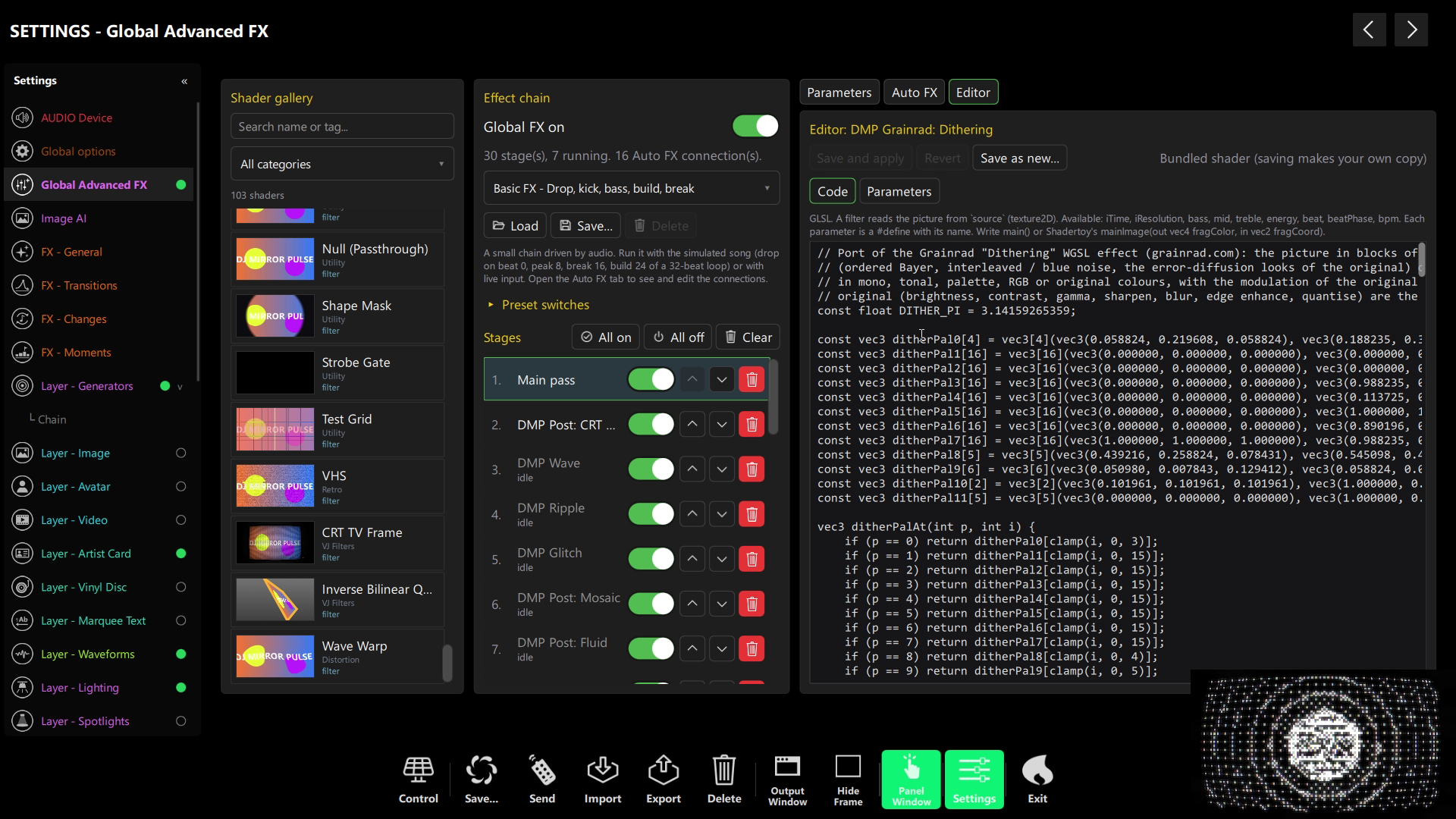
Global Advanced FX is the post-processing engine that styles everything DjMirror Pulse puts on screen. In 1.0.744 it was rebuilt from the ground up: instead of a fixed two-pass pipeline, it is now a chain of up to 32 runtime shaders, each feeding the next. Pick an effect from the gallery, drop it on a stage, reorder, bypass or remove stages, and save the whole chain as a preset.
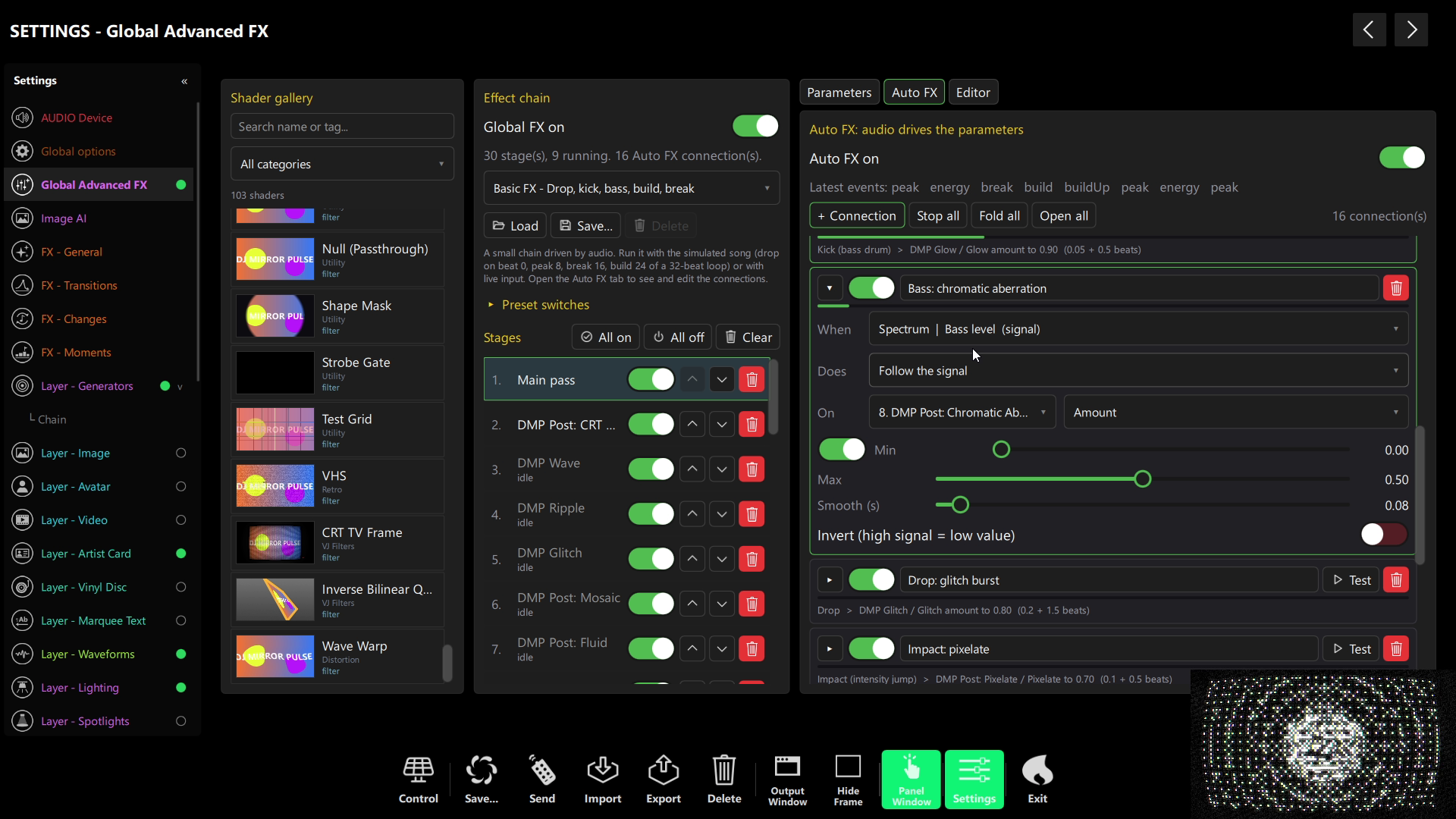
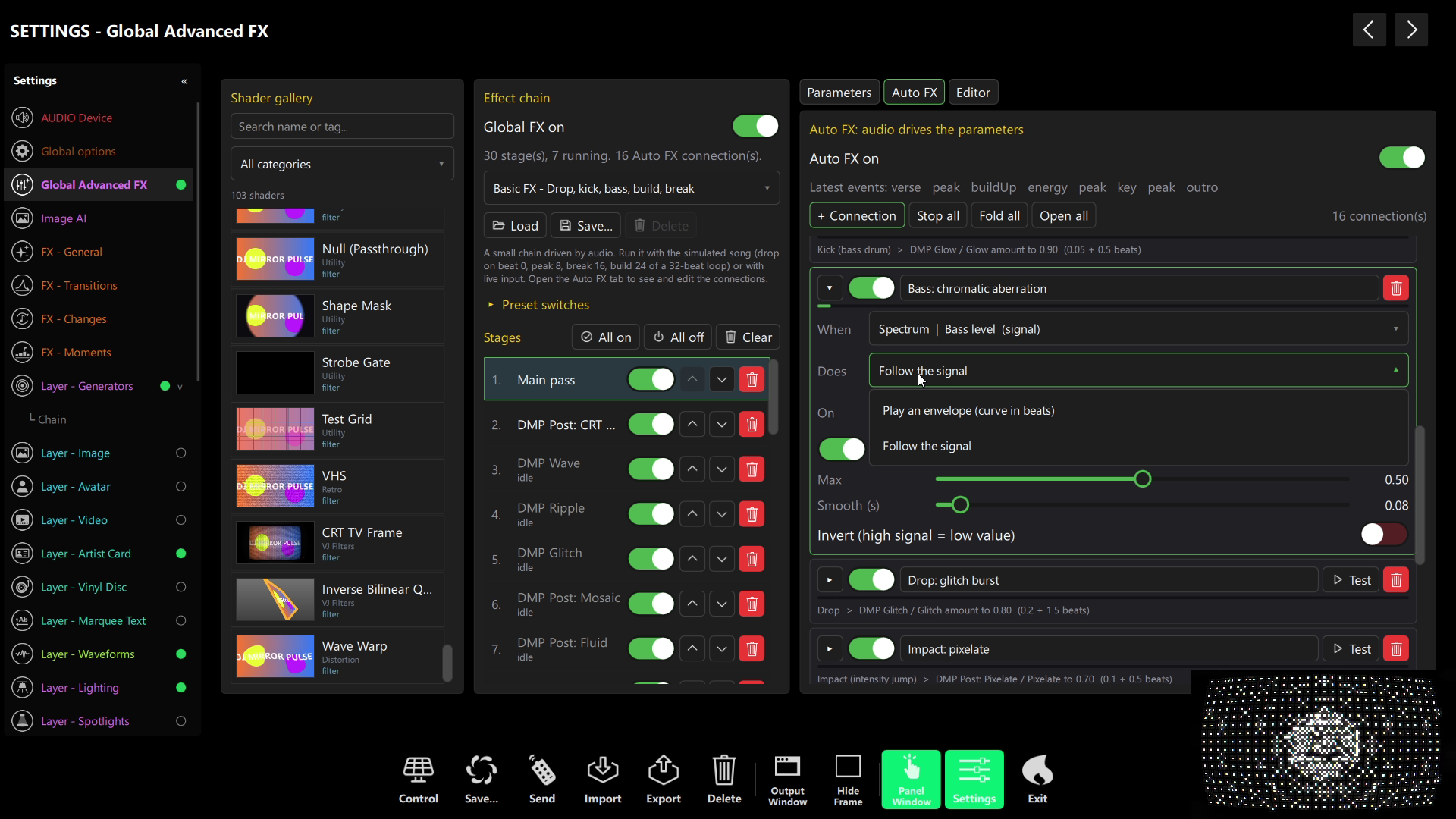
The new Auto FX designer is where it gets musical: it maps the audio rules and live signals from the DjMirror Pulse audio analysis engine — kick, beat, drop, bass, energy — onto any shader parameter, with envelopes measured in beats. Your effects breathe with the track instead of running on a timer.
- A much bigger gallery — new generator, background, frame, particle, transition, global and utility shaders, all renamed into consistent groups.
- 15 Grainrad effects, pixel-exact — ASCII, dithering, halftone, Matrix Rain, dots, contour, pixel sort and more, ported from the original and checked pixel by pixel. Every original control is now a parameter.
- No more first-draw freeze — shaders are precompiled, so heavy effects appear instantly instead of stalling the output for seconds.
- A three-column editor — gallery, effect chain and Parameters / Auto FX side by side, with a built-in shader editor.
What is the Generators layer?
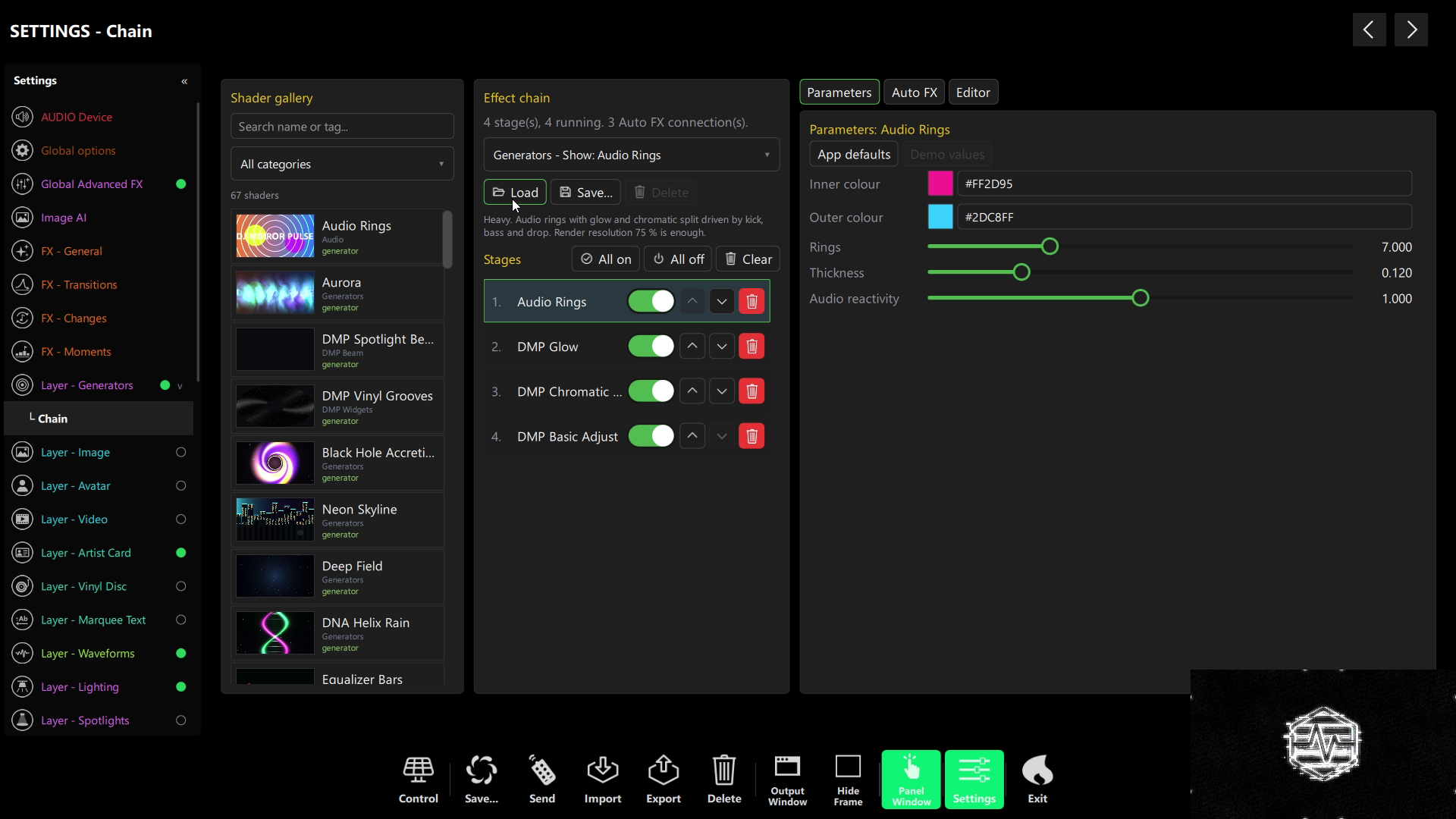
The Generators layer (Layer – Generators in Settings) is a new top-level layer that sits at the bottom of the stack and paints the background with a generator shader — so even with no image or video loaded, the screen is alive. Add up to three filters after the generator, give it its own Auto FX, and it behaves like any other layer: visibility, opacity, scale, beat pulse, layer order, MIDI and schedule actions.
Eight extra generators ship with it — kaleidoscope, lava lamp, equalizer, starfield, hex, wave lines, voronoi and spiral — with Room (light) and Show (heavy) presets. A render-resolution control (100 / 75 / 50 / 25 %) lets expensive raymarchers run smoothly on modest laptops.
Global Advanced FX and the Generators layer are part of the Enterprise edition and currently run on Windows.
Image AI and a local AI assistant that works offline
Image AI
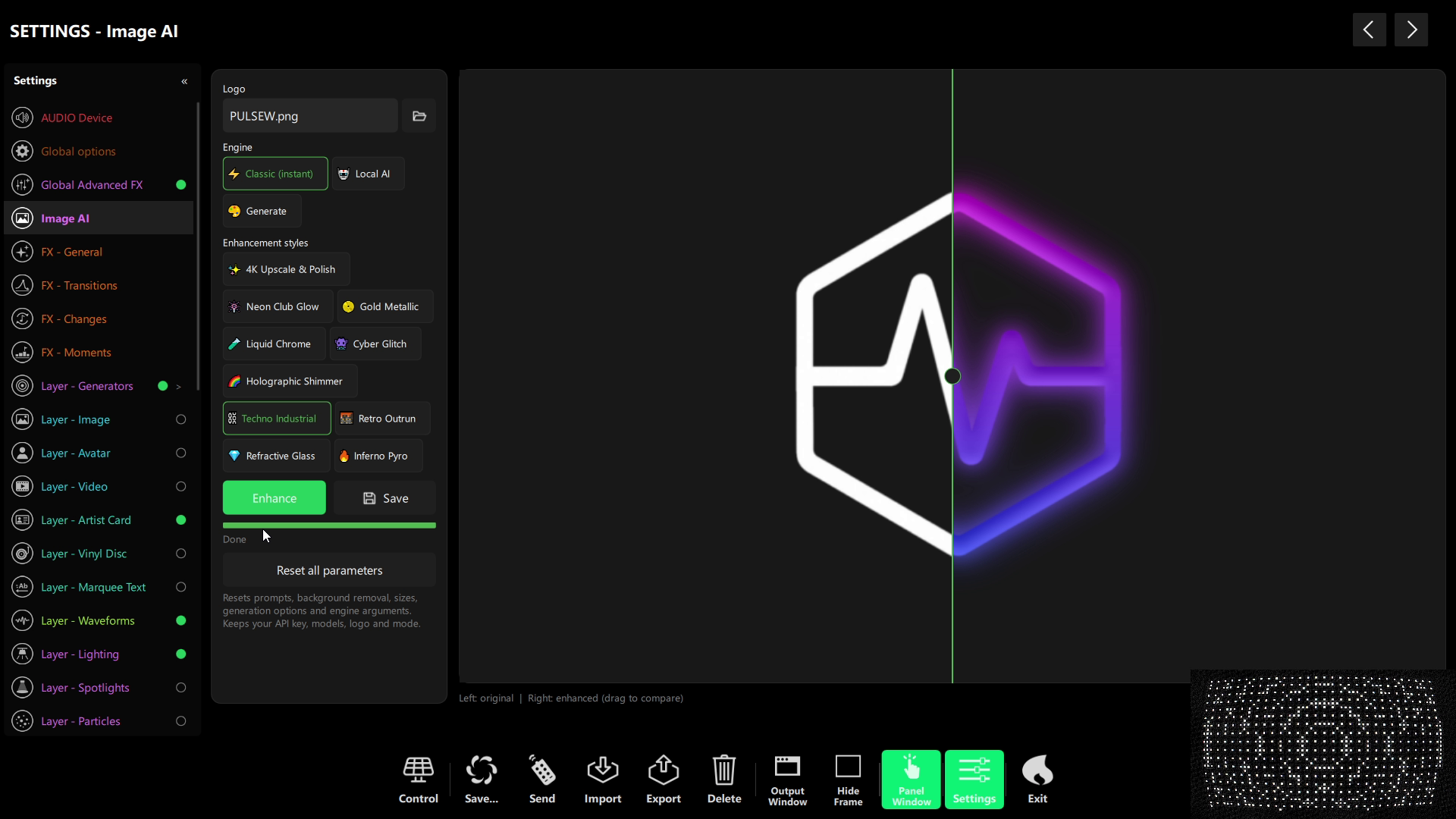
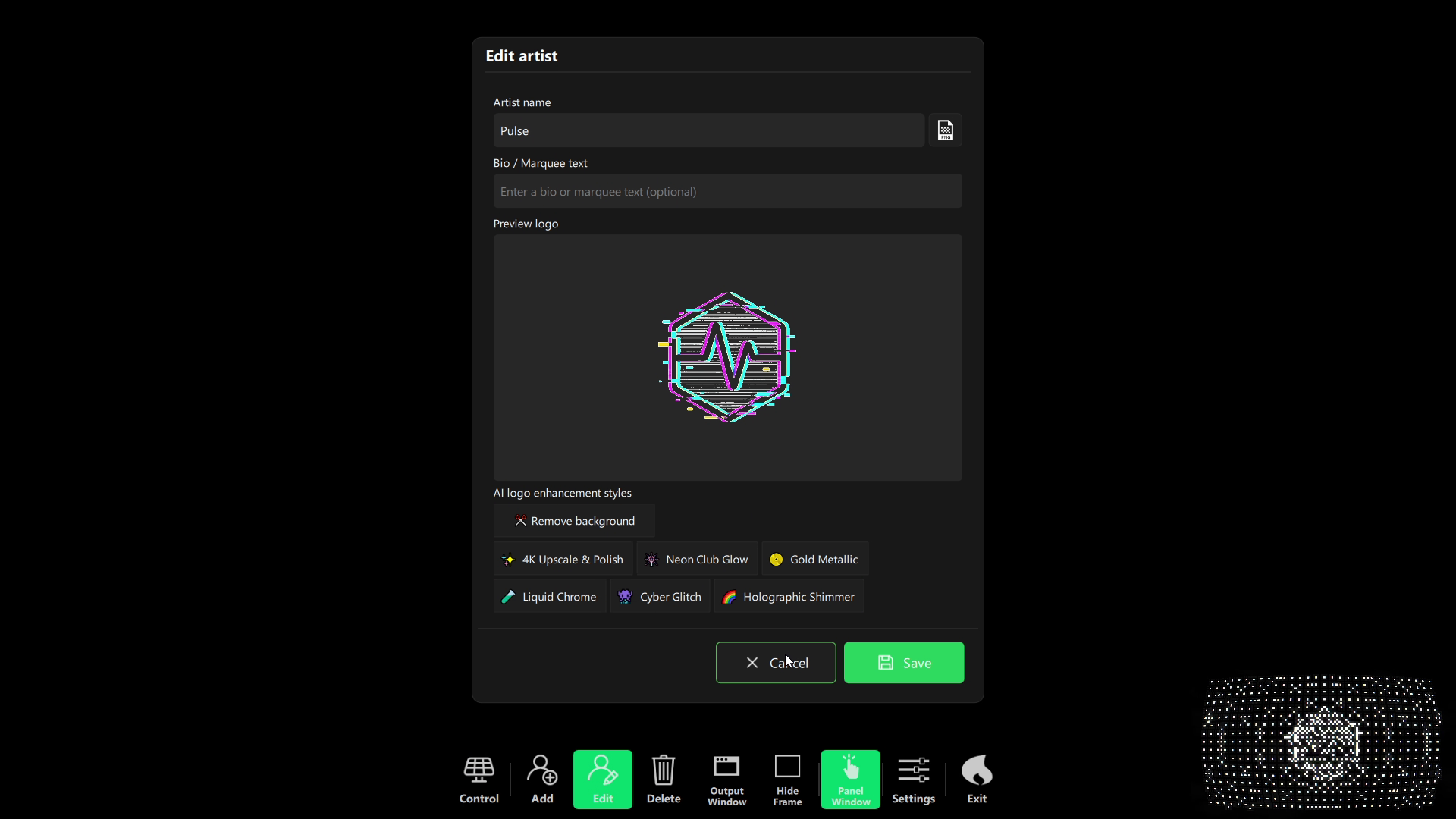
A new Image AI window improves a logo or generates an image either with a local engine on your graphics card (stable-diffusion.cpp) or with the Gemini API using your own key. You can generate or restyle artwork straight from the artist, image-playlist or avatar-playlist dialog.
No model and no key? A built-in classic enhancer applies ten logo looks with plain image processing — no download, no API — so every machine gets a result.
Local AI assistant
The in-app assistant can now run a local GGUF model (Gemma 4 E4B by default) through llama.cpp, listed and downloaded from Hugging Face right in the assistant panel. No cloud chat API required.
It can propose configuration changes — including Global FX and the Generators layer — and you review every action before it’s applied. Prefer to drive the app from outside? Read our guide to how VJ software works and the expanded HTTP API and MCP tools below.
Art-Net DMX, more USB-DMX interfaces and multi-laser control
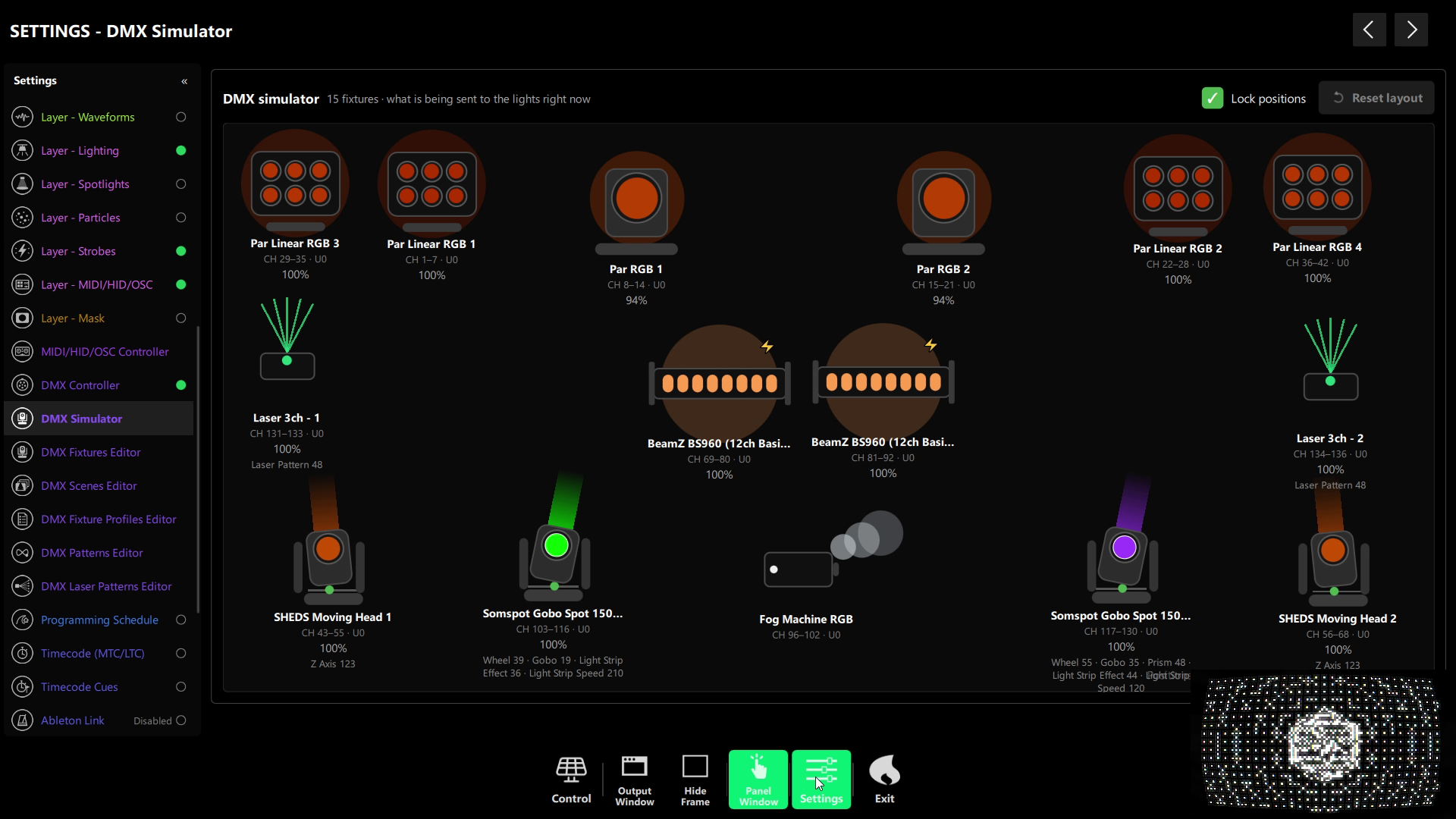
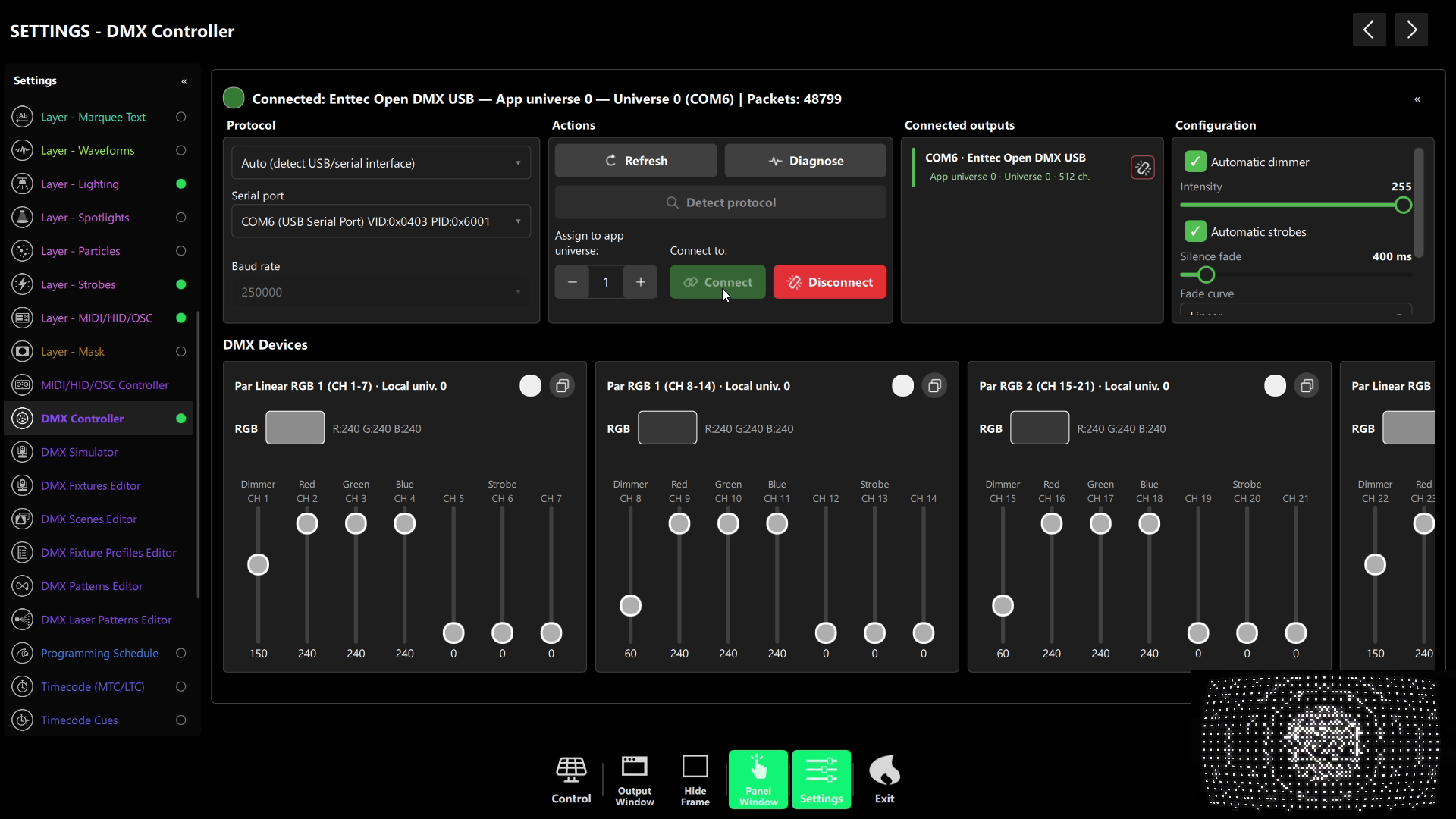
Art-Net is an open protocol, created by Artistic Licence, that carries DMX512 lighting data over a standard Ethernet network. Since 1.0.746, DjMirror Pulse can send DMX over your network (UDP port 6454) straight to an Art-Net node — no USB-DMX widget on the laptop, no cable run back to the booth. Pick the universe and the same audio-reactive scenes you already use drive the rig.
- More USB-DMX interfaces out of the box — the ENTTEC Pro family, Eurolite USB-DMX512 PRO / MK2 and DMXKing ultraDMX2 Pro with two universes. A Diagnose button produces a copyable support report, now covering Art-Net too.
- Control one laser or all of them — the laser panel in the Scene Player gets an All / fixture selector, and the safety confirmation covers the whole selection. A two-laser example rig ships with eight scenes.
- A safer laser patterns editor — DMX ranges are validated live (overlaps, gaps and reversed ranges flagged per row), “Safety critical” is now the clearer “Needs blackout”, and deleting a preset asks first.
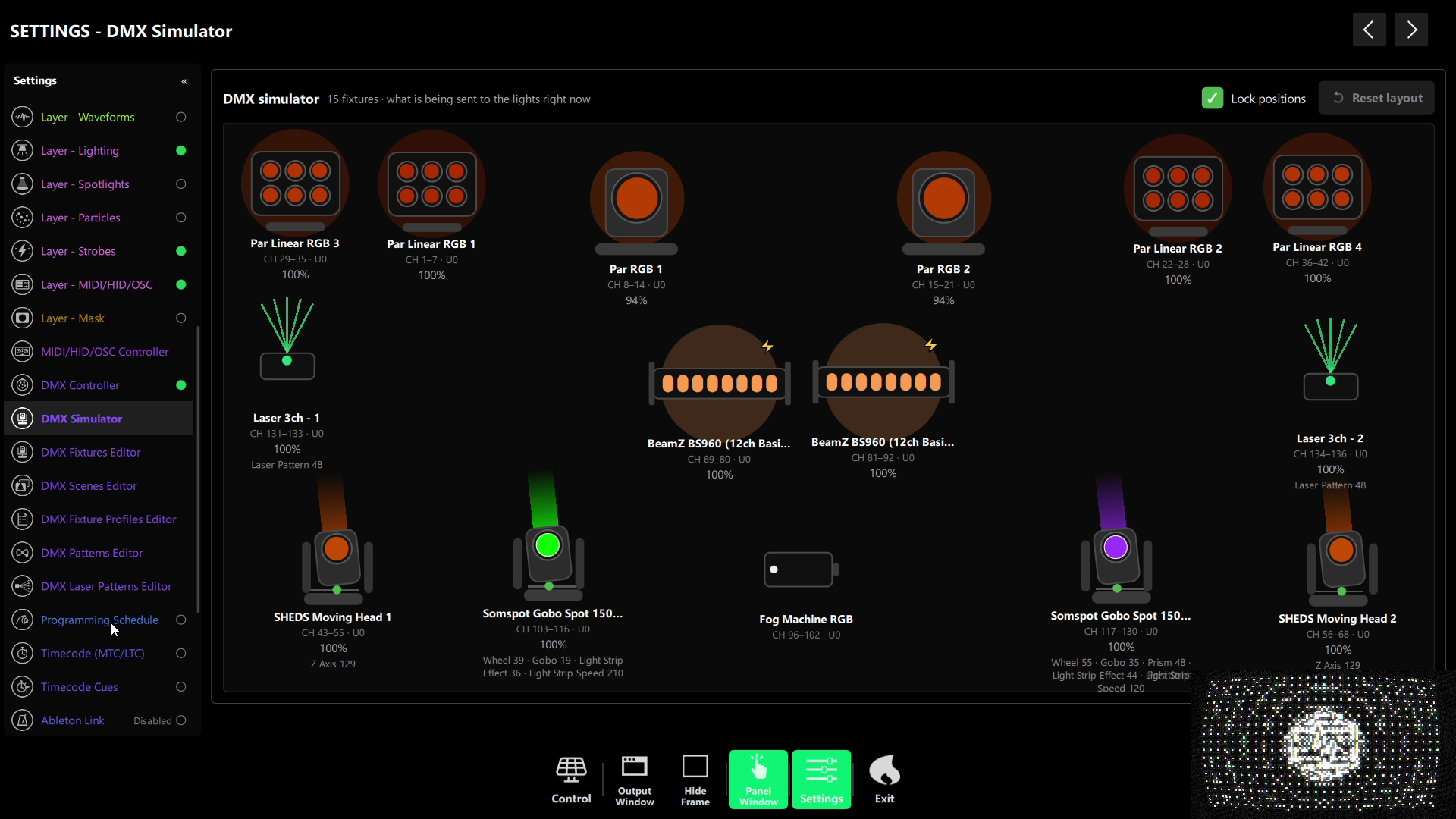
- LED light strips — “Light Strip Effect” and “Light Strip Speed” are first-class scene channels, understood by the fixture editor, the scene editor and the DMX Simulator.
- New demo fixtures and scenes — including house, techno, guaracha and guaracha-red variants.
New to lighting? Start with our guide to setting up DMX lighting for DJs.
Windows and macOS. 14-day free trial, no credit card.
How to pair the mobile app by QR code
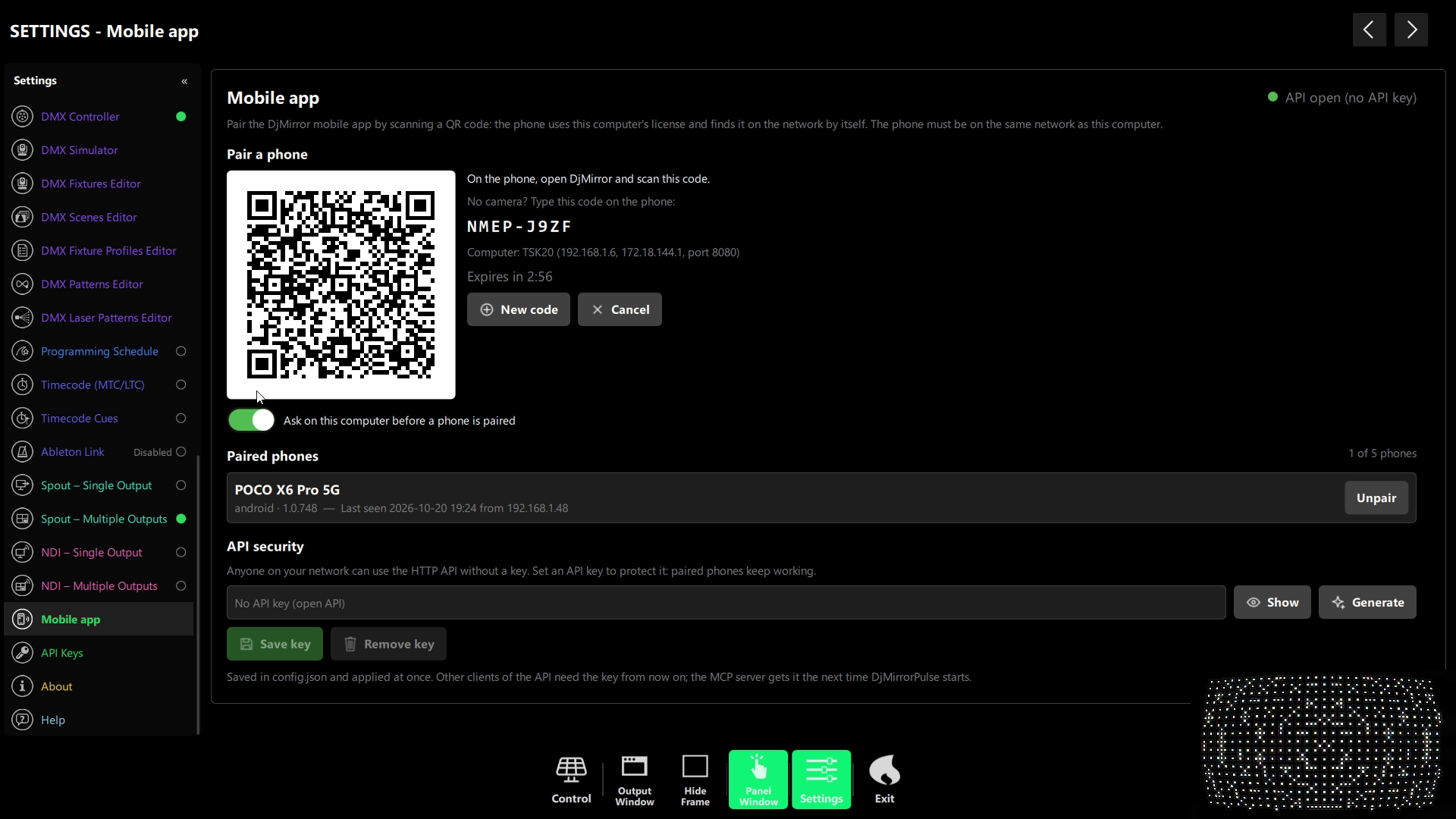
- QR pairing — open Settings › Mobile app, scan a one-use QR code and your phone inherits your edition. No second licence. Paired phones are listed and can be revoked any time.
- Automatic discovery — the desktop announces itself on the network, so the phone finds it without scanning or typing an IP address.
- Optional API key — lock the HTTP API and WebSocket for shows on shared venue networks. Client/server mode follows a server that has a key.
- Settings window in every edition — the separate settings / control window, great for a second monitor, is no longer Professional-only.
A unified interface and faster Settings
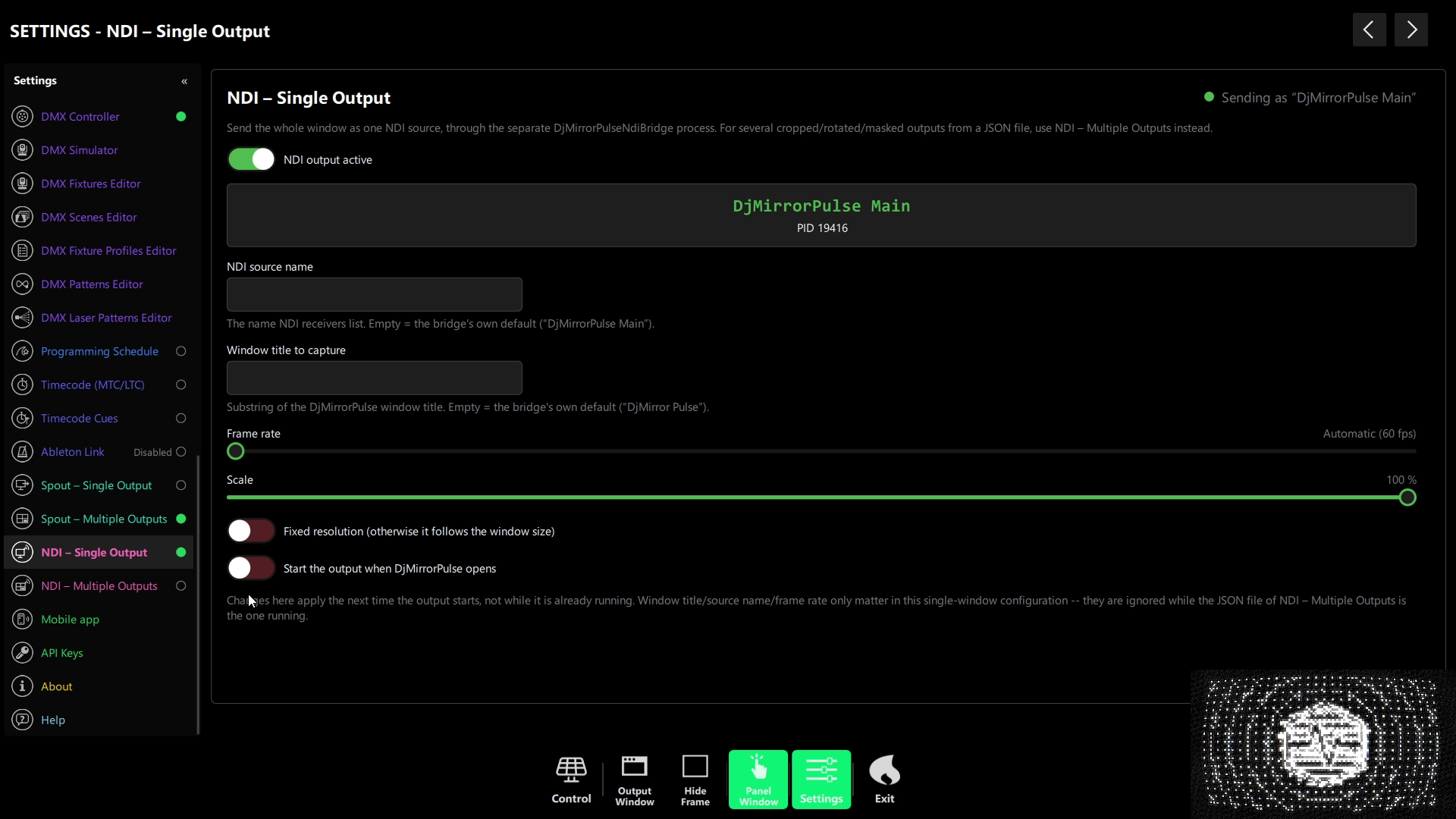
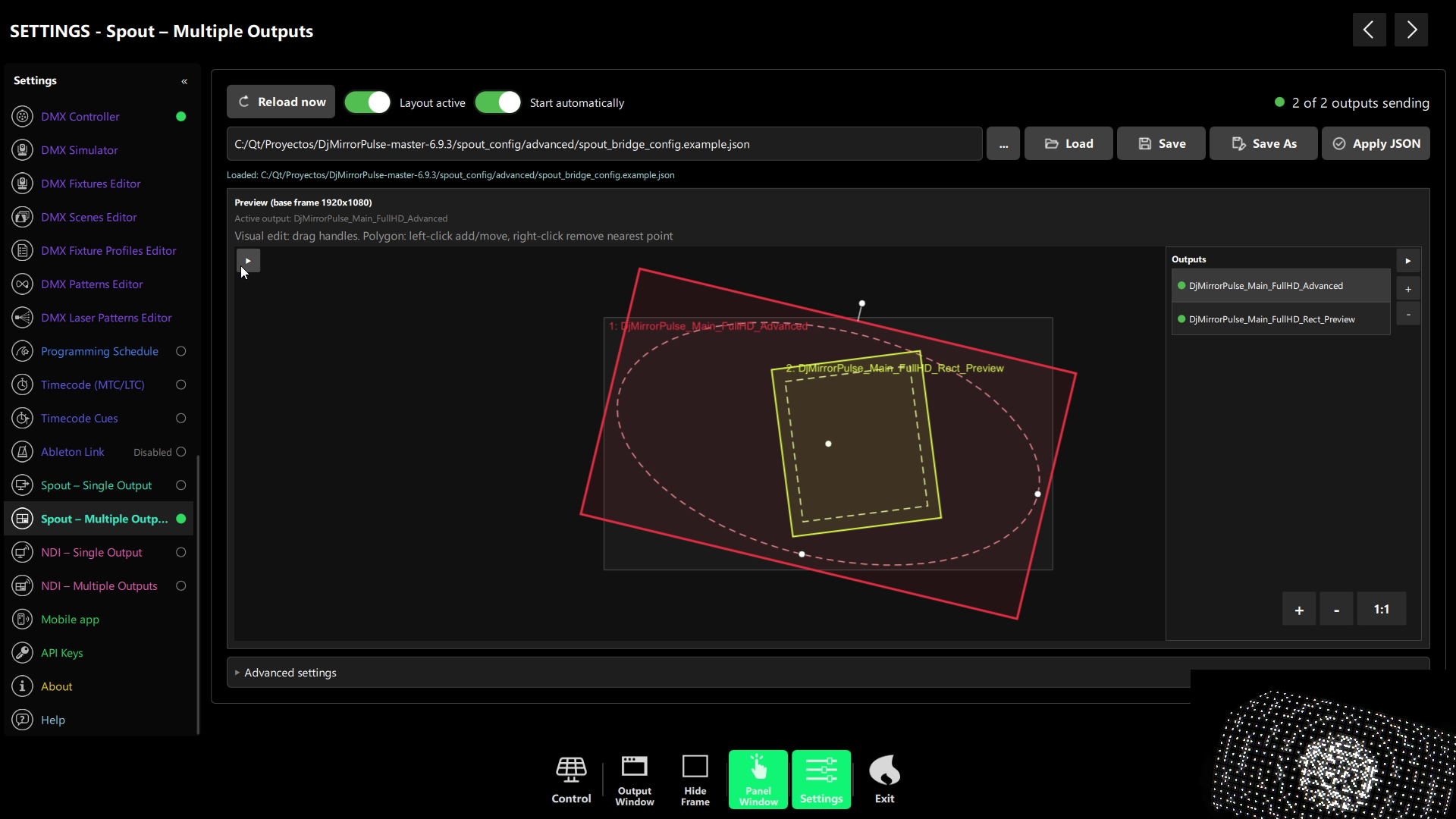
Every panel, dialog and Settings page now shares the same fonts, colours, spacing and rounded corners from a single theme. Buttons, sliders, switches, chips and colour pickers look and behave the same everywhere — from the Marquee Messages editor to DMX, MIDI, Schedule, Timecode, Link, Spout and NDI.
- Faster Settings — switching sections is much quicker, long help pages open without freezing and controls respond on the first click.
- Lighter particles — switched-off emitters are no longer created and colour is computed once per spectrum update.
- A better first run — a fresh install switches to the Blue style and the Pulse artist the first time you open the Control panel, so something is on screen right away.
- Cleaner panels — DMX Controller, NDI and Spout panels use full-width sliders and tidy rows; tiles use a softer pastel palette with a star for favourites.
- A trusted installer — binaries and the installer are now code-signed, so Windows trusts them, and the activation dialog has been redesigned.
For developers and integrators
New HTTP API routes and MCP tools cover the Global FX chain, the Generators chain, shader gallery CRUD and layer ordering (move_layer, set_layer_order). The OpenAPI spec now documents every /api/v1 route, and --console logging is reliable on Windows.
DjMirror Pulse changelog: 1.0.742 to 1.0.748
| Version | Headline features | Edition notes |
|---|---|---|
| 1.0.742 | QR phone pairing, network discovery, optional API key, more USB-DMX interfaces + Diagnose report, cleaner Settings menu | Settings window now in every edition |
| 1.0.743 | Softer tile palette, no console window on start, reorganised user manuals | All editions |
| 1.0.744 | Global Advanced FX (32-shader chain + Auto FX), Generators layer, layers API, client/server with API key | FX chain and Generators: Enterprise |
| 1.0.745 | Much larger shader gallery, 15 pixel-exact Grainrad effects, Image AI, local LLM assistant, light-strip DMX channels | Image AI: Enterprise |
| 1.0.746 | Art-Net DMX, unified modern theme, faster Settings, multi-laser control, code-signed installer | All editions |
| 1.0.748 | Better first run, laser patterns editor validation, tidier DMX/NDI/Spout panels, lighter particles | All editions |
How to update to DjMirror Pulse 1.0.748
- Close DjMirror Pulse on the computer you are updating.
- Download the installer for Windows or macOS from djmirror.com.
- Run the installer to upgrade your current installation. On Windows it is code-signed, so it opens without an unknown-publisher warning.
- Check your edition in Help › Active License to see which of the new features it includes.
- Try the new features: Settings › Global Advanced FX and Layer – Generators (Enterprise), Settings › DMX Controller for Art-Net, and Settings › Mobile app to pair your phone.
Which new features matter for your setup?
“I’m a mobile DJ and hate running DMX cables”
→ Art-Net. Put an Art-Net node next to the lights and send DMX over the venue network. Your audio-reactive scenes work exactly as before, without a USB widget hanging off the laptop.
“I run a laser show with more than one projector”
→ Multi-laser control. Fire one laser or all of them from the Scene Player with one safety confirmation, and let the patterns editor catch overlapping or broken DMX ranges before the gig.
“I want my visuals to look unique, not like everyone else’s loops”
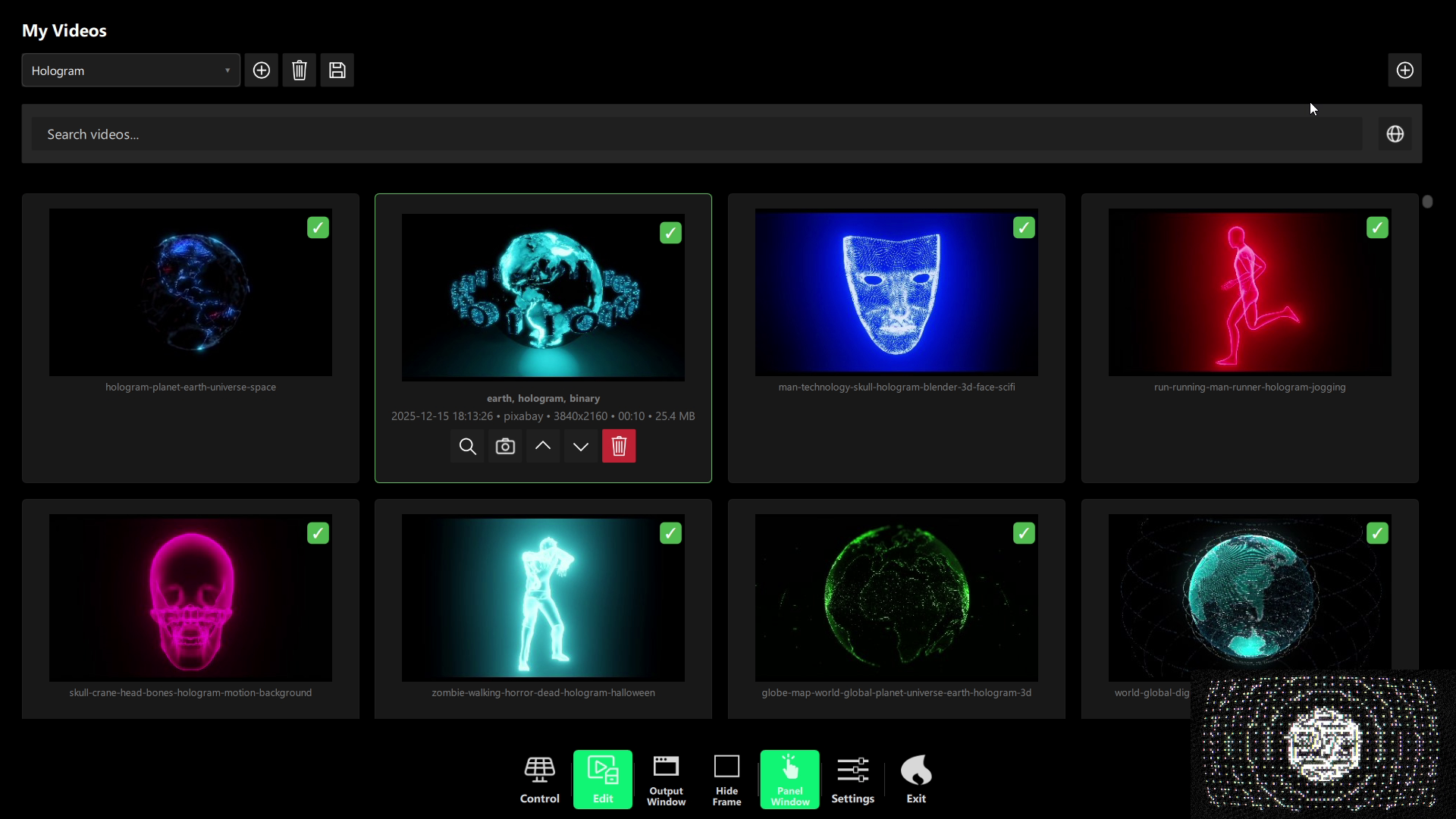
→ Global Advanced FX + Generators. Build your own 32-stage shader chain on top of a generated background and let Auto FX tie every parameter to the kick and the drop. Pair it with our free VJ loops for even more range.
“I brand every artist on the line-up”
→ Image AI. Generate or restyle logos and artwork right from the artist dialog — locally on your GPU, with your own Gemini key, or with the built-in classic enhancer when you’re offline.
“I play solo and need to control everything from the booth”
→ QR phone pairing. Scan once, and your phone becomes a remote with your edition’s features — handy when you are both the DJ and the VJ. Lock the API with a key when you’re on a shared network.
Art-Net lighting, a 32-shader FX chain, AI on your own machine and a faster interface — all in one update. Try DjMirror Pulse 1.0.748 free for 14 days, no credit card.
Sources
Related Posts
Free VJ Software for DJs: What You Get and What You’re Missing
How to Make Your Own DJ Visuals (Without Being a Designer)
Free VJ Loops for DJs: How to Find and Use Audio-Reactive Visuals
Want unlimited visual styles?
You’ve reached today’s free download limit. Get every style — plus audio-reactive visuals and automatic DMX lighting — with DjMirror Pulse.
Download free — 14-day trial No credit card required