Your show, from any browser.
DjMirror Pulse 1.0.752 in 30 seconds
DjMirror Pulse 1.0.752 is the latest version of DjMirror Pulse, the audio-reactive visual and DMX lighting software for DJs and VJs on Windows and macOS. It bundles four updates (1.0.749 to 1.0.752) and adds:
- Pulse Remote — a web control panel served by Pulse at
/control: open it in any browser on the same network, no app to install. - Android app redesign — the same panel as the browser, with Global FX, Generators, Outputs and a Day theme.
- Accurate BPM — a rewritten tempo detector, 70–180 BPM, within 0.01 BPM of the label on real 125–128 BPM tracks.
- Web Stream — the show’s video and audio to the internet over WebRTC, about 300 ms glass to glass at 30 fps.
- Wubbit — a 3D and 2D mascot stage whose lights follow your real DMX rig.
- One professional output — Spout, NDI and the recorder share a single clean image, with an Output health page and NDI auto-restart.
- Day theme — a light look for the whole app, switched instantly.
Two weeks after 1.0.748, DjMirror Pulse 1.0.752 opens the show up: to every browser on your network with Pulse Remote, and to the internet with Web Stream. Underneath, the tempo engine has been rebuilt and every output now reads one clean, professional image.
On this page: Pulse Remote · Android app · BPM detection · Web Stream · Wubbit · Professional output · Day theme · Other changes · Changelog · How to update · FAQ
DjMirror Pulse 1.0.752 highlights
Pulse Remote
A full control panel in any browser: styles, layers, playlists, artists, DMX scenes, FX rules and settings.
Accurate BPM
A rewritten tempo detector, 70–180 BPM, within 0.01 BPM on real tracks.
Web Stream
Send video and audio to the internet over WebRTC: about 300 ms, 30 fps.
Wubbit stage
A 3D mascot stage whose lights, LED bars and CO2 follow your DMX rig.
One pro output
Spout, NDI and the recorder share one clean image, with an Output health page.
Day theme
A light look for the whole app, switched instantly, no restart.
Pulse Remote: the whole control panel in a browser
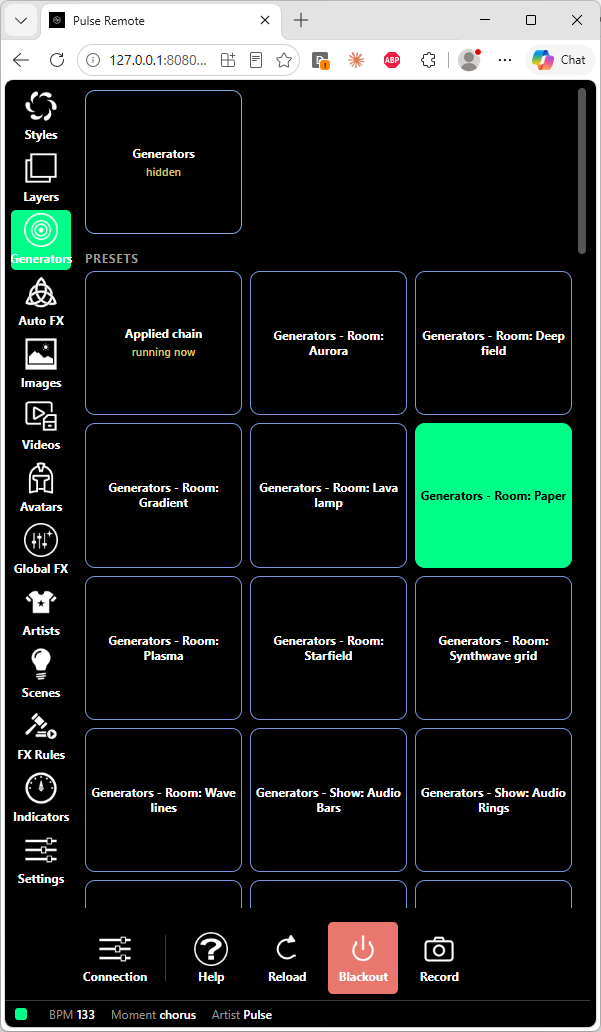
Pulse Remote is a web control panel that DjMirror Pulse serves itself, at http://<your computer>:8080/control (8080 is the default API port). Open it on a phone, a tablet or a second laptop on the same network — there is nothing to install. It uses the same address as the API, so it works with no extra setup, and it stays in sync with the desktop and the Android app in real time.
Connect in one step
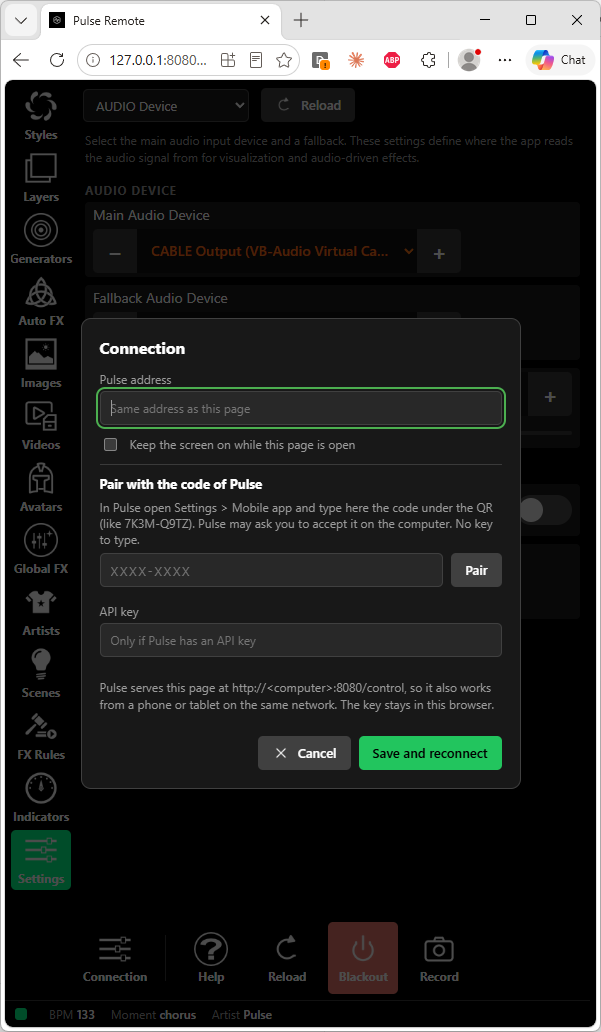
The first time, the panel asks for the Pulse address (the same as the page by default) and the short pairing code from Settings › Mobile app in Pulse. If you protected the API with a key, enter it once; it stays in that browser. A Keep the screen on option stops the phone from sleeping mid-set.
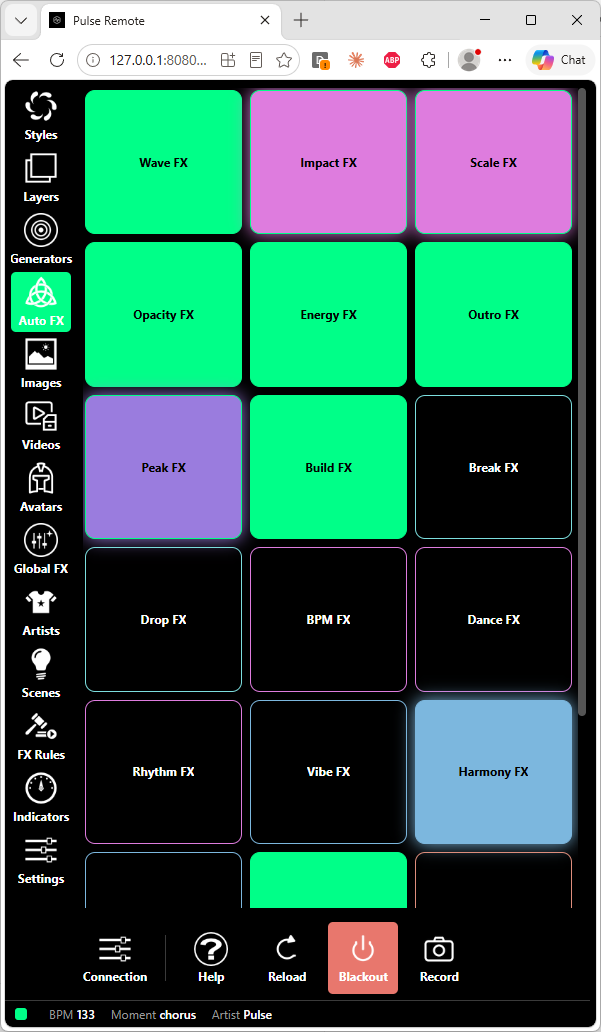
Visuals: styles, layers, Generators and Auto FX
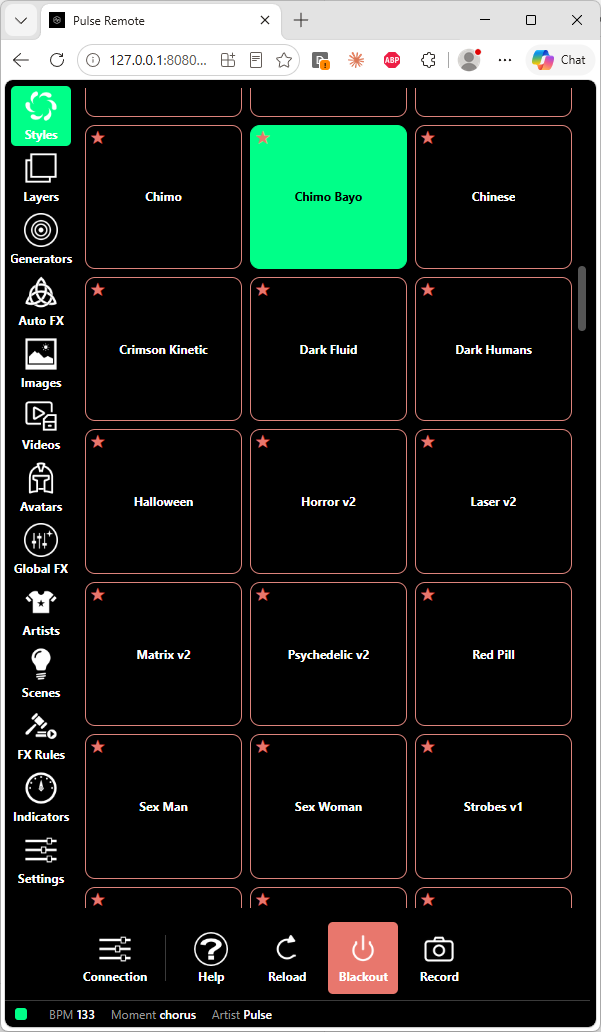
- Styles — tap to switch. The star of each style cycles six colours, favourites come first, and the choice is shared with Pulse and the phone.
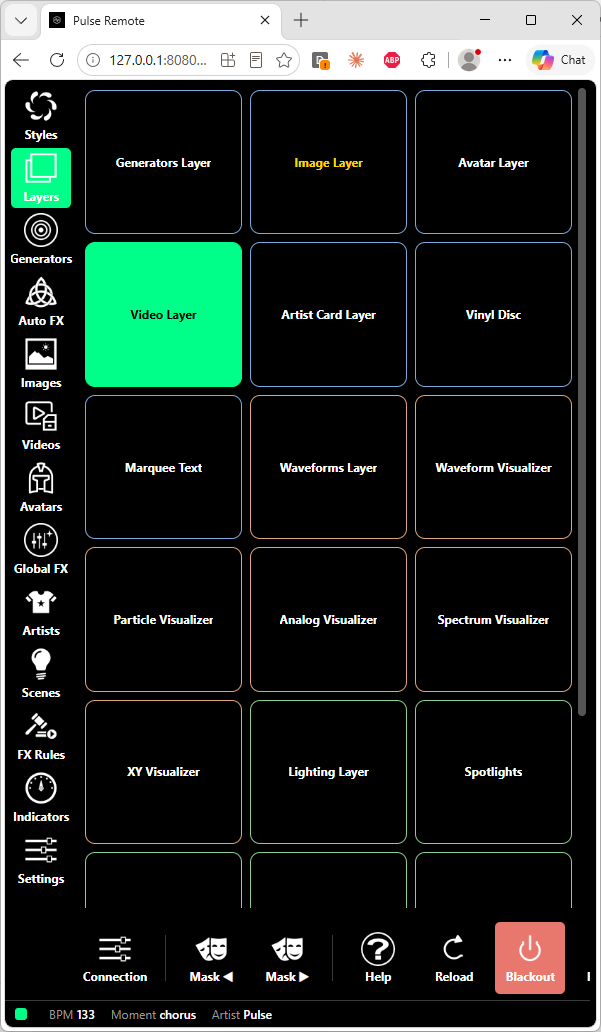
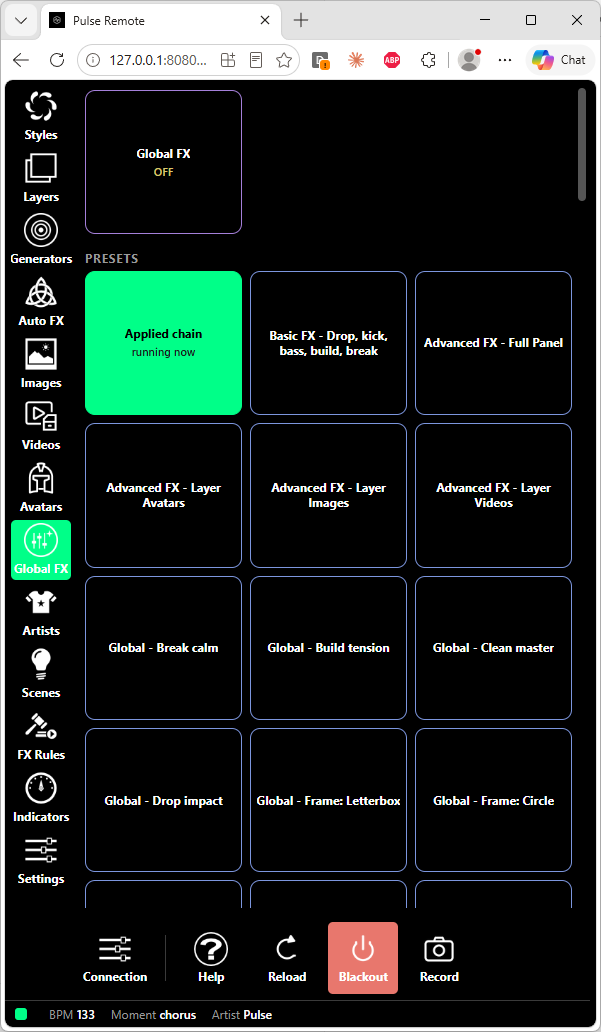
- Layers — every layer and visualizer is a tile. Generators is now the first tile and Global FX the last, so both can be switched from here.
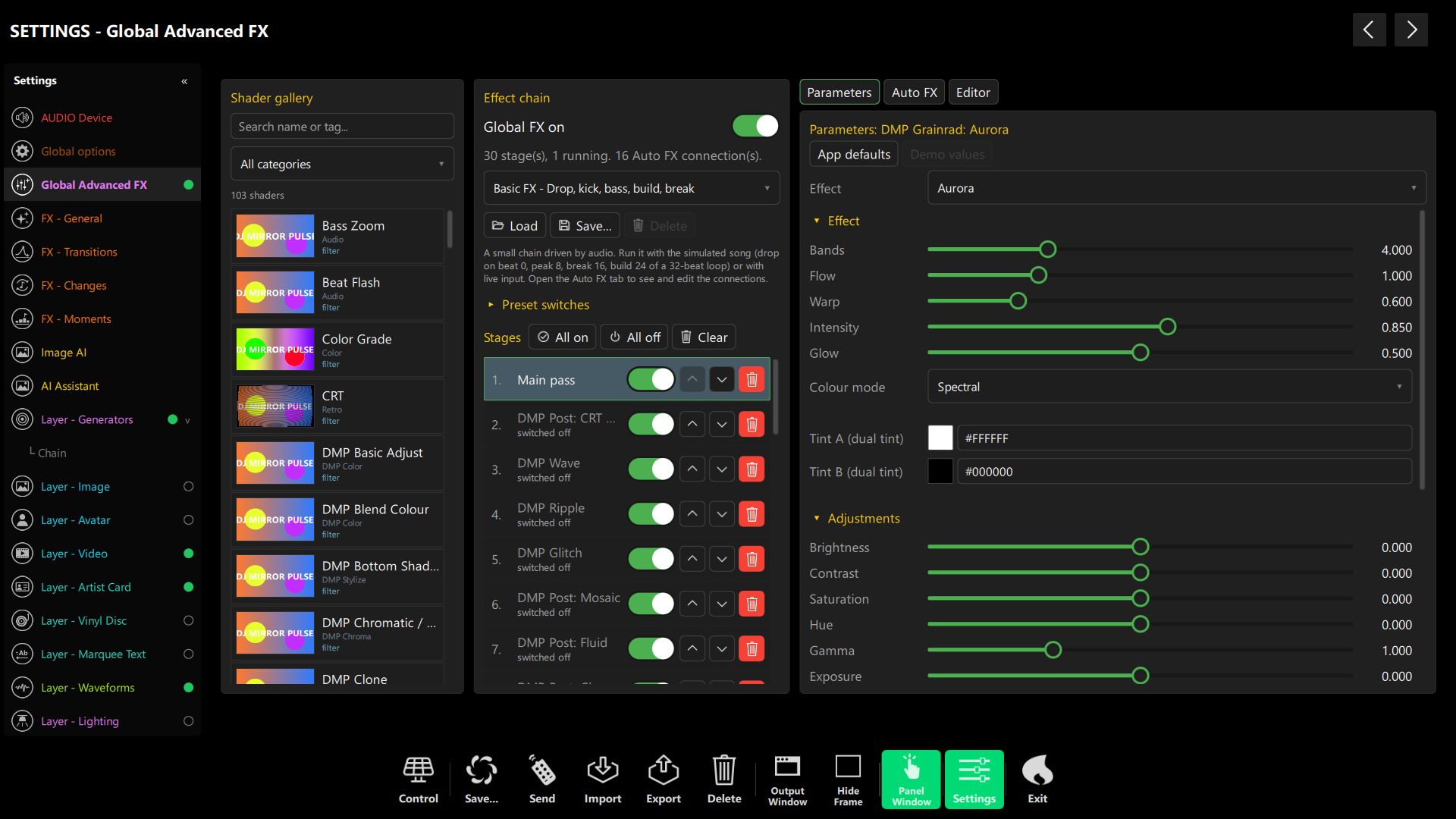
- Generators and Global FX — apply presets from their own sections (Enterprise edition).
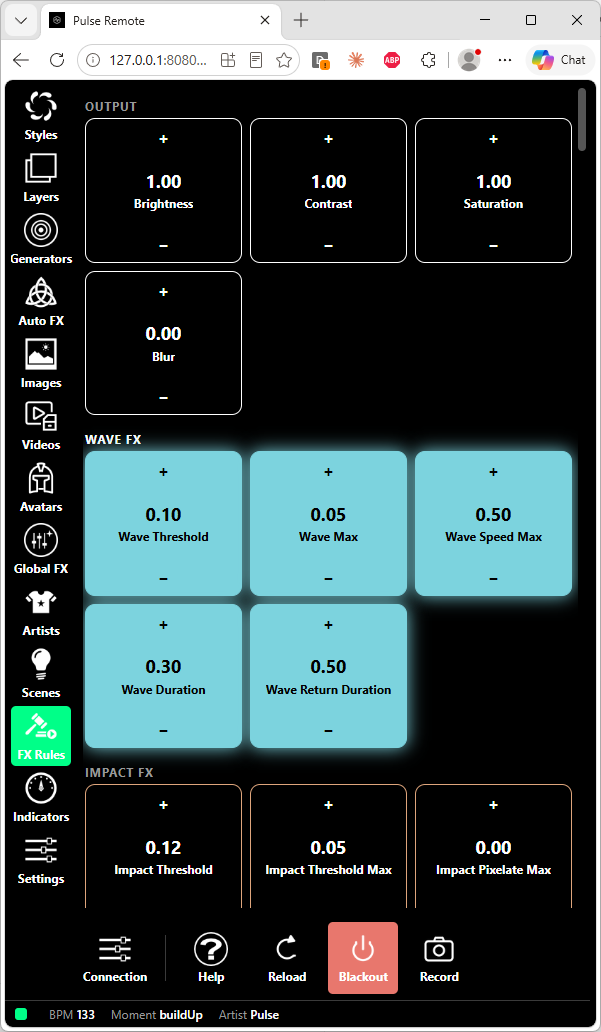
- Auto FX and FX Rules — the tiles light up the moment a rule fires on a drop, build, wave or peak.
Playlists you can actually edit
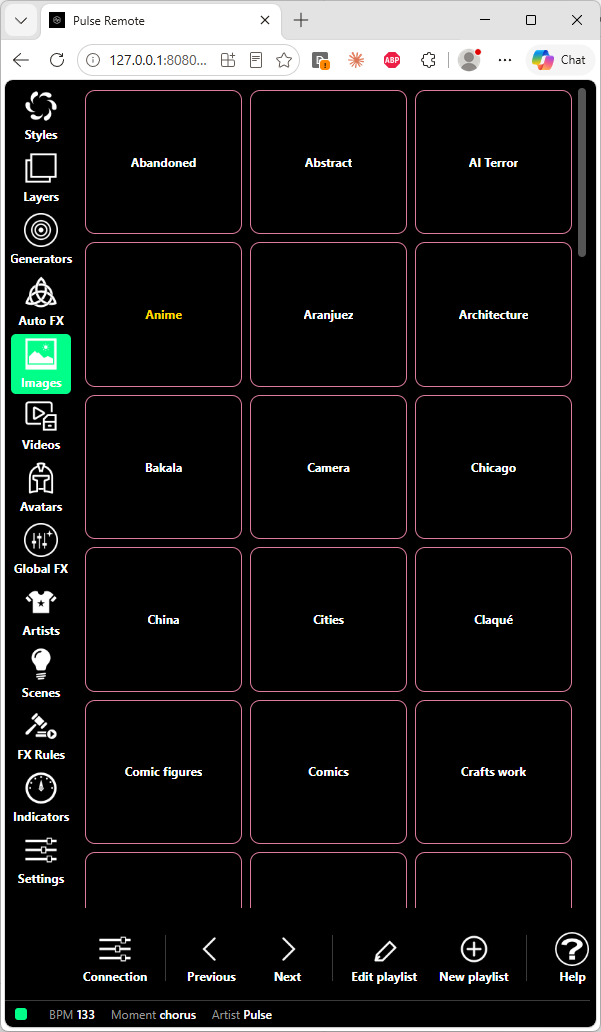
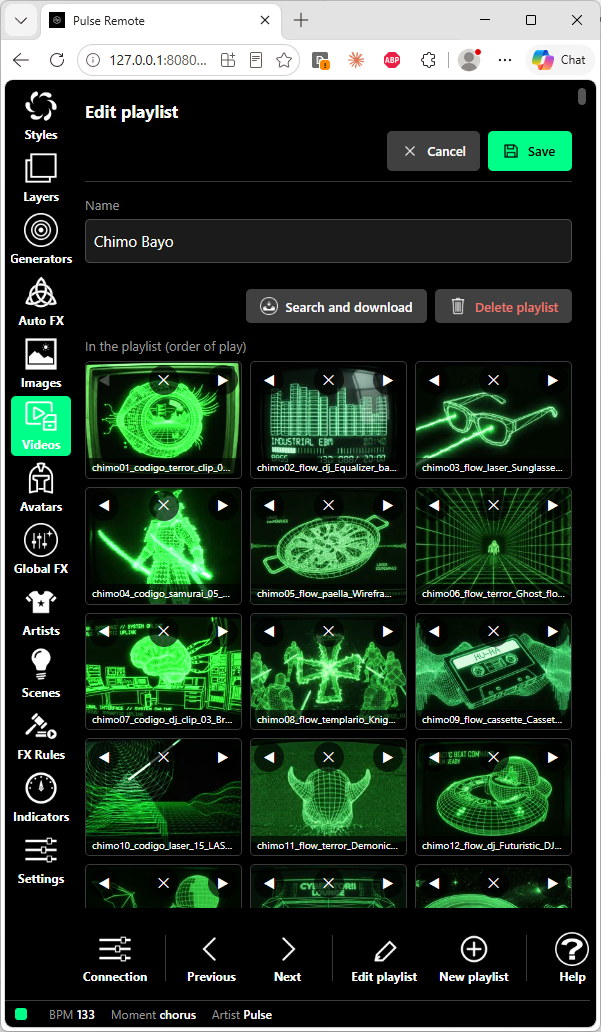
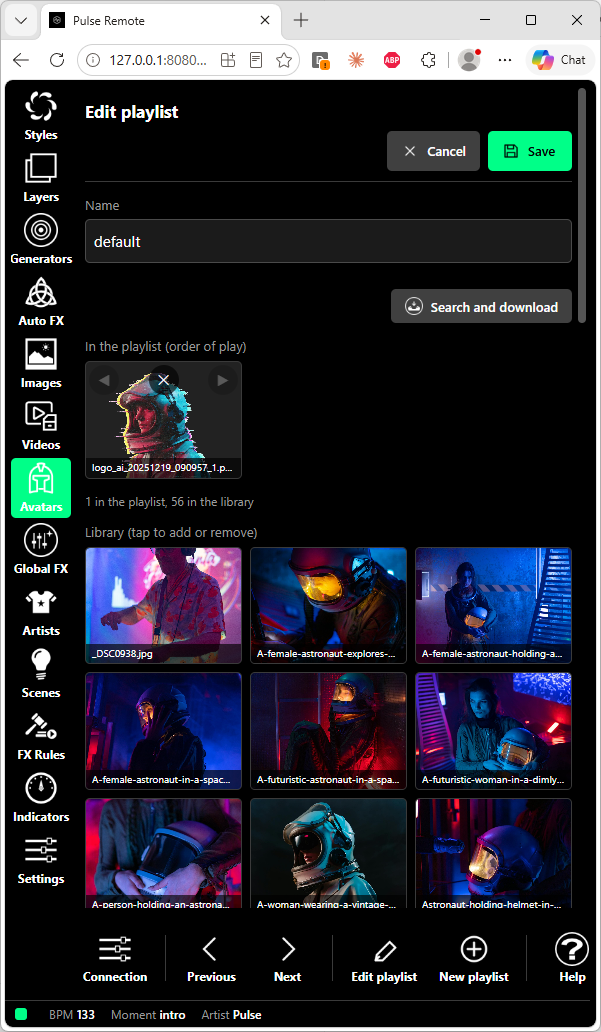
Images, videos and avatars each have their own section, and the playlist in use is now shown in green. Tap Edit playlist or New playlist in the bottom bar and the editor opens inside the panel: reorder, remove, add from the library with thumbnails, or search and download new media straight into the playlist. Video thumbnails come from the ones Pulse already keeps, or are cut on the fly when missing.
Artists, DMX scenes and lasers
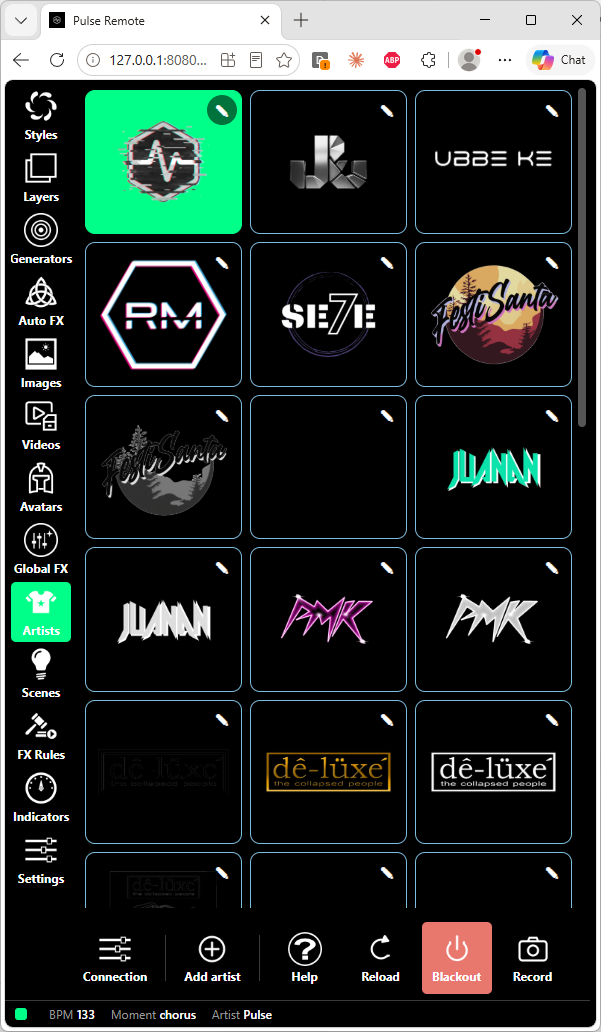
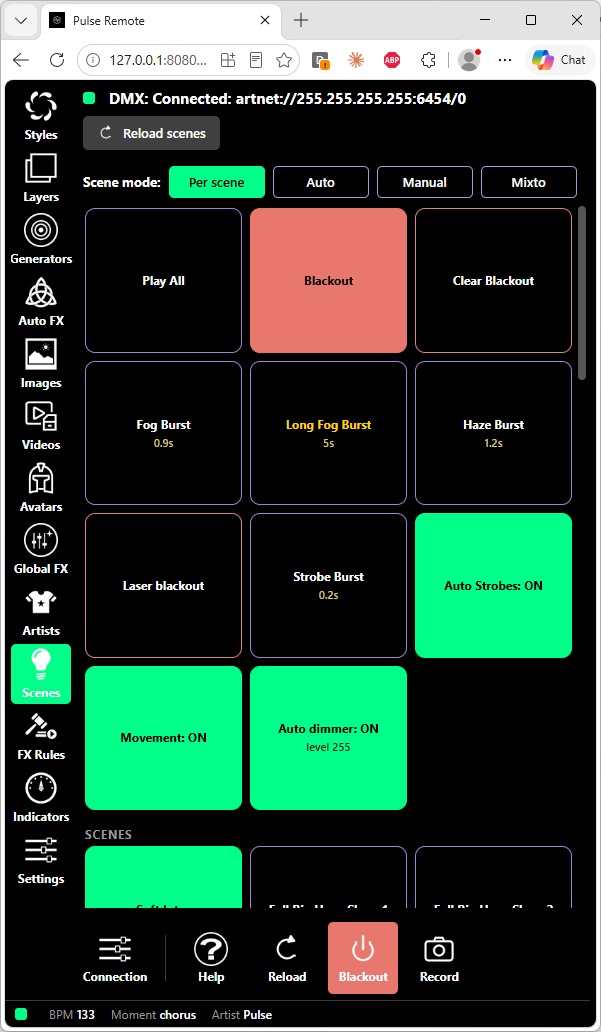
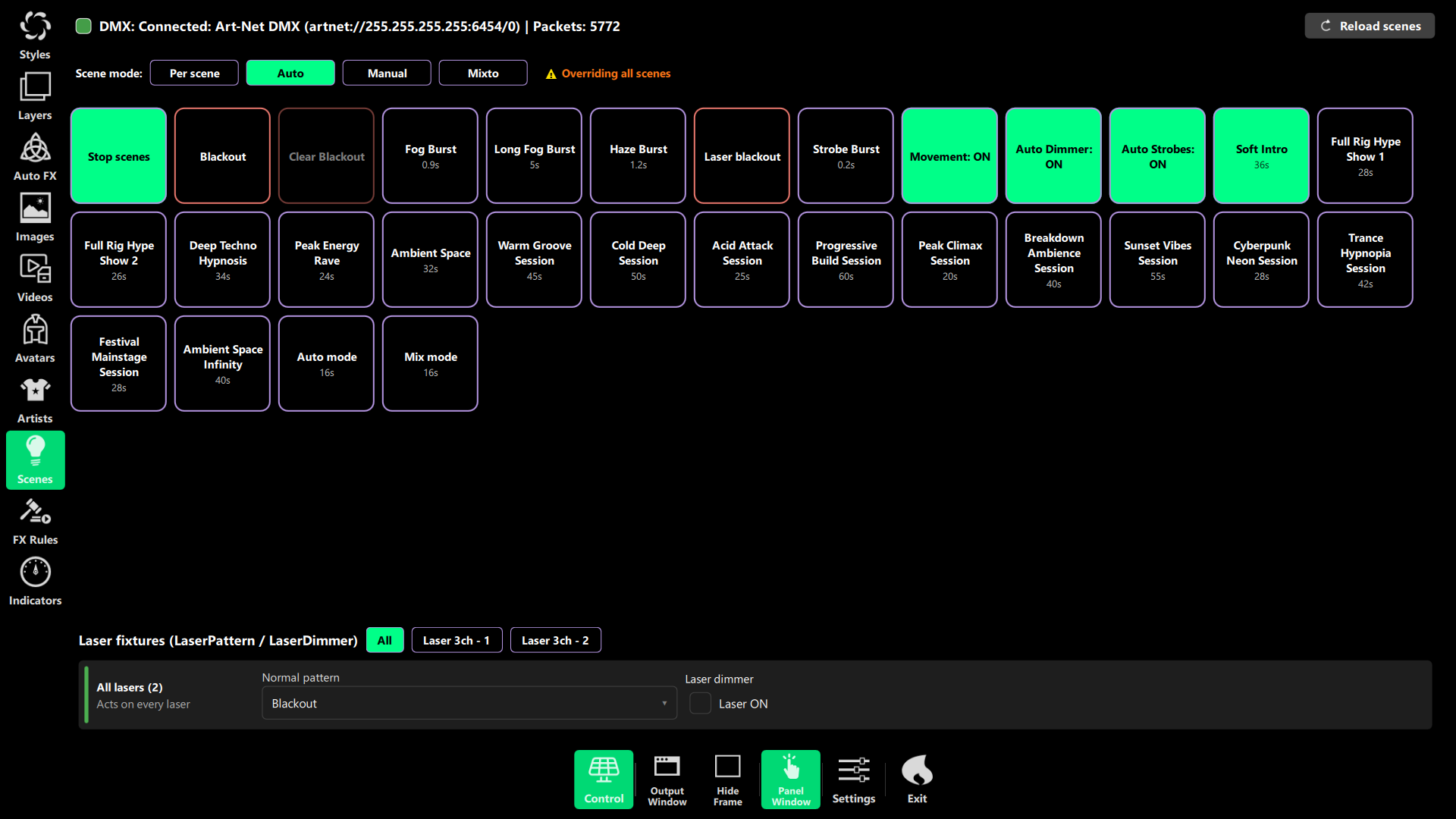
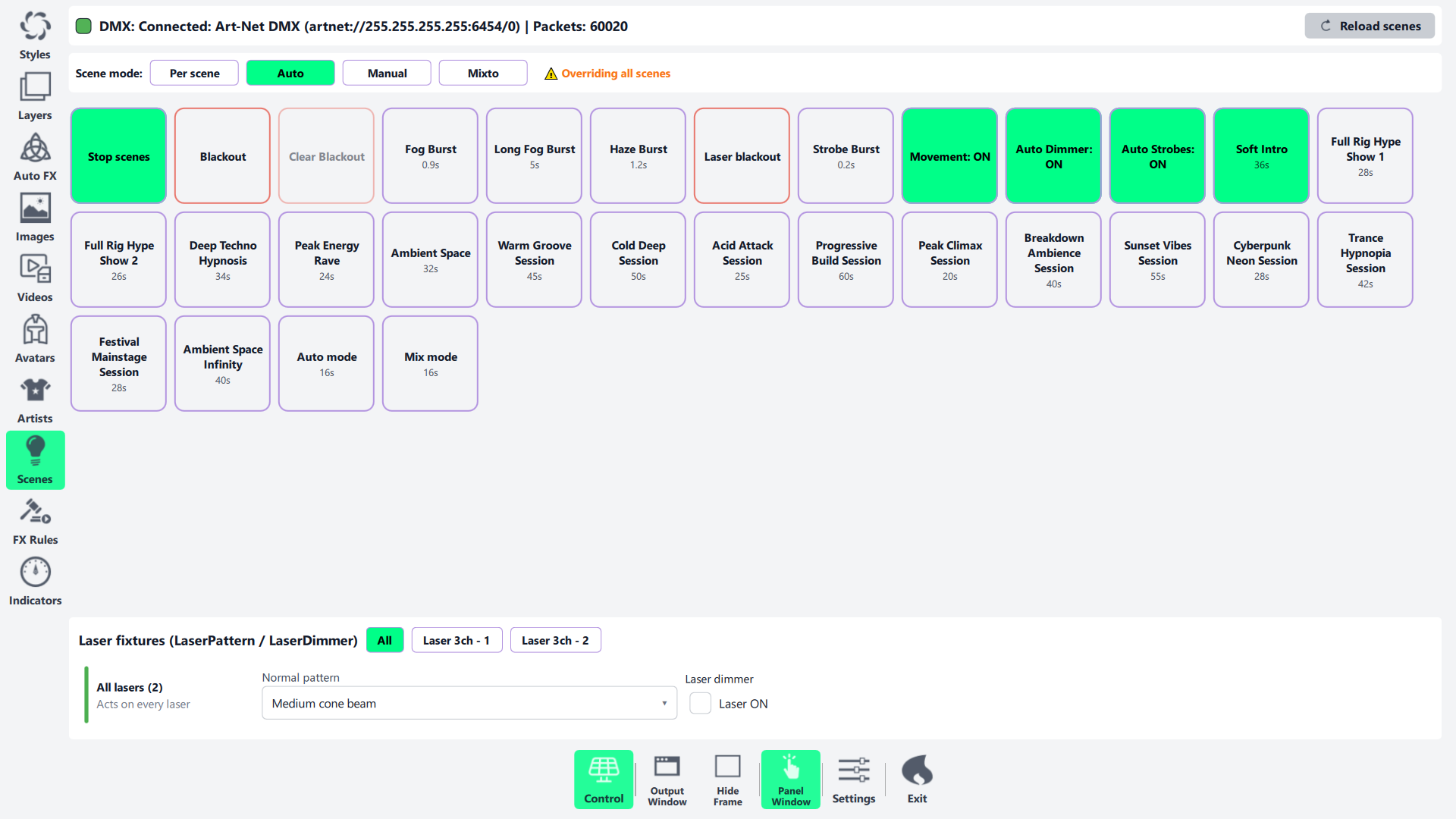
Artists show their logos and open their editor inside the panel: name, description, logos, order and delete. You can now upload a new logo from the phone (PNG, JPEG or GIF up to 8 MB; an existing file is never replaced). In Scenes you get Play All, a red Blackout, fog, haze and strobe bursts, Auto Strobes and the scene mode — and the lasers are now one card with an All / one laser selector, with the same safety confirmations as the desktop scene player.
Indicators, Settings and Help
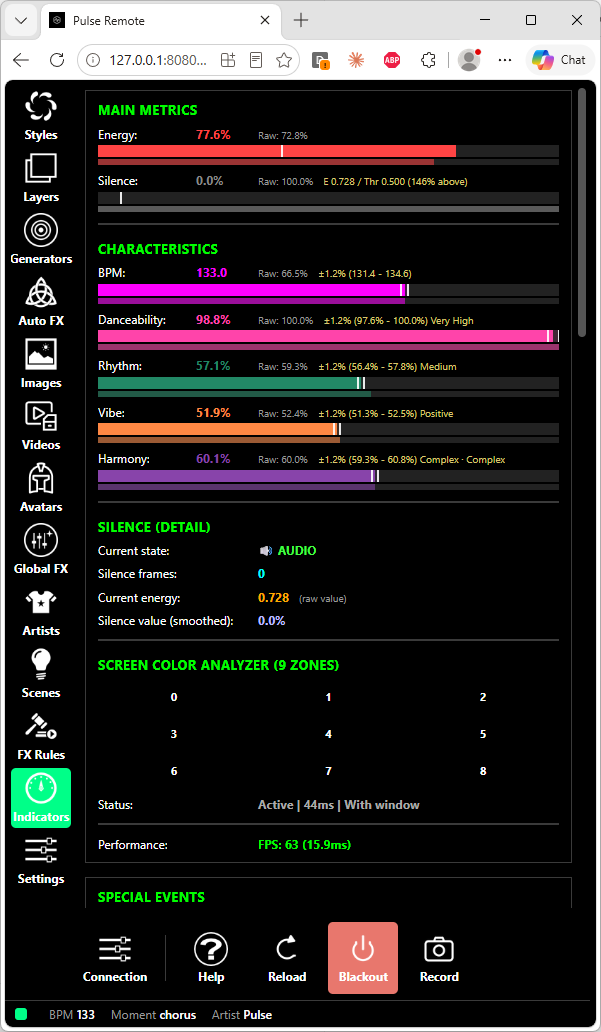
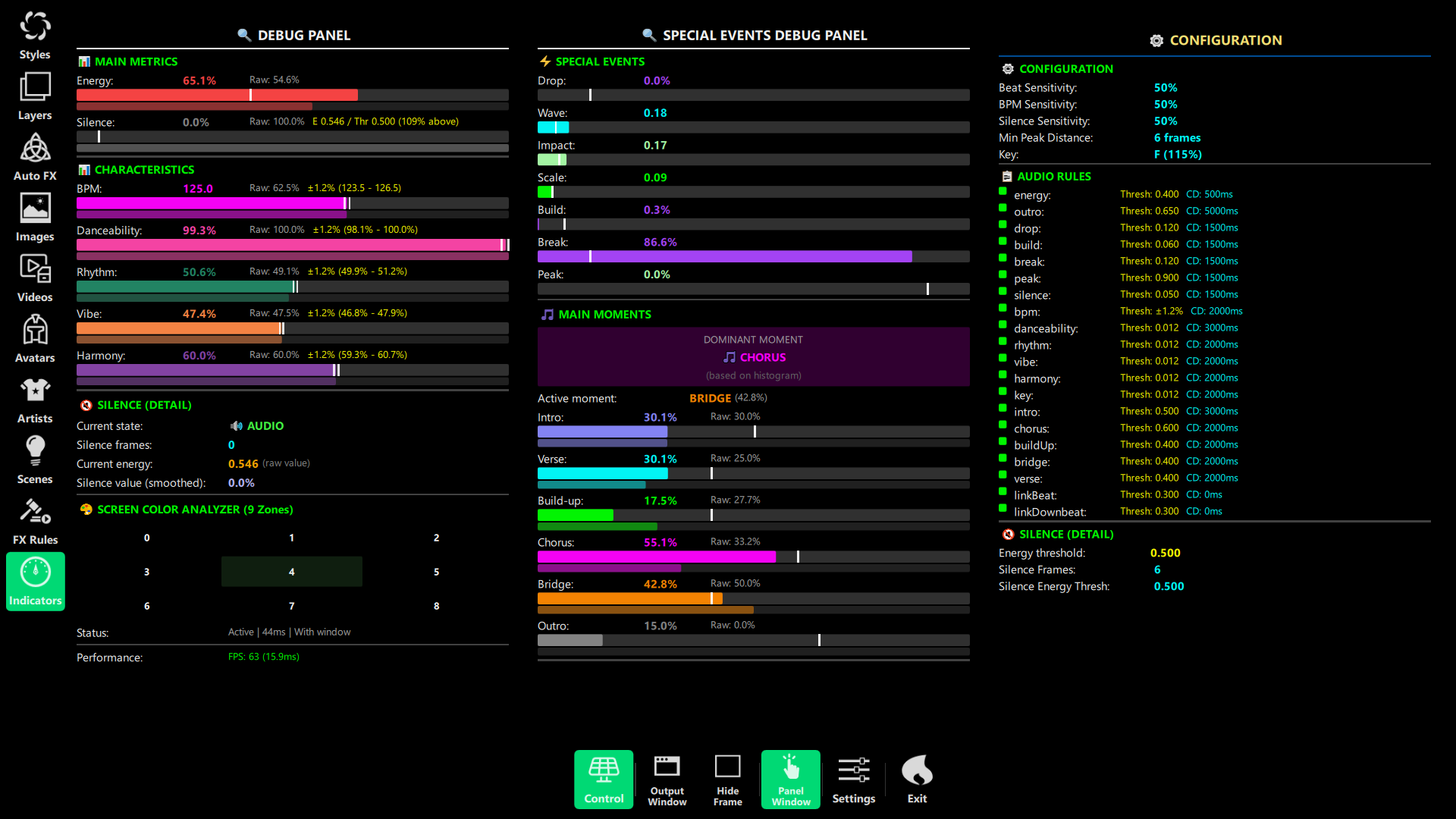
Indicators shows the same debug panel as the Windows app: energy, BPM, danceability, rhythm, vibe and harmony, silence, the screen colour zones, special events and song moments. Settings is drawn from the same catalogue as the desktop, with switches, [-] value [+] sliders, colour and font pickers, cameras and audio devices. A Help button opens About, License, Keyboard Shortcuts and What’s New inside the panel.
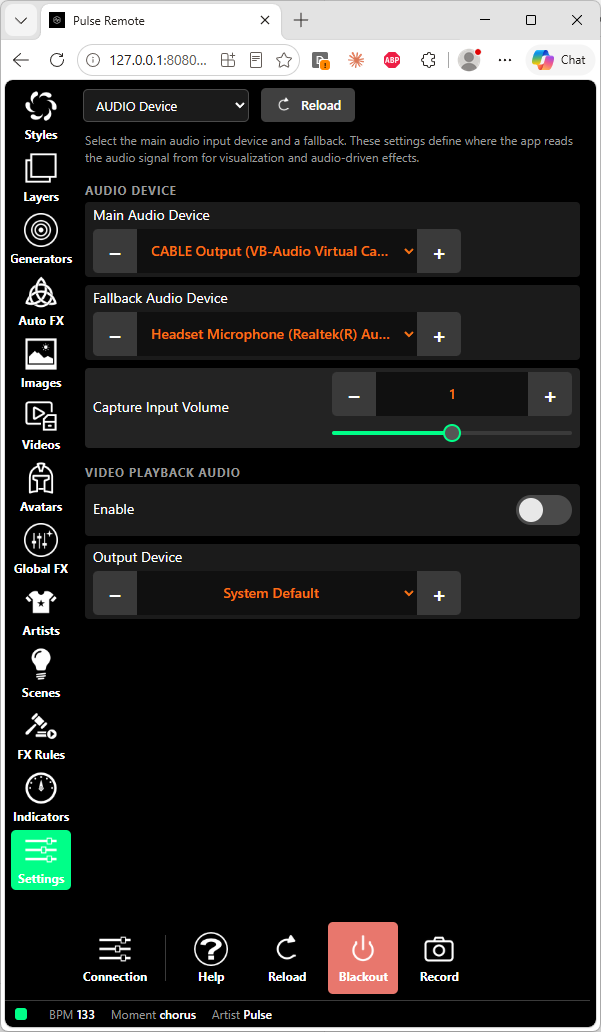
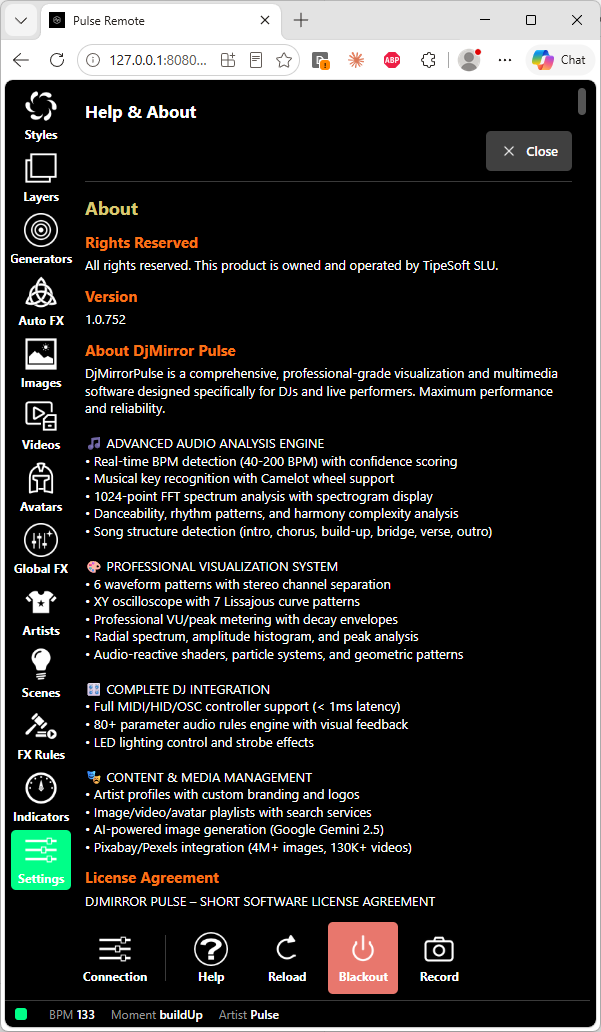
Advanced sections (DMX Live Control, Live rig and Outputs) appear when you turn on Settings › Global options › Show advanced sections in that browser. Schedule and Timecode are temporarily hidden in the web panel. The panel starts in the Dark theme; Day and Auto are in Settings › Global options › UI Theme.
The Android app: the same panel in your pocket
The DjMirror Pulse Android app has been redesigned to match the web panel and the Windows app, so whichever screen you pick up, everything is in the same place:
- A new look with the same colours and controls as Windows, every control sized for a finger, and a per-phone screen scale.
- Day theme on the phone too, stored on that phone only.
- Global FX and Generators sections with presets, the applied chain, bypass per stage and Auto FX connections (Enterprise edition), plus their tiles in Layers.
- Outputs — record, snapshot, Spout, NDI and Web Stream — and a Live rig strip in the DMX Scene Player, shown with Show advanced sections.
- Playlist and artist editors with thumbnails, search and download, and logo upload from the phone.
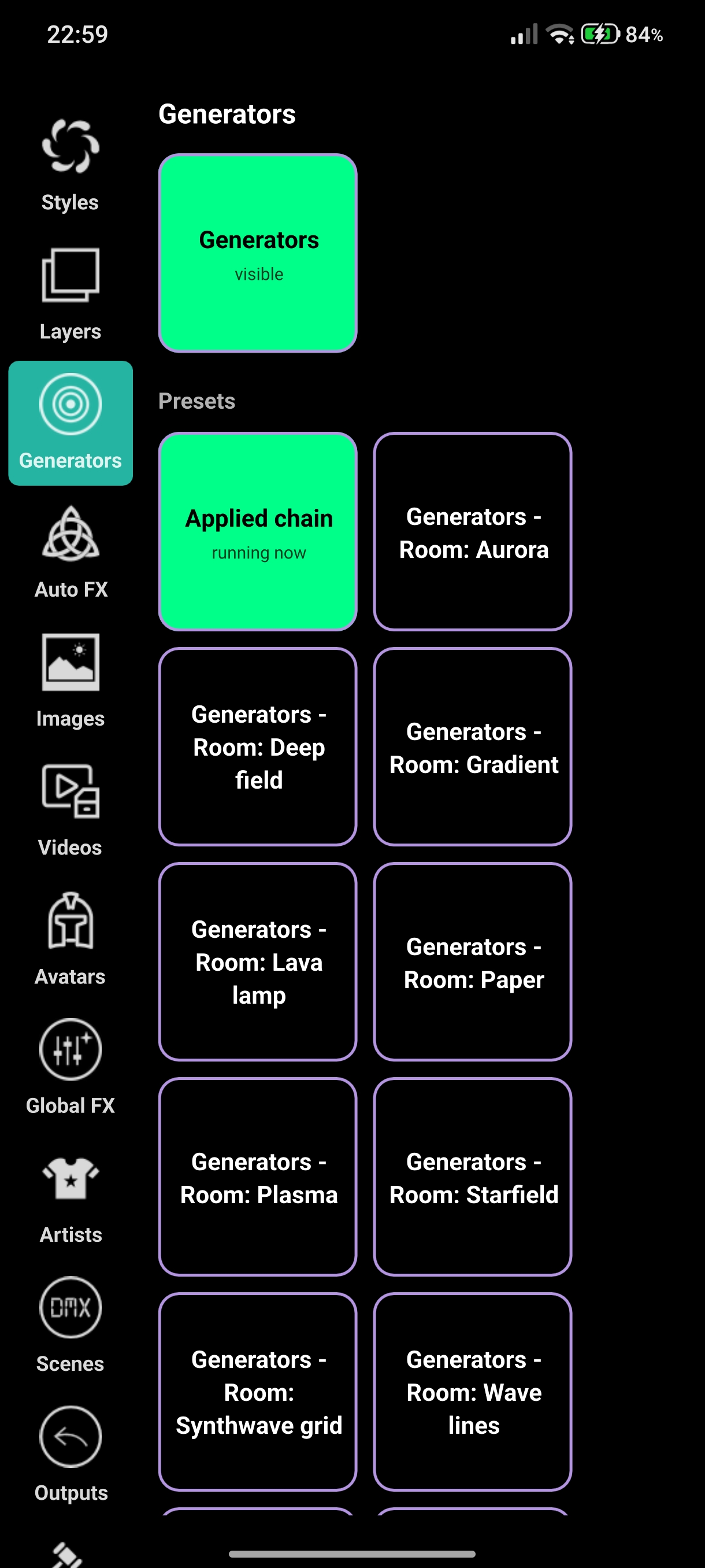
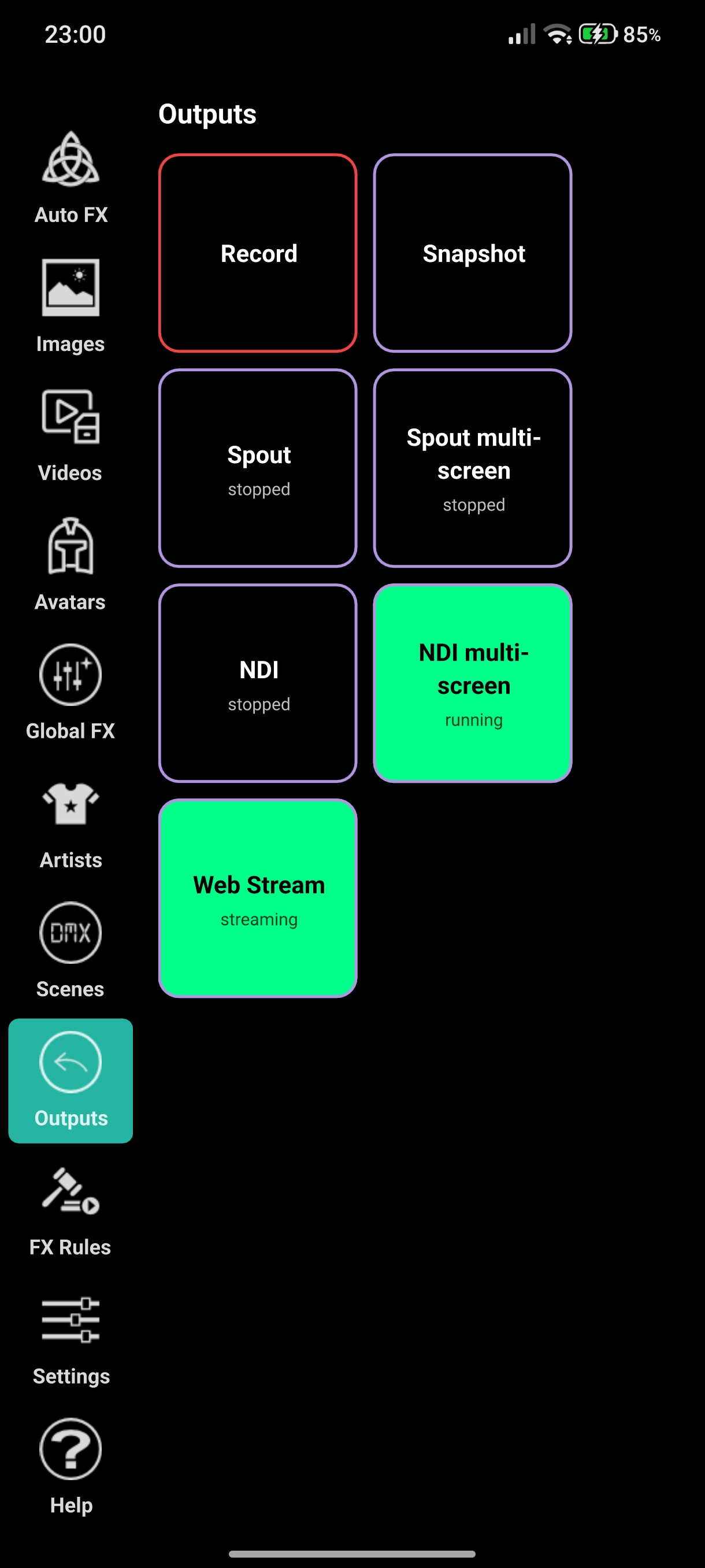
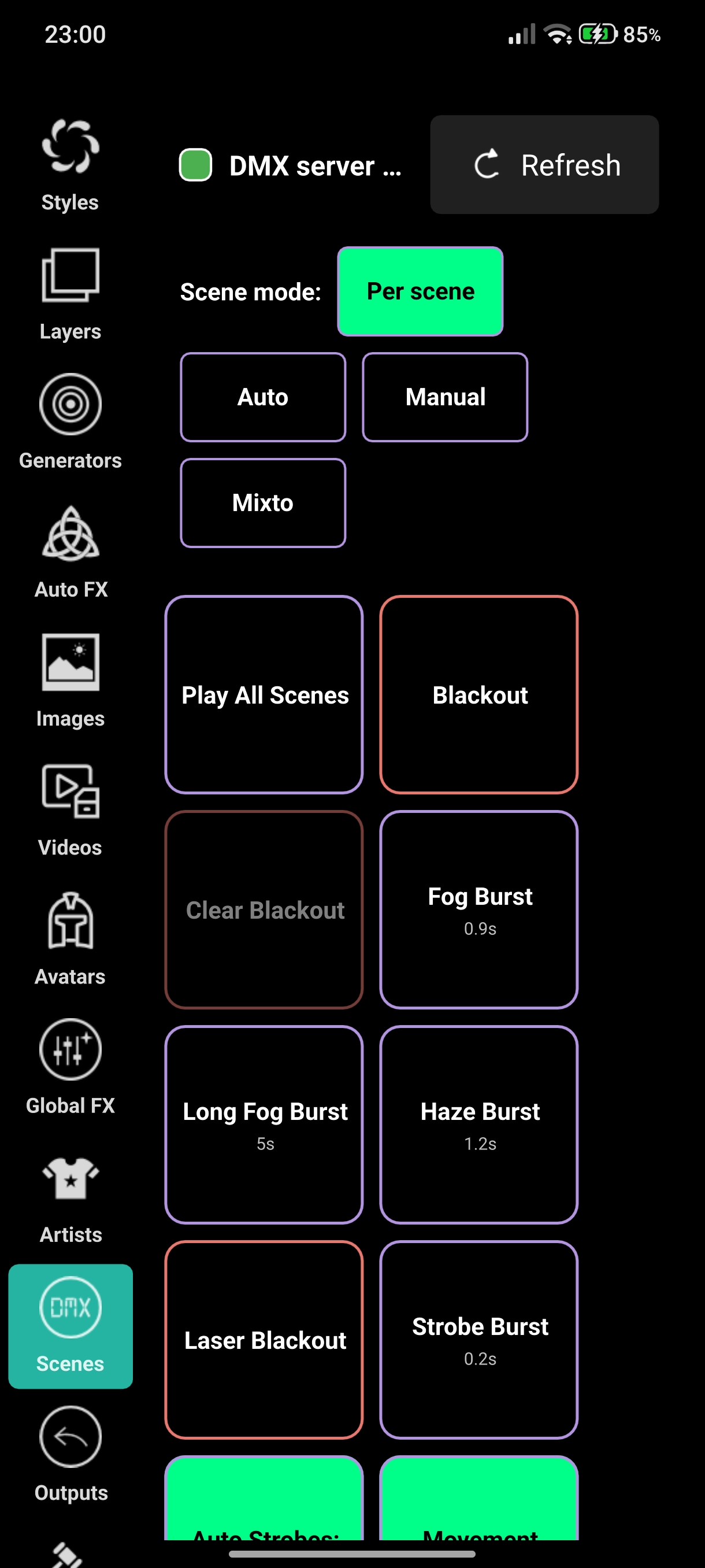
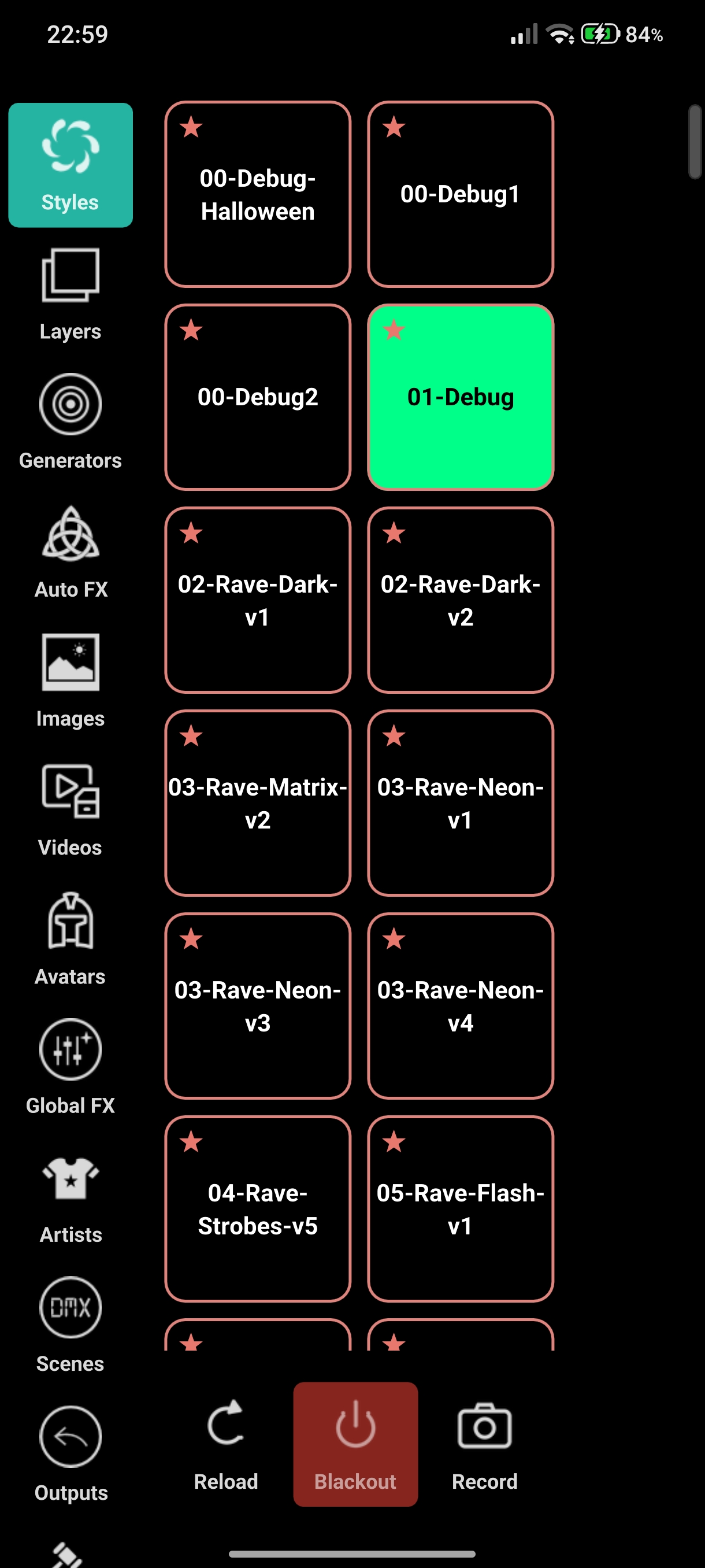
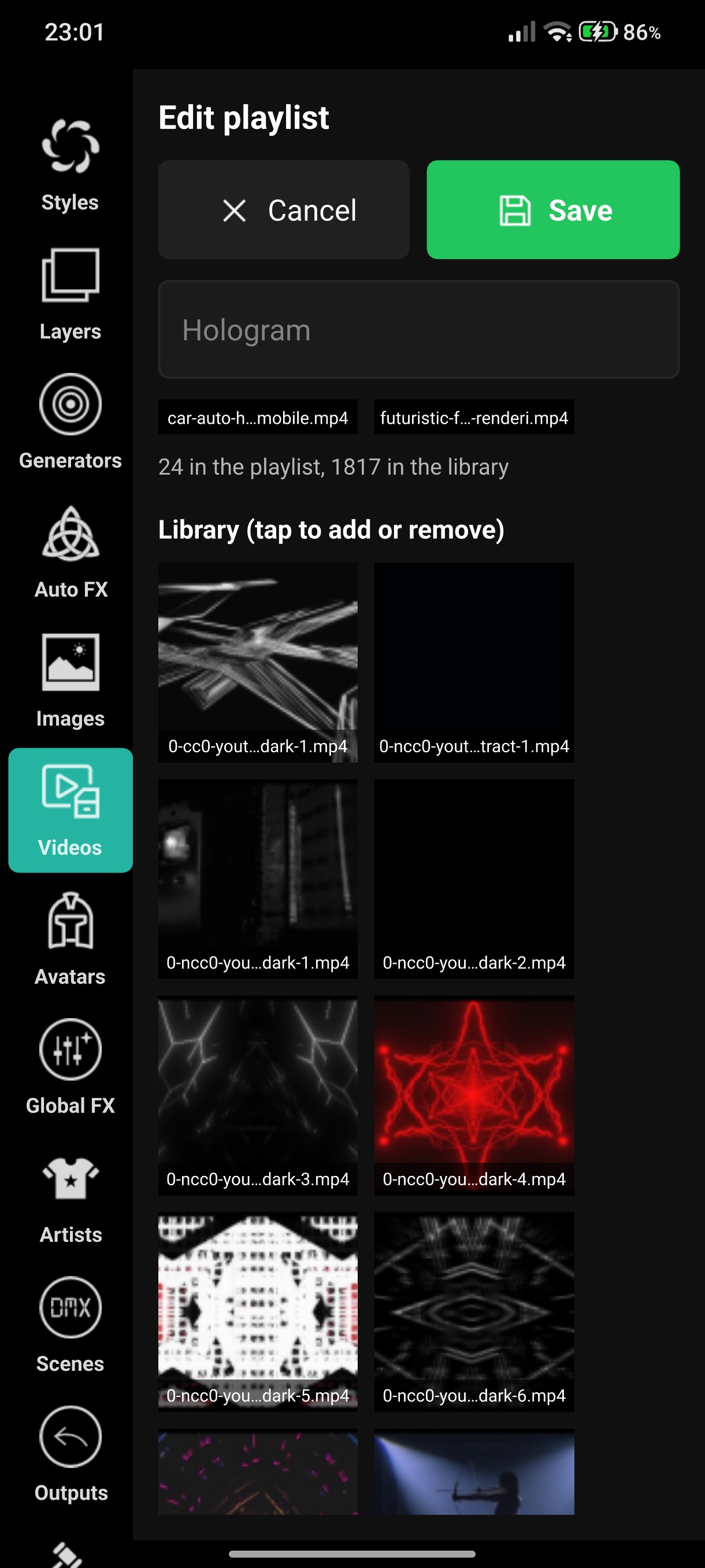
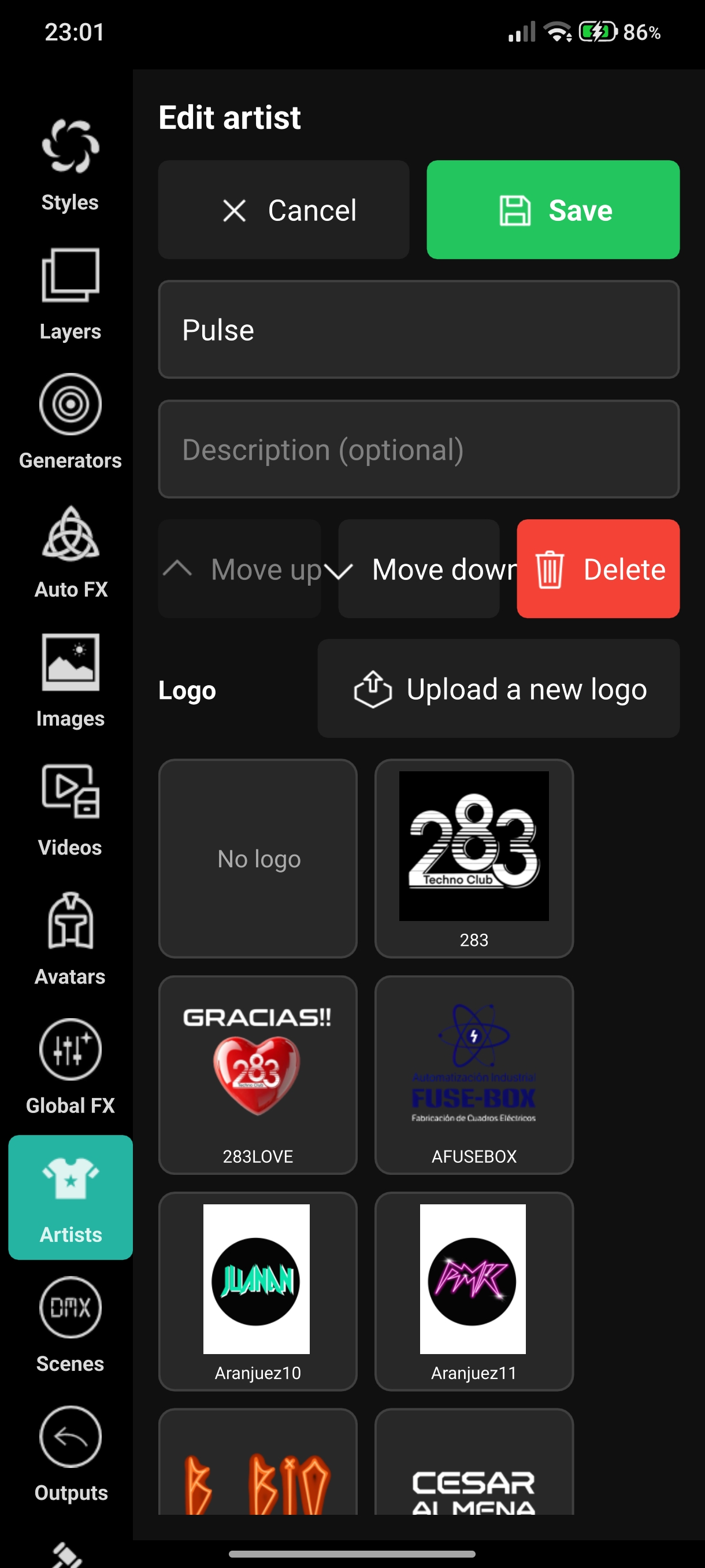
As in the web panel, the Schedule and Timecode sections are temporarily hidden in the app.
Accurate BPM detection
The tempo detector has been rewritten from scratch. The old one could only report a few fixed values between 110 and 145 BPM, so a 127 BPM track could read as 158. The new estimator follows the rhythm in four frequency bands, tells the real beat from off-beat hi-hats, smooths small drifts and only changes tempo after it repeats — about 1 second for the first lock and 2.5 seconds to follow a tempo change.
- Range 70–180 BPM; anything outside is read in its octave (60 reads as 120, 200 as 100).
- Drum and bass and dubstep are read at half tempo on purpose (174 reads as 87).
- First reading after about 5 seconds; until then BPM shows 0 instead of a guess.
- Within 0.01 BPM of the label on real 125–128 BPM tracks.
- The audio capture buffer grew from about 11 ms to 250 ms, so no audio is lost — with no noticeable added latency.
Beats, moments and drops are now counted at their real speed, so the sensitivity of your audio rules may feel slightly different. Learn more about the DjMirror Pulse audio analysis engine.
Web Stream: your show on the internet
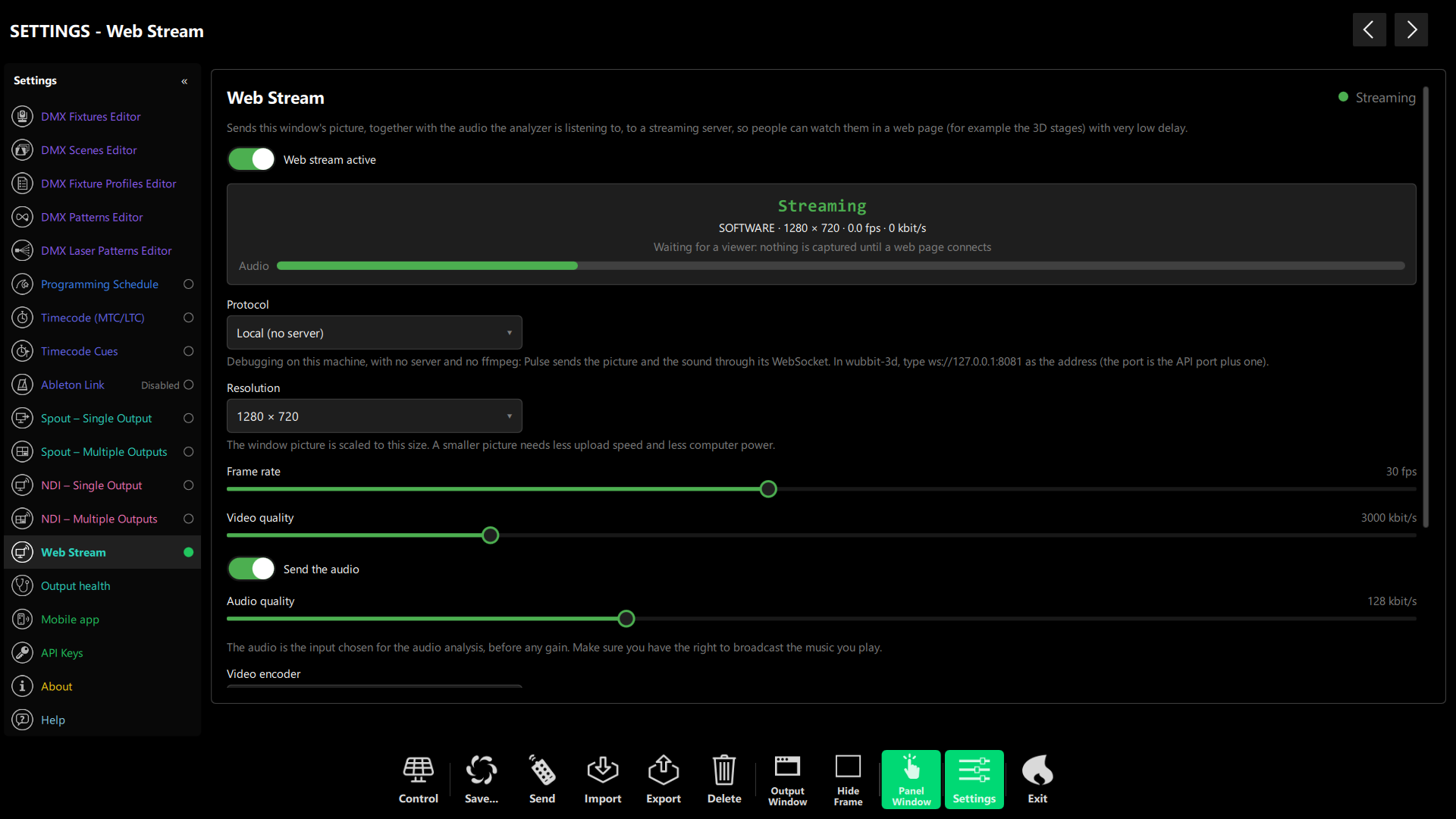
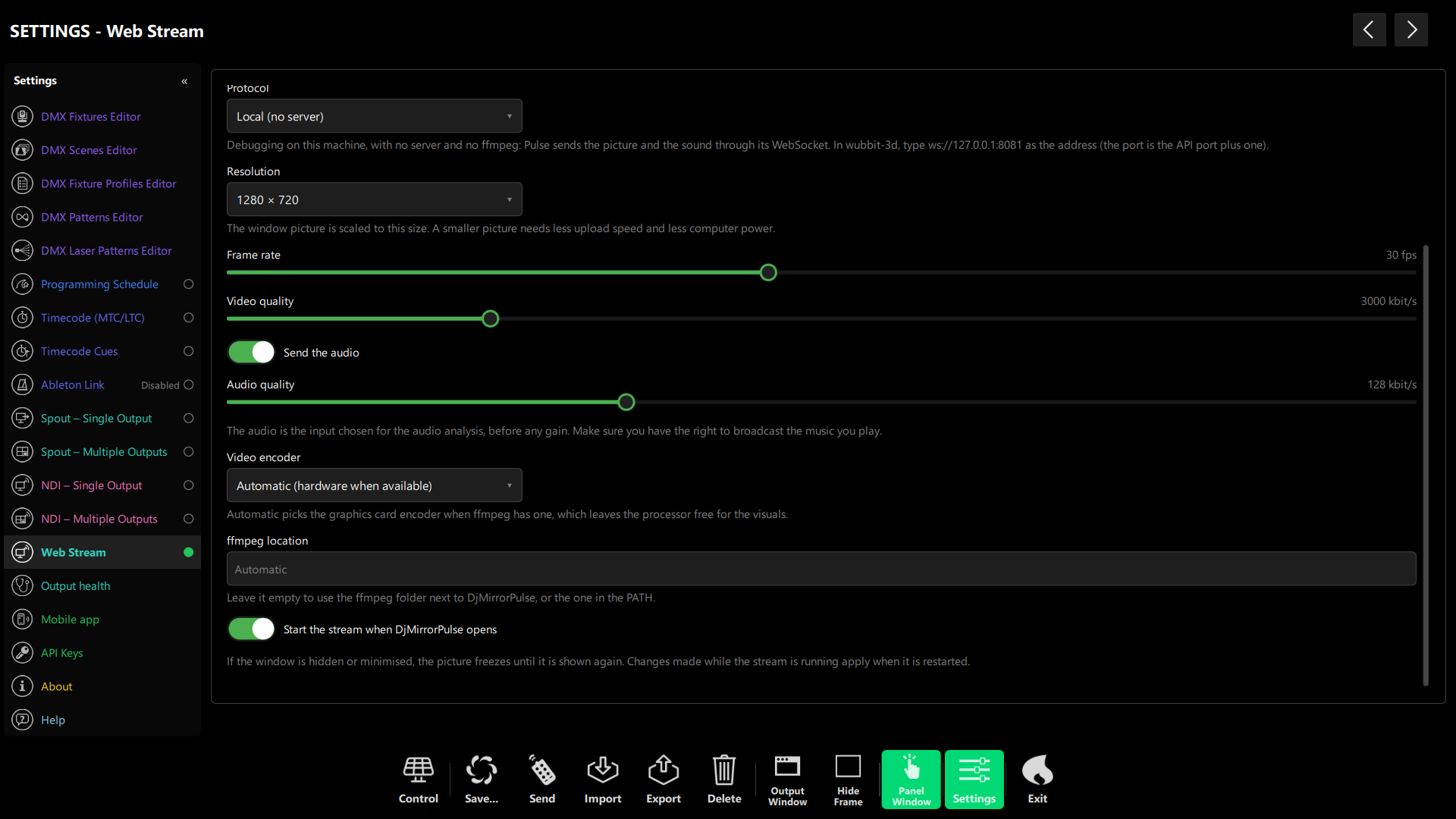
The new Settings › Web Stream panel sends the Pulse window and the analyzer audio to a MediaMTX server through ffmpeg (H.264 + Opus), and web pages receive it over WebRTC. Measured with real servers: 30 fps, about 300 ms glass to glass, and audio within about 15 ms of the picture. A Local mode skips the server and ffmpeg entirely and sends the stream over Pulse’s own WebSocket, for testing on the same network. Ready-made Windows scripts start MediaMTX and Caddy without Docker, over HTTP or HTTPS, with a random upload key.
Wubbit: a 3D stage that follows your lights
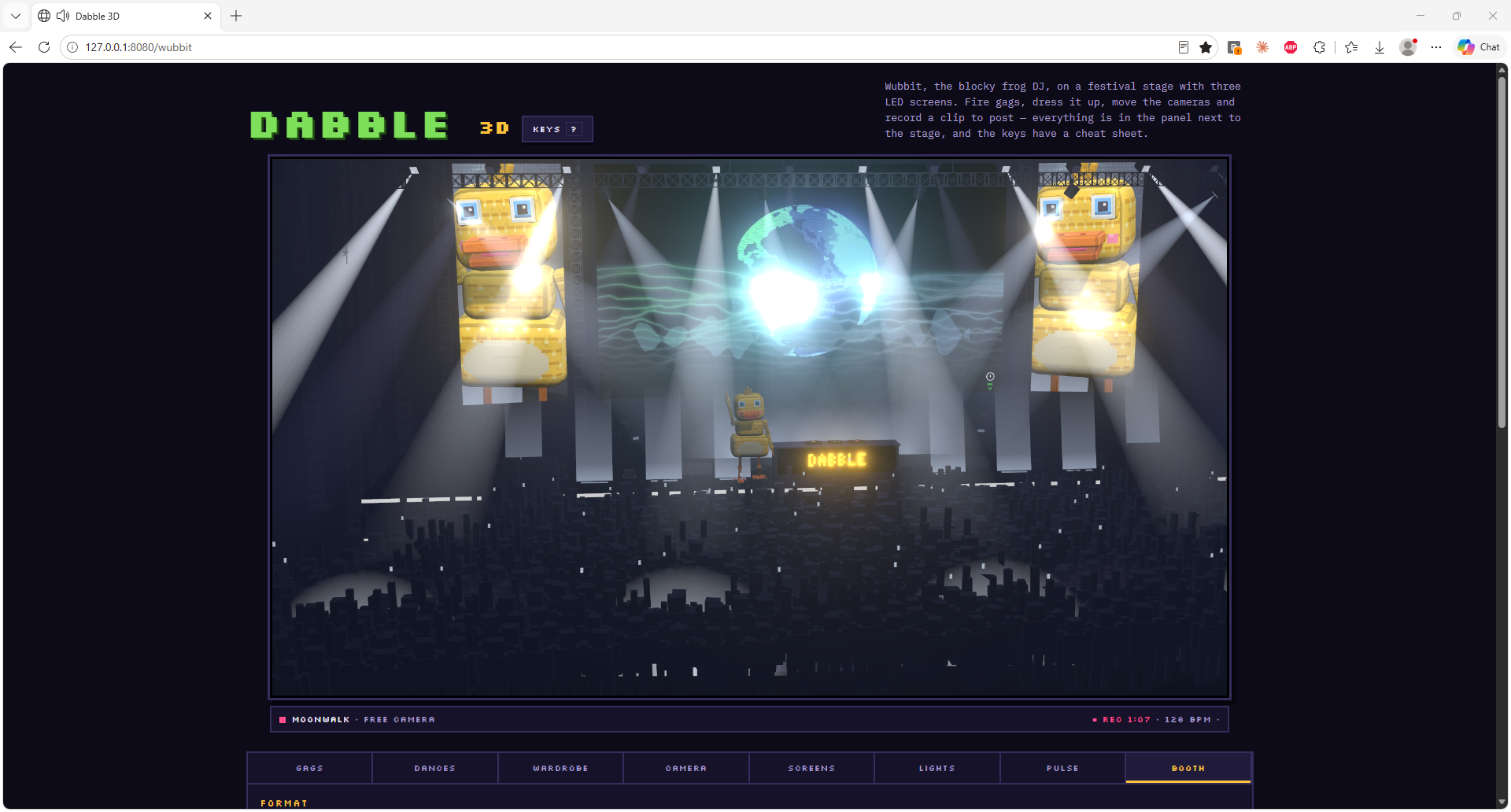
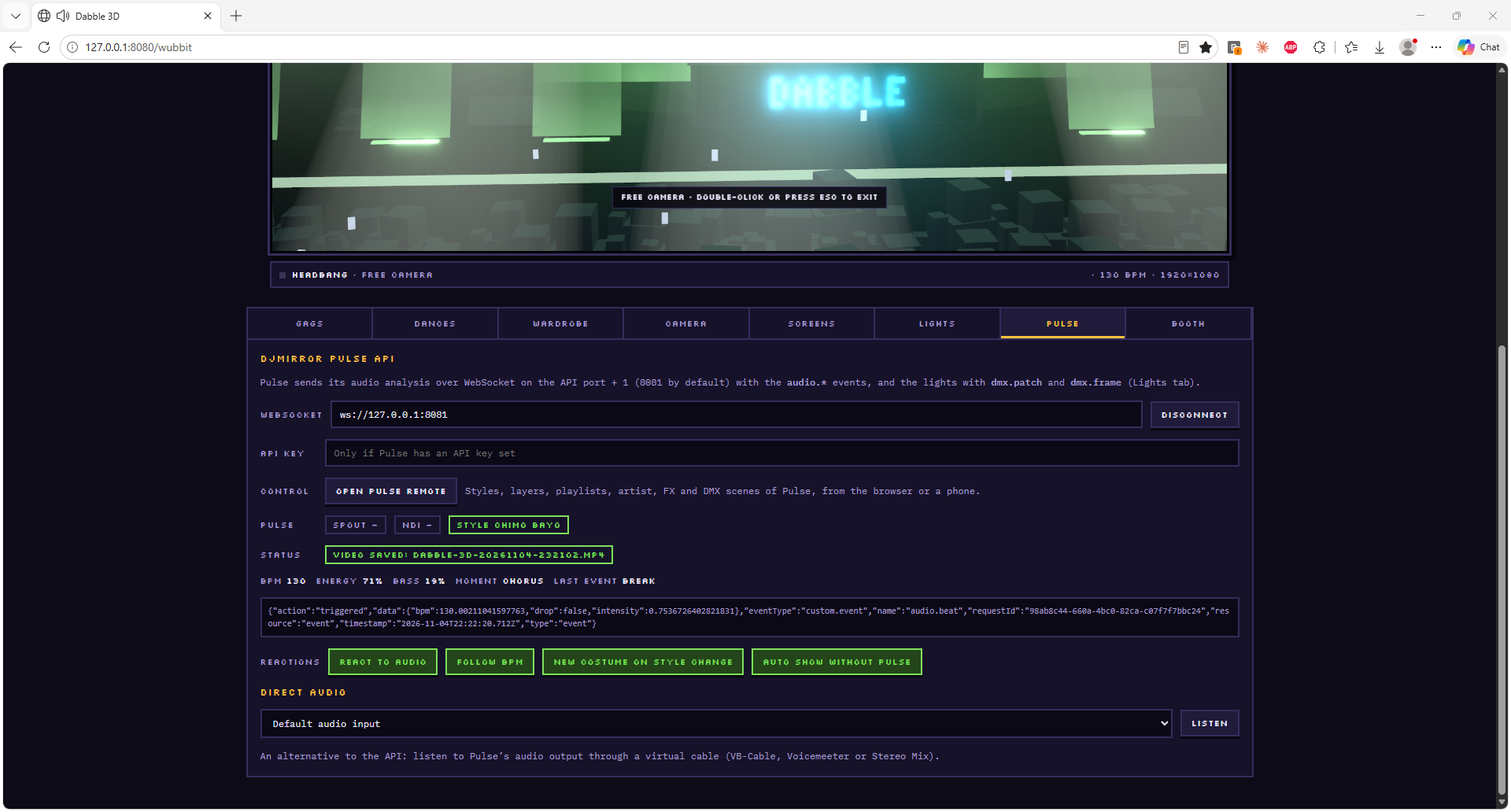
Wubbit, the blocky frog DJ, gets his own festival stage, served by DjMirror Pulse at /wubbit (3D) and /wubbit/2d (pixel art). Open it in a browser and it connects to Pulse on its own: the stage lights follow your real DMX rig, the LED bars take the colour of your fixtures, and CO2 and confetti fire with your fog machine.
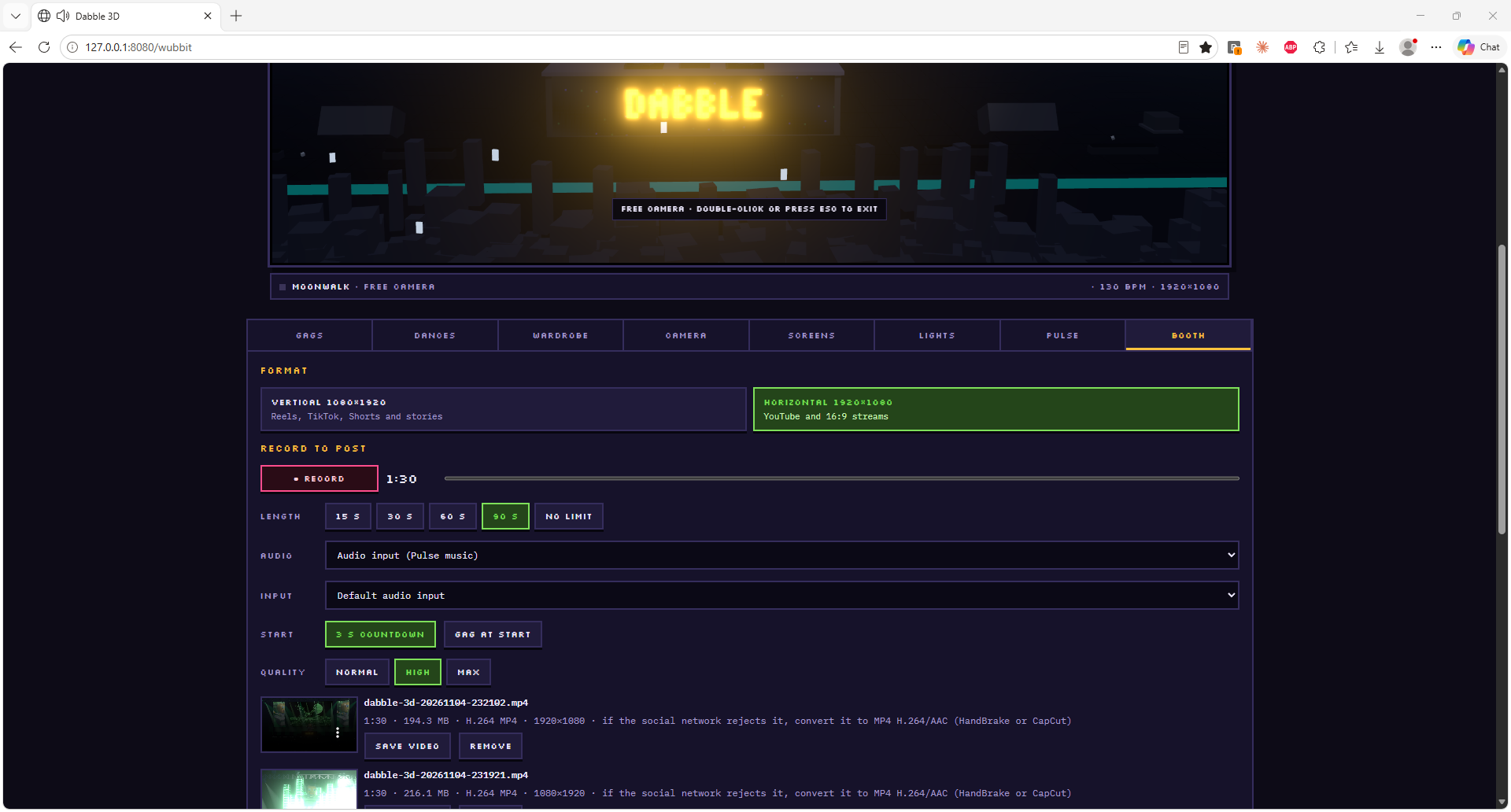
Everything is in the panel next to the stage, in eight tabs:
- Gags and Dances — fire a gag (Trip, Anvil, Lightning, Disco ball, Lens smash…), let them play on their own, or press Big moment for strobes, lasers, CO2, sparks, confetti and a jumping crowd at once. Write a message for the speech balloon.
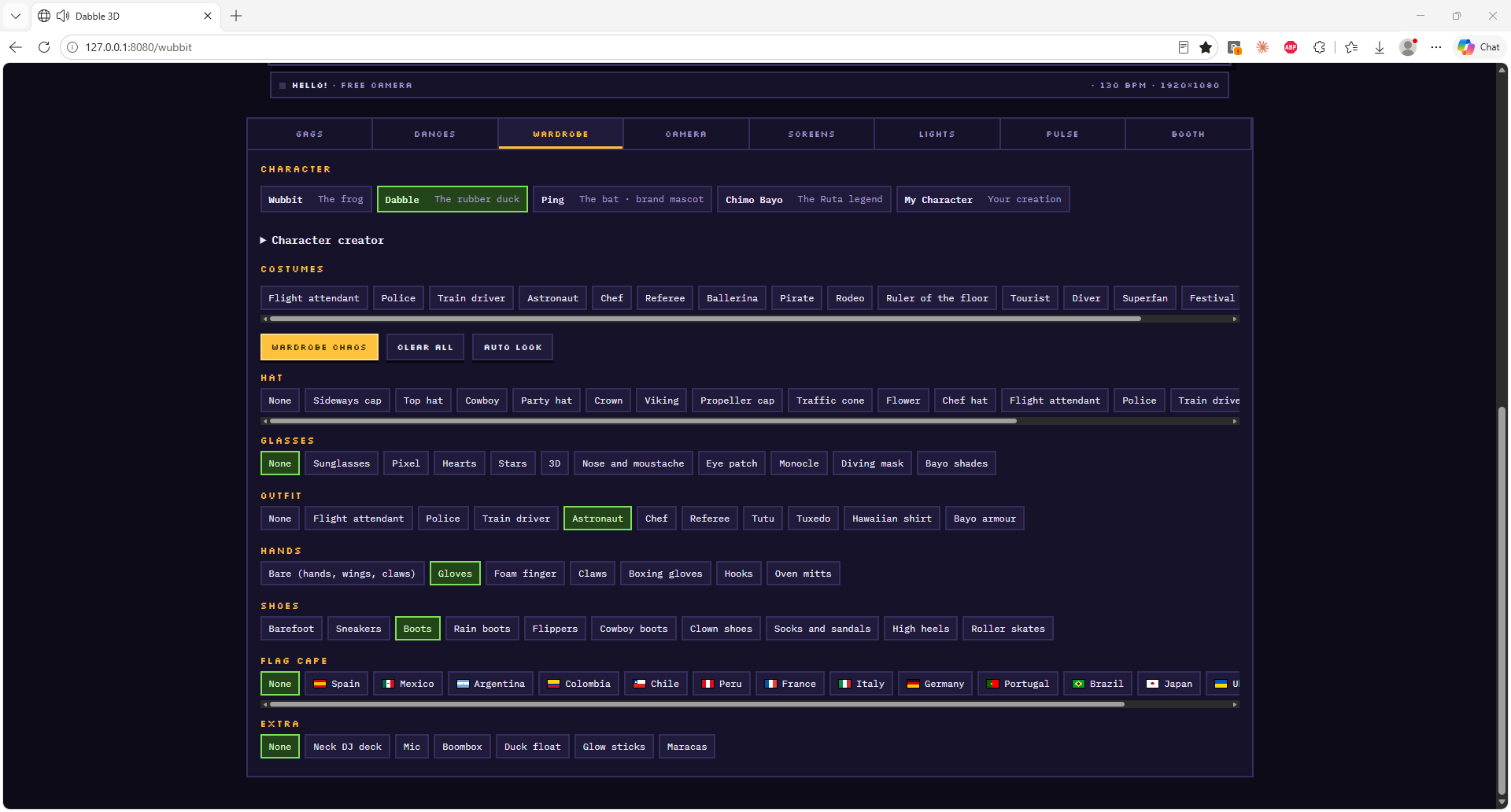
- Wardrobe — pick Wubbit the frog, Dabble the rubber duck or Ping the bat, or build your own in the character creator: costumes, hats, glasses, outfits, shoes, flag capes and extras.
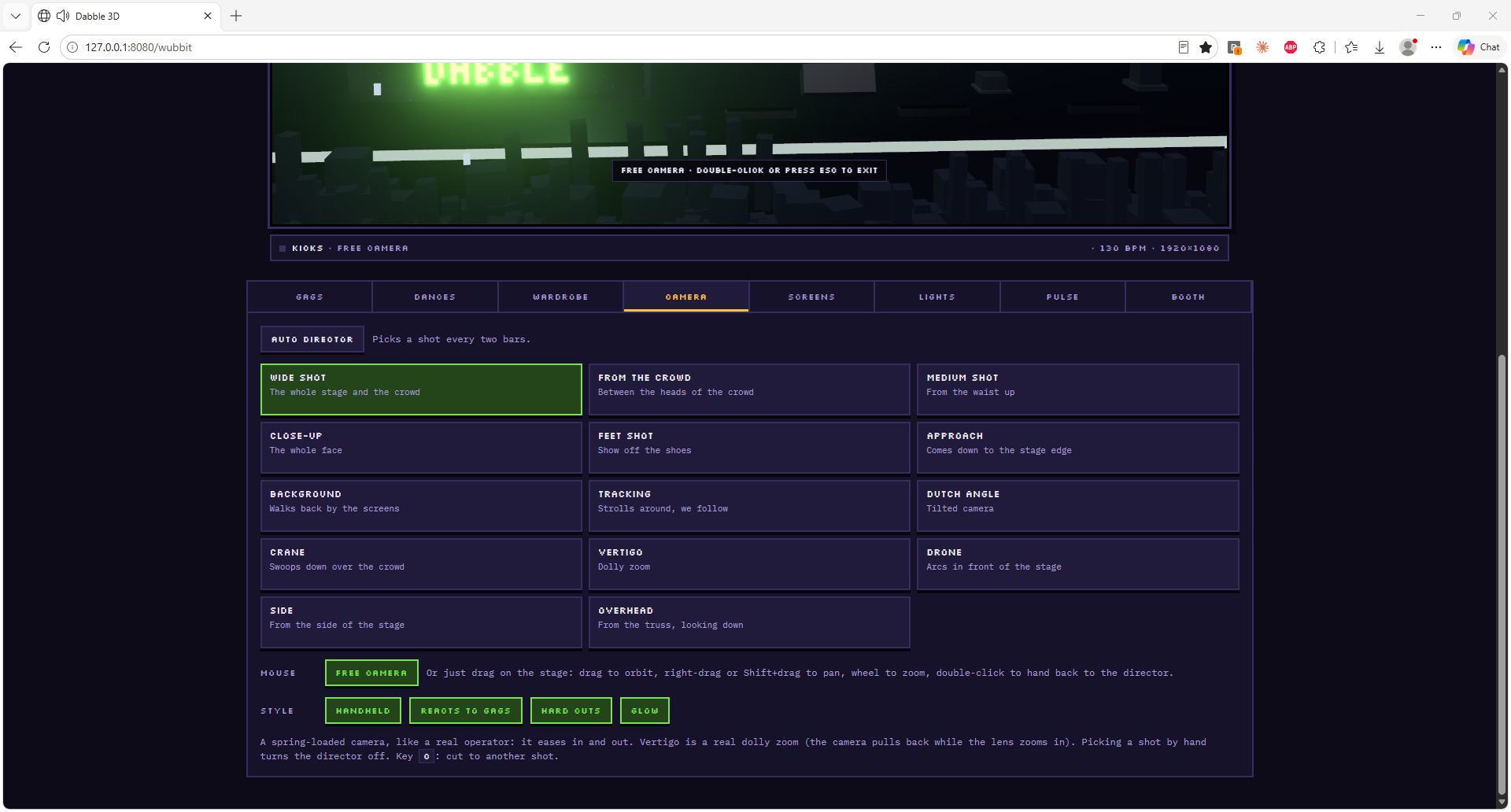
- Camera — an auto director that picks a shot every two bars from 14 angles (wide, from the crowd, close-up, crane, drone, vertigo…), or a free camera you drive with the mouse.
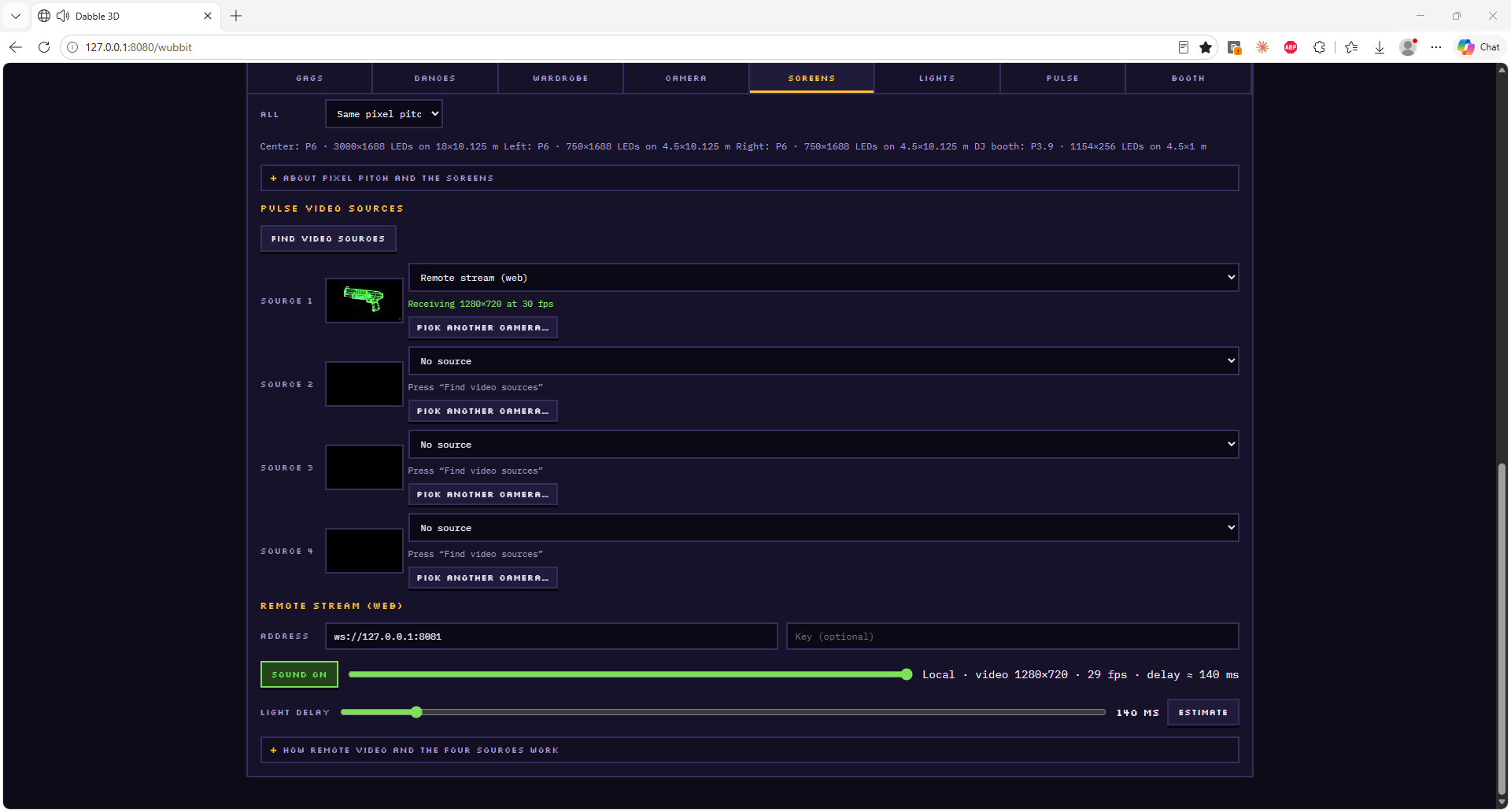
- Screens — choose what each LED screen shows, including the Pulse stream itself as a live video source.
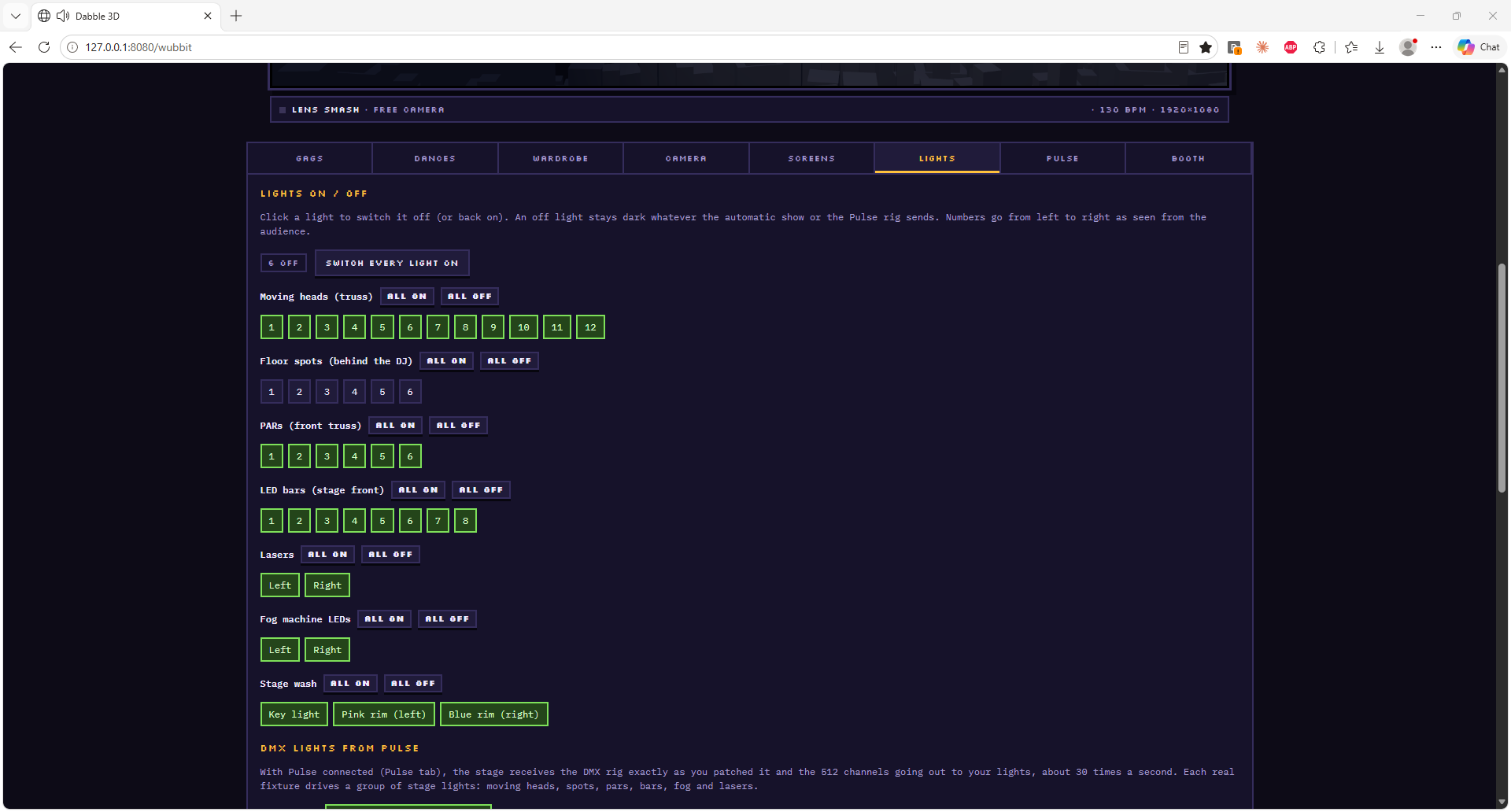
- Lights — switch any light on or off one by one, while the rest follow the DMX that Pulse sends.
- Pulse — connection, BPM, energy and song moment, plus reactions: react to audio, follow BPM, change costume on style change, or run an auto show without Pulse.
- Booth — record a clip to post in vertical 1080×1920 (Reels, TikTok, Shorts) or horizontal 1920×1080, from 15 seconds to no limit, as an MP4 that Instagram accepts.
One professional output for everything
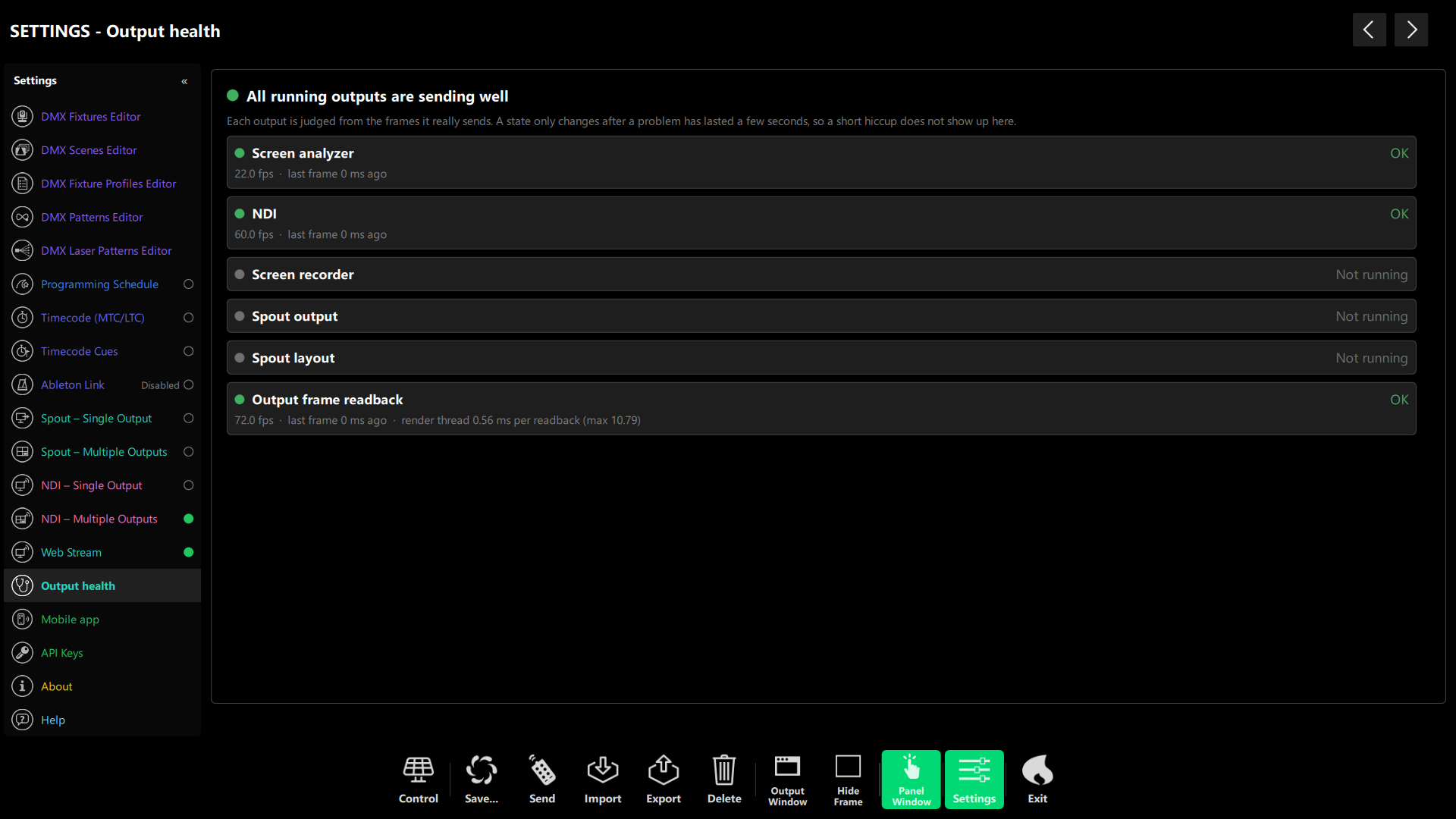
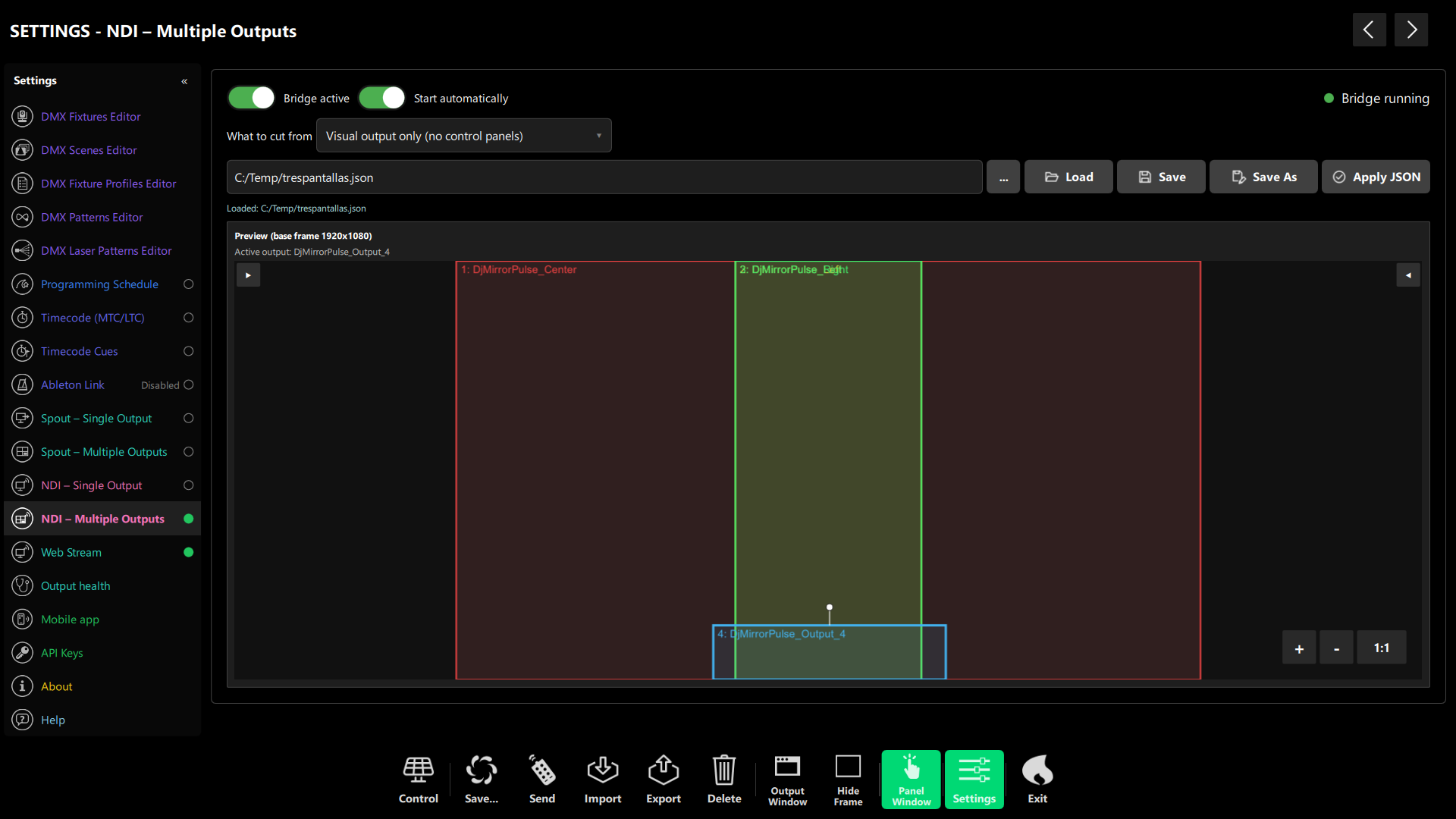
From 1.0.749 the visuals are rendered once, at the output resolution, and Spout, the NDI bridge, the screen recorder and the screen colour analyzer all read that same image. Resizing or covering the control window no longer changes what receivers get, and the Mask layer is now part of the output: what you see in the preview is what goes out.
- NDI “Visual output only” — sends the clean picture without the control panels (Windows, Direct3D 11).
- Output health — a new Settings page shows OK, Degraded or Failed for every output, with the reason; Spout and NDI panels show a badge only when something is wrong.
- NDI auto-restart — the bridge restarts by itself if it crashes (up to 3 times a minute).
- Recorder — a new “Visual output” source records the clean output, and the recorder stops and says why if the encoder stops accepting frames.
- Measured — reading the output costs about 0.9 ms per frame at 1080p and 1.1 ms at 4K, with colours unchanged along the whole chain.
Day theme
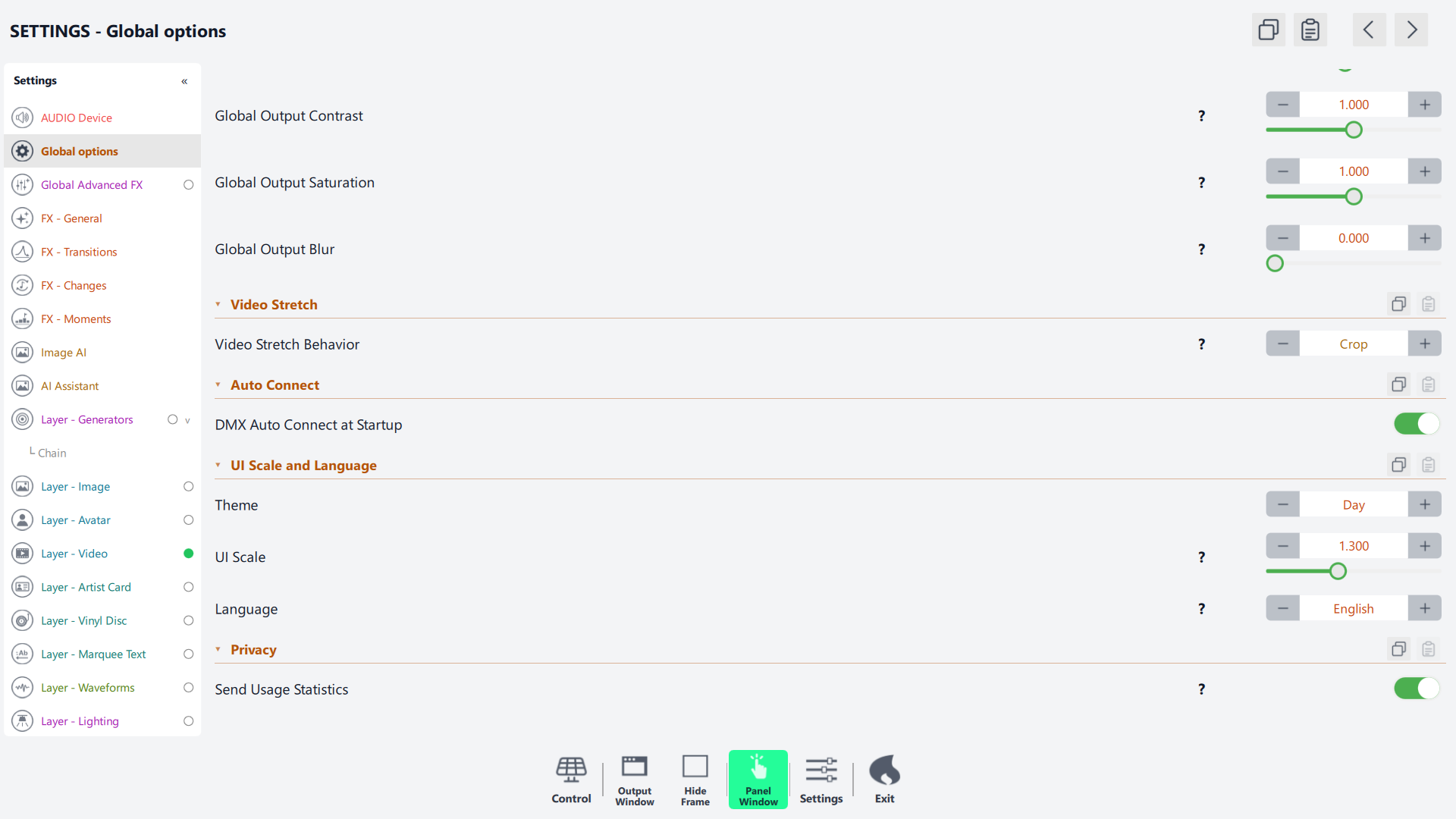
A new light Day look covers every panel, dialog and editor, next to the original Dark one. Choose it in Settings › UI Scale and Language › Theme; it applies instantly, with no restart. The projected output, the DMX simulator, the QR code and the debug indicators keep their own colours. Scrollbars are thinner too, but easier to grab with a finger.
Other changes
- DMX starts in blackout — when the first output connects everything stays dark until you apply a scene or release the blackout. Remote clients show the same state.
- Live DMX for web clients — web pages can receive the patched rig and the 512-channel frames of every universe, as they go to the hardware.
- MIDI — lit toggle switches mapped to a layer’s visibility follow the switch again. A momentary CC button mapped this way now shows the layer only while held; use a note or a fixed value for that kind of button.
- DMX scenes editor — no longer shows a value from one scene when you switch to another with the same fixtures.
- Windows control panel — the bottom bar now starts to the right of the section column and can be dragged sideways on narrow windows.
Every release since 1.0.748 at a glance
| Version | Headline features |
|---|---|
| 1.0.749 | Day theme, one professional output for Spout/NDI/recorder, Output health page, NDI auto-restart, “Visual output only” for NDI, thinner touch-friendly scrollbars |
| 1.0.751 | Rewritten BPM detector, Web Stream (WebRTC) and Local mode, Pulse Remote web panel at /control, Wubbit 3D and 2D stages, live DMX for web clients, DMX starts in blackout |
| 1.0.752 | Pulse Remote close to the mobile app: favourite styles, playlist and artist editors, logo upload, laser card, font and colour pickers, Help & About, Dark theme by default |
How to update to DjMirror Pulse 1.0.752
- Close DjMirror Pulse on the computer you are updating.
- Download the installer for Windows or macOS from djmirror.com and run it to upgrade your installation.
- Release the blackout or apply a scene: DMX now starts dark.
- Open Pulse Remote at
http://<your computer>:8080/controlon your phone and pair it with the code from Settings › Mobile app. - Check your audio rules: with the new BPM engine, beats and drops are counted at their real speed.
A control panel in every browser, a tempo you can trust and a show you can stream. Try DjMirror Pulse 1.0.752 free for 14 days, no credit card.